






• Buy Followers
    • Instagram Services
      • Buy Instagram Followers
      • Buy Instagram Likes
      • Buy Instagram Views
      • Buy Instagram Comments
    • YouTube Services
      • Buy YouTube Views
      • Buy YouTube Subscribers
      • Buy YouTube Likes
      • Buy YouTube Comments
    • TikTok Services
      • Buy TikTok Followers
      • Buy TikTok Likes
      • Buy TikTok Views
    • Facebook Services
      • Buy Facebook Page Likes
      • Buy Facebook Followers
      • Buy Facebook Post Likes
      • Buy Facebook Views
    • Twitter Services
      • Buy Twitter Followers
      • Buy Twitter Likes
      • Buy Twitter Retweets
  • Blog
  • Categories
    • Instagram
    • YouTube
    • TikTok
    • Facebook
    • Twitter
  • Contact
No Result
View All Result
Zeru
  • Buy Followers
    • Instagram Services
      • Buy Instagram Followers
      • Buy Instagram Likes
      • Buy Instagram Views
      • Buy Instagram Comments
    • YouTube Services
      • Buy YouTube Views
      • Buy YouTube Subscribers
      • Buy YouTube Likes
      • Buy YouTube Comments
    • TikTok Services
      • Buy TikTok Followers
      • Buy TikTok Likes
      • Buy TikTok Views
    • Facebook Services
      • Buy Facebook Page Likes
      • Buy Facebook Followers
      • Buy Facebook Post Likes
      • Buy Facebook Views
    • Twitter Services
      • Buy Twitter Followers
      • Buy Twitter Likes
      • Buy Twitter Retweets
  • Blog
  • Categories
    • Instagram
    • YouTube
    • TikTok
    • Facebook
    • Twitter
  • Contact
No Result
View All Result
Zeru
No Result
View All Result

Popular Services

Buy YouTube Views
Buy TikTok Followers
Buy Twitter Followers
Buy Facebook Followers
Buy Instagram Likes
Buy TikTok Likes
Buy Instagram Views
Buy TikTok Views
Buy Instagram Comments
Buy YouTube Likes
Buy Twitter Likes
Buy YouTube Comments
Buy Facebook Views
Buy Facebook Page Likes
Buy Twitter Retweets
Buy Facebook Post Likes
Buy YouTube Subscribers
Buy Instagram Followers

How to Delete Search History on Facebook

Lizzie Yates by Lizzie Yates
in Facebook
3 min read
70
How to Delete Search History on Facebook
15
SHARES
1.5k
VIEWS
Share on FacebookShare on Twitter

Contents

  • How to Delete Search History on Facebook
  • Clear Searches
  • Off-Facebook Activity
  • Reasons to delete search history on Facebook

How to Delete Search History on Facebook

how to delete search history on facebook

If you have searched for something on Facebook and it’s no longer relevant, you’ll need to clear your search history. Thankfully, Facebook has made this process extremely easy. Here are a few steps you can take. First, follow the steps above to find out how to delete search history on Facebook. After clicking “Edit,” you’ll see your search history by date and since you first joined the social networking site. Then, click the “Clear Searches” button.

Clear Searches

To clear your search history on Facebook, you must first log in to your account. Then, select “Settings” > “General” >> “Advanced” and click on “Clear Search History.” You can delete individual searches or all of them in one go. To see also : Why is Facebook Down?. Note: Deleted searches are not visible to others. You can also delete them from your mobile apps. The procedure for clearing search history on Facebook depends on your device and the privacy settings you have set.

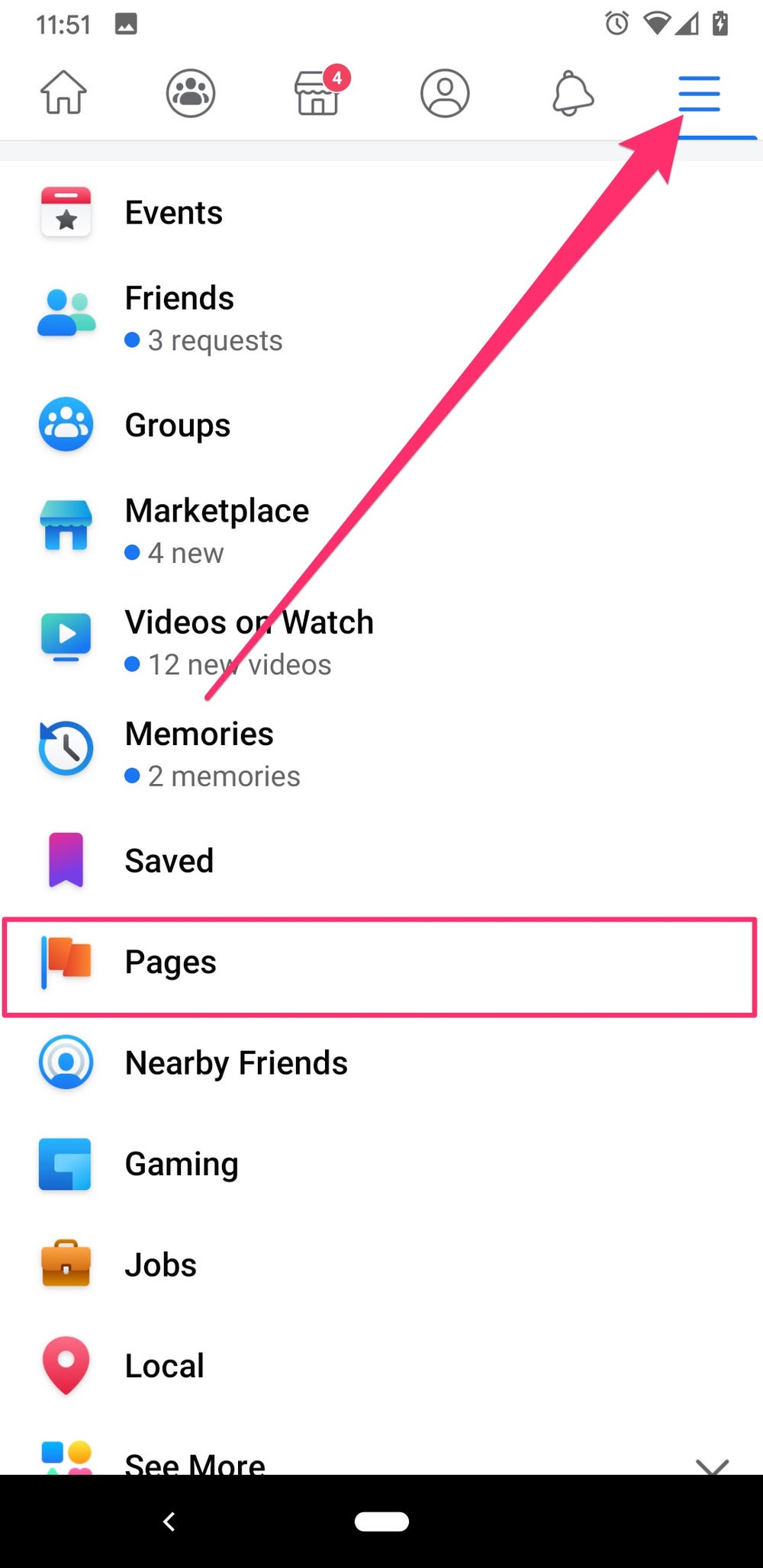
You can delete your Facebook search history by tapping on the “search” tab. You can also delete specific search history by clicking on the “x” icon. You can find the hamburger menu at the top of your Facebook screen. Click on “Settings” and “Privacy” at the end. To clear your history, tap on the “clear searches” option. Once you’ve clicked the check box, all the searches you have conducted on Facebook will be deleted.

If you don’t want anyone to see the contents of your search history, you can delete it from your Facebook account. Facebook stores this information on its servers. To delete it, you can use your web browser to do so. Mozilla Firefox, Chrome, and Safari all allow you to delete the search history. Before you begin deleting your search history on Facebook, make sure you clear your browser’s cache and cookies. You may also want to delete your Facebook activity log if it contains personal information.

This may interest you :
How to Lock My Facebook Profile
How to Lock My Facebook Profile If you’re concerned about privacy issues,…

Off-Facebook Activity

If you’re wondering how to delete search history on Facebook, you’re not alone. Facebook keeps a record of every search you perform and every comment you make. This data can be quite shady and can be hard to get rid of, but there are ways to make it disappear. This may interest you : How Do I Remove My Primary Email From Facebook?. If you want to delete all of your search history, follow these steps. You’ll be glad you did! After all, it’s just the right thing to do.

There are a number of ways to clear your search history on Facebook. You can either select to delete all of your history, or you can manage your individual activity. You can choose to manage your activities separately from your Facebook account by choosing to control what apps and websites you visit. However, this option may be tedious and can only be used in specific cases. So, if you’d like to keep your search history private, you can opt-out of such tracking.

If you want to delete your search history on Facebook, you can go to the Off-Facebook Activity menu. This menu will show you which pages you’ve recently visited. You can also choose to clear individual search items, if necessary. The privacy settings on Facebook are ever-changing, and clearing your search history is no exception. Thankfully, it’s easy to remove all of your searches and start fresh. It’s the best way to prevent your social media accounts from being shady.
This may interest you :
How to Delete Pictures From Facebook
How to Delete Pictures From Facebook When deleting pictures from Facebook, you…

Reasons to delete search history on Facebook

If you use Facebook to perform various online tasks, it is a good idea to regularly delete your search history. This will allow you to protect your privacy and stop related results from being shown to others. See the article : Is There a Facebook Watch App?. Here are three reasons why you should delete your search history on Facebook:

Delete your search history: Although Facebook allows users to clear their search history, you should be wary of this option. It will remove searches from other places, including the recent searches drop-down list. Depending on the site, you can also remove individual searches. It’s not a good idea to delete all your searches on Facebook, though. The same applies to other social networks. If you’re unsure whether you should clear your search history, you can check the settings menu for the option.

You may also want to delete your search history if you want to hand off a device to someone else. For most people, this process is simple. Log into Facebook and open the app. You’ll find a search bar at the top of the screen. Tap the search icon and select “Clear Searches.” Alternatively, you can tap on the X icon next to the search item. This will delete your search history.


See the article :
Can Prisoners Use Facebook in Jail?
Can Prisoners Use Facebook in Jail? As the popularity of social media…

Related Posts:

  • How to Delete Facebook Search History
  • How to Delete YouTube Search History
  • How to Clear Facebook Search History
  • How to Clear Facebook History
  • How to Clear Instagram Search Suggestions
  • How to Clear Search History on Instagram
Was this article helpful?
YesNo

You might also like

Troubleshooting Instagram Posting Issues

Troubleshooting Instagram Posting Issues

How to Post Multiple Photos on Instagram Without Cropping – The Ultimate Guide

How to Post Multiple Photos on Instagram Without Cropping – The Ultimate Guide

How Do I View My Instagram Likes on My PC?

How Do I View My Instagram Likes on My PC?

How to Pause Reels in Instagram

How to Pause Reels in Instagram

How to Make Instagram Bio Center

How to Get Verified on YouTube: How to Speed Up the Process

How to Get Verified on YouTube: How to Speed Up the Process

Categories

  • Facebook
  • General
  • Instagram
  • LinkedIn
  • Marketing
  • Pinterest
  • Social Media
  • TikTok
  • Twitter
  • YouTube


Making Your Brands Popular.

(347) 875-0972

[email protected]

© 2024 Zeru.
All Rights Reserved.

DMCA.com Protection Status

Instagram Services

  • Buy Instagram Followers
  • Buy Instagram Likes
  • Buy Instagram Views
  • Buy Instagram Comments

YouTube Services

  • Buy YouTube Views
  • Buy YouTube Subscribers
  • Buy YouTube Likes
  • Buy YouTube Comments

TikTok Services

  • Buy TikTok Followers
  • Buy TikTok Likes
  • Buy TikTok Views

Facebook Services

  • Buy Facebook Page Likes
  • Buy Facebook Followers
  • Buy Facebook Post Likes
  • Buy Facebook Views

Twitter Services

  • Buy Twitter Followers
  • Buy Twitter Likes
  • Buy Twitter Retweets

Quick Links

  • FAQ
  • Blog
  • Contact
  • About
  • Terms and Conditions
  • Privacy Policy
No Result
View All Result
  • Buy Followers
    • Instagram Services
      • Buy Instagram Followers
      • Buy Instagram Likes
      • Buy Instagram Views
      • Buy Instagram Comments
    • YouTube Services
      • Buy YouTube Views
      • Buy YouTube Subscribers
      • Buy YouTube Likes
      • Buy YouTube Comments
    • TikTok Services
      • Buy TikTok Followers
      • Buy TikTok Likes
      • Buy TikTok Views
    • Facebook Services
      • Buy Facebook Page Likes
      • Buy Facebook Followers
      • Buy Facebook Post Likes
      • Buy Facebook Views
    • Twitter Services
      • Buy Twitter Followers
      • Buy Twitter Likes
      • Buy Twitter Retweets
  • Blog
  • Categories
    • Instagram
    • YouTube
    • TikTok
    • Facebook
    • Twitter
  • Contact

© 2023 Zeru. All Rights Reserved.

Welcome Back!

Login to your account below

Forgotten Password?

Create New Account!

Fill the forms bellow to register

All fields are required. Log In

Retrieve your password

Please enter your username or email address to reset your password.

Log In






