






• Buy Followers
    • Instagram Services
      • Buy Instagram Followers
      • Buy Instagram Likes
      • Buy Instagram Views
      • Buy Instagram Comments
    • YouTube Services
      • Buy YouTube Views
      • Buy YouTube Subscribers
      • Buy YouTube Likes
      • Buy YouTube Comments
    • TikTok Services
      • Buy TikTok Followers
      • Buy TikTok Likes
      • Buy TikTok Views
    • Facebook Services
      • Buy Facebook Page Likes
      • Buy Facebook Followers
      • Buy Facebook Post Likes
      • Buy Facebook Views
    • Twitter Services
      • Buy Twitter Followers
      • Buy Twitter Likes
      • Buy Twitter Retweets
  • Blog
  • Categories
    • Instagram
    • YouTube
    • TikTok
    • Facebook
    • Twitter
  • Contact
No Result
View All Result
Zeru
  • Buy Followers
    • Instagram Services
      • Buy Instagram Followers
      • Buy Instagram Likes
      • Buy Instagram Views
      • Buy Instagram Comments
    • YouTube Services
      • Buy YouTube Views
      • Buy YouTube Subscribers
      • Buy YouTube Likes
      • Buy YouTube Comments
    • TikTok Services
      • Buy TikTok Followers
      • Buy TikTok Likes
      • Buy TikTok Views
    • Facebook Services
      • Buy Facebook Page Likes
      • Buy Facebook Followers
      • Buy Facebook Post Likes
      • Buy Facebook Views
    • Twitter Services
      • Buy Twitter Followers
      • Buy Twitter Likes
      • Buy Twitter Retweets
  • Blog
  • Categories
    • Instagram
    • YouTube
    • TikTok
    • Facebook
    • Twitter
  • Contact
No Result
View All Result
Zeru
No Result
View All Result

Popular Services

Buy YouTube Views
Buy TikTok Followers
Buy Twitter Followers
Buy Facebook Followers
Buy Instagram Likes
Buy TikTok Likes
Buy Instagram Views
Buy TikTok Views
Buy Instagram Comments
Buy YouTube Likes
Buy Twitter Likes
Buy YouTube Comments
Buy Facebook Views
Buy Facebook Page Likes
Buy Twitter Retweets
Buy Facebook Post Likes
Buy YouTube Subscribers
Buy Instagram Followers

How to Log Out of Twitter on PC and Switch Back to a Different Account

Lizzie Yates by Lizzie Yates
in Twitter
3 min read
75
How to Log Out of Twitter on PC and Switch Back to a Different Account
16
SHARES
1.6k
VIEWS
Share on FacebookShare on Twitter

Contents

  • How to Log Out of Twitter on PC and Switch Back to a Different Account
  • How to log out of Twitter
  • Switching back to another account
  • Signing out of Twitter on a mobile device

How to Log Out of Twitter on PC and Switch Back to a Different Account

If you’ve been using Twitter on your PC but you’ve switched back to a different account, you may be wondering how to log out. This article will show you how to sign out of your Twitter account and switch back to another. You’ll also learn how to sign out of your account from your mobile device. Follow these steps for both desktop and mobile devices. These steps will help you keep your Twitter account private.

How to log out of Twitter

The first step in logging out of Twitter is to visit the website. Click the “Log out” button at the top of the page. If you’re using an app, open the Twitter app. To see also : Who is Owner of Twitter?. Tap the “Profile” tab on the bottom of the screen. Next, tap the “Settings” gear icon in the top-right corner. Choose “Log out.” If you’re using multiple devices, tap “Log out of all sessions.”

Once logged out of Twitter on your PC, you can easily log out of any other sessions on the site. To do this, go to the Twitter homepage and click the “three horizontal dots” icon. Tap the “account” tab and choose “log out of all sessions”. After logging out of your account, you’ll be asked to confirm the action by submitting your email address. Follow the prompts.

Alternatively, you can open the account settings page on your computer. Select the “security and login” tab. Select “Log out” and confirm the action. Then, log in again to your other account. This will prevent your account from being tracked and misused by other users. If you lose your laptop or phone, you should log out immediately. Just as with your social networks, this is essential to protect yourself from identity theft.

To see also :
How to Upload High Quality Videos to Twitter
How to Upload High Quality Videos to Twitter When creating a video…

Switching back to another account

You may have accidentally logged out of your Twitter account. If this happens, you may want to switch back to your account by visiting your profile page and clicking the “Switch to another account” option. If this doesn’t work, you can deactivate your account. This may interest you : What is Twitter?. To do this, you will need to enter your Twitter password and re-enter it. It’s easy to forget to log out of your account, but Twitter makes it incredibly easy to do.

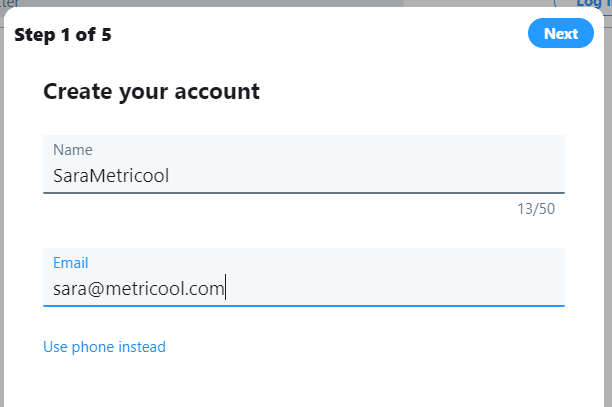
To switch accounts, open Twitter.com on your PC and open it. Select Account Settings from the left side. Click on the “Switch Account” option. This option appears on the Accounts tab. If you don’t see the switch option, click “Add another account.”

If you use Twitter on your PC, you can switch to a different account by tapping on the three-dot icon located next to your user name and profile image. Clicking this icon will open a pop-up menu. Select “Switch to another account” and confirm your decision. Now you can switch back to your Twitter account any time you like. If you do accidentally log out, it may occur again.
See the article :
Is Twitter a Good Company to Work For?
Is Twitter a Good Company to Work For? This article covers the…

Signing out of Twitter on a mobile device

You can log out of Twitter using your mobile device just like you do in the desktop version. Just open the app and tap on the Profile or Navigation menu icon. From there, tap on the “Settings And Privacy” option. To see also : How to Clear Twitter History. Select “Account” and then tap “Log Out.” Then confirm your logout to complete the process. Once you’ve logged out, your account will be no longer available to anyone else.

If you’ve logged out of your Twitter account on your desktop, you’re already out of the game. If you’re on your phone, however, you’ll need to sign out of your sessions before you can sign in to another device. If you’re using a mobile device, you can log out of multiple sessions by clicking “Log Out” from the “Apps and devices” tab. You can even view the history of your devices, including the time and date of each session.

If you’re using a desktop computer, you can log out of multiple sessions by choosing “Security and account access” from the “Sessions” menu. Alternatively, you can log out of all sessions by selecting “Log Out” from the pop-up message that appears after selecting “Sign Out” from the “My Twitter” menu. If you’re using a mobile device, the three horizontal dots icon will be located on the homepage.


To see also :
How Do I Make a Twitter Page For My Business?
How Do I Make a Twitter Page For My Business? After creating…

Related Posts:

  • How to Log Out of Twitter and Switch Back to Your Other…
  • Can I Have 2 Twitter Accounts?
  • How to Change Twitter Language
  • How to Create a Second Twitter Account
  • How Do I Restore Worldwide Trends on Twitter?
  • How to Log Out of Twitter on PC
Was this article helpful?
YesNo

You might also like

Troubleshooting Instagram Posting Issues

Troubleshooting Instagram Posting Issues

How to Post Multiple Photos on Instagram Without Cropping – The Ultimate Guide

How to Post Multiple Photos on Instagram Without Cropping – The Ultimate Guide

How Do I View My Instagram Likes on My PC?

How Do I View My Instagram Likes on My PC?

How to Pause Reels in Instagram

How to Pause Reels in Instagram

How to Make Instagram Bio Center

How to Get Verified on YouTube: How to Speed Up the Process

How to Get Verified on YouTube: How to Speed Up the Process

Categories

  • Facebook
  • General
  • Instagram
  • LinkedIn
  • Marketing
  • Pinterest
  • Social Media
  • TikTok
  • Twitter
  • YouTube


Making Your Brands Popular.

(347) 875-0972

[email protected]

© 2024 Zeru.
All Rights Reserved.

DMCA.com Protection Status

Instagram Services

  • Buy Instagram Followers
  • Buy Instagram Likes
  • Buy Instagram Views
  • Buy Instagram Comments

YouTube Services

  • Buy YouTube Views
  • Buy YouTube Subscribers
  • Buy YouTube Likes
  • Buy YouTube Comments

TikTok Services

  • Buy TikTok Followers
  • Buy TikTok Likes
  • Buy TikTok Views

Facebook Services

  • Buy Facebook Page Likes
  • Buy Facebook Followers
  • Buy Facebook Post Likes
  • Buy Facebook Views

Twitter Services

  • Buy Twitter Followers
  • Buy Twitter Likes
  • Buy Twitter Retweets

Quick Links

  • FAQ
  • Blog
  • Contact
  • About
  • Terms and Conditions
  • Privacy Policy
No Result
View All Result
  • Buy Followers
    • Instagram Services
      • Buy Instagram Followers
      • Buy Instagram Likes
      • Buy Instagram Views
      • Buy Instagram Comments
    • YouTube Services
      • Buy YouTube Views
      • Buy YouTube Subscribers
      • Buy YouTube Likes
      • Buy YouTube Comments
    • TikTok Services
      • Buy TikTok Followers
      • Buy TikTok Likes
      • Buy TikTok Views
    • Facebook Services
      • Buy Facebook Page Likes
      • Buy Facebook Followers
      • Buy Facebook Post Likes
      • Buy Facebook Views
    • Twitter Services
      • Buy Twitter Followers
      • Buy Twitter Likes
      • Buy Twitter Retweets
  • Blog
  • Categories
    • Instagram
    • YouTube
    • TikTok
    • Facebook
    • Twitter
  • Contact

© 2023 Zeru. All Rights Reserved.

Welcome Back!

Login to your account below

Forgotten Password?

Create New Account!

Fill the forms bellow to register

All fields are required. Log In

Retrieve your password

Please enter your username or email address to reset your password.

Log In






