






• Buy Followers
    • Instagram Services
      • Buy Instagram Followers
      • Buy Instagram Likes
      • Buy Instagram Views
      • Buy Instagram Comments
    • YouTube Services
      • Buy YouTube Views
      • Buy YouTube Subscribers
      • Buy YouTube Likes
      • Buy YouTube Comments
    • TikTok Services
      • Buy TikTok Followers
      • Buy TikTok Likes
      • Buy TikTok Views
    • Facebook Services
      • Buy Facebook Page Likes
      • Buy Facebook Followers
      • Buy Facebook Post Likes
      • Buy Facebook Views
    • Twitter Services
      • Buy Twitter Followers
      • Buy Twitter Likes
      • Buy Twitter Retweets
  • Blog
  • Categories
    • Instagram
    • YouTube
    • TikTok
    • Facebook
    • Twitter
  • Contact
No Result
View All Result
Zeru
  • Buy Followers
    • Instagram Services
      • Buy Instagram Followers
      • Buy Instagram Likes
      • Buy Instagram Views
      • Buy Instagram Comments
    • YouTube Services
      • Buy YouTube Views
      • Buy YouTube Subscribers
      • Buy YouTube Likes
      • Buy YouTube Comments
    • TikTok Services
      • Buy TikTok Followers
      • Buy TikTok Likes
      • Buy TikTok Views
    • Facebook Services
      • Buy Facebook Page Likes
      • Buy Facebook Followers
      • Buy Facebook Post Likes
      • Buy Facebook Views
    • Twitter Services
      • Buy Twitter Followers
      • Buy Twitter Likes
      • Buy Twitter Retweets
  • Blog
  • Categories
    • Instagram
    • YouTube
    • TikTok
    • Facebook
    • Twitter
  • Contact
No Result
View All Result
Zeru
No Result
View All Result

Popular Services

Buy YouTube Views
Buy TikTok Followers
Buy Twitter Followers
Buy Facebook Followers
Buy Instagram Likes
Buy TikTok Likes
Buy Instagram Views
Buy TikTok Views
Buy Instagram Comments
Buy YouTube Likes
Buy Twitter Likes
Buy YouTube Comments
Buy Facebook Views
Buy Facebook Page Likes
Buy Twitter Retweets
Buy Facebook Post Likes
Buy YouTube Subscribers
Buy Instagram Followers

How Do You Delete a Facebook Group?

Lizzie Yates by Lizzie Yates
in Facebook
3 min read
66
How Do You Delete a Facebook Group?
14
SHARES
1.4k
VIEWS
Share on FacebookShare on Twitter

Contents

  • How Do You Delete a Facebook Group?
  • How to delete a Facebook group
  • Archive a Facebook group
  • Un-archive a Facebook group

How Do You Delete a Facebook Group?

how do you delete a facebook group

How do you delete a Facebook group? Many people ask that question every day. It’s not always that simple though. If you’re in charge of a group, you can easily delete unwanted members by entering the group settings and selecting the members you want to remove. Alternatively, you can file a complaint with the group’s administrators about the annoying contacts you’ve received. Regardless of how you choose to delete a Facebook group, make sure to follow these steps carefully.

How to delete a Facebook group

To delete a Facebook group, you must first be an admin of that group. This action is permanent, and all members of the group will not be notified. However, you can archive a group before it is permanently removed. Archived groups remain visible for a limited time. On the same subject : When Did Facebook Start?. After archiving, you can still access group content and threads. Just make sure to click ‘confirm’ on the confirmation pop-up window. Deleted groups are permanent and cannot be recovered.

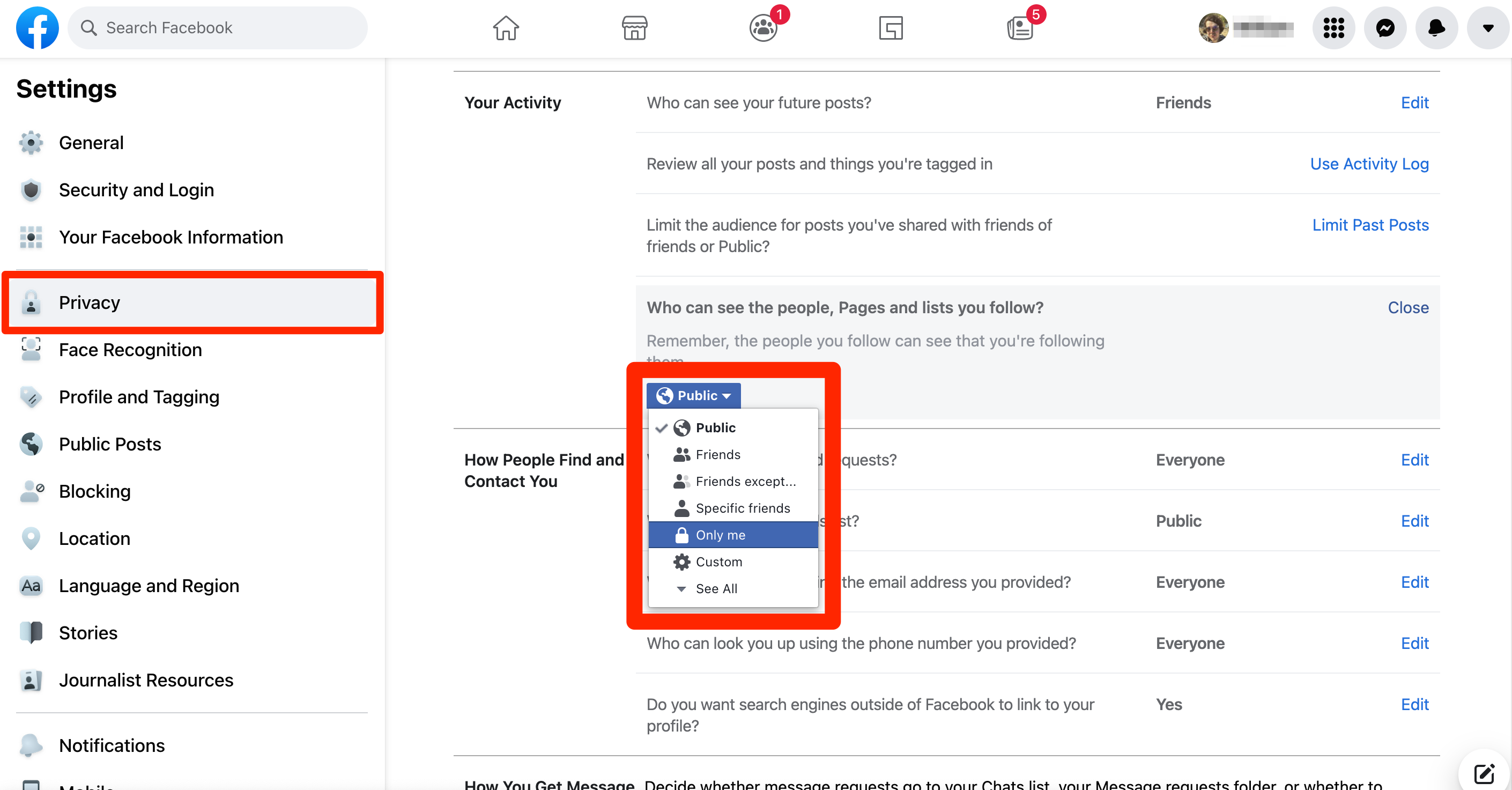
To delete a Facebook group, go to the home page of the group, otherwise known as the News Feed. Click on the “Groups” menu on the left side of the page. Then select the “Delete group” option. Once you have completed the deletion process, you can remove the members of the group. To delete a group, you must have a majority of the members’ approval. If you don’t wish to delete a group, you can also manually remove each member from the group.

Once the group is deleted, all members will not be notified. The group will no longer receive notifications from you. This will cause no harm to the group’s members, and you will no longer receive any group notifications. To delete a group, click on the icon with three stacked lines and horizontally. This will also remove all members from the group. If you decide to delete a group, make sure to contact the other members to let them know.
See the article :
How Can I Chat With Facebook Support?
How Can I Chat With Facebook Support? You may be asking: “How…

Archive a Facebook group

You can archive a Facebook group if you no longer want it to be visible to other members. This action prevents other members from posting and inviting others to join. You cannot retrieve deleted groups, but you can re-archive it if you wish. On the same subject : How Can I Download HD Videos From Facebook?. This method is effective only if you know how to properly archive a group. This article will show you how. Continue reading for tips on how to archive a Facebook group.

First, you need to be an admin. Once you create a group, you must be an admin. If you do not, you will be automatically archived. To prevent this, you must choose “Archive Group” from the list of options, and remove the group’s members. You must also be the group’s admin to remove members. If no one manages a group, Facebook will delete it. However, you can reactivate the group and invite members back.

To archive a Facebook group, you must be an admin of the page where the group is located. When you click on the paused group page, you will see a message indicating that you are pausing the group. You can also click on “Resume” to resume the group. This step differs from the one above. To resume the group, you must be the admin of the group. It is important to remember that pausing a group doesn’t mean that it’s being deleted. It’s just a temporary suspension of the page.

Read also :
Can I Remove a Bad Review on Facebook?
Can I Remove a Bad Review on Facebook? If you’ve received a…

Un-archive a Facebook group

If you want to un-archive a Facebook group, you must be the administrator of the group. When your group has no members, Facebook will delete it. However, you can change the privacy settings to make it private for members only. To see also : What Does F Mean on Facebook?. To learn more about group privacy settings, read our article. Unarchiving a Facebook group is a good option if you want your group to remain private. It’s important to note that group deletion is permanent.

Archiving a Facebook group has a number of downsides. For one, it is temporary, and the feature will be deprecated in 2021. If you’re not comfortable with the idea of keeping your group around forever, you can delete it or re-brand it. However, you shouldn’t worry too much because there are several alternatives to archiving a group. We’ll cover a few of them below.

Archiving a Facebook group is an excellent option if you’re taking a break from business, and you don’t want to worry about new members joining the group. The benefit of archiving your group is that you can still access the content and threads. Unlike deleting, archiving will not appear on Facebook’s search results, and it’s possible to undo this step. On the other hand, deleting a Facebook group is permanent and will delete all of its threads and content.

This may interest you :
How Do I Send a Message to Facebook Support?
How Do I Send a Message to Facebook Support? If you have…

Related Posts:

  • How to Delete a Facebook Group
  • How to Delete a Facebook Group
  • How Do You Delete a Group on Facebook?
  • How to Delete a Facebook Group Page
  • How to Delete a Facebook Group
  • How to Delete Groups on Facebook
Was this article helpful?
YesNo

You might also like

Troubleshooting Instagram Posting Issues

Troubleshooting Instagram Posting Issues

How to Post Multiple Photos on Instagram Without Cropping – The Ultimate Guide

How to Post Multiple Photos on Instagram Without Cropping – The Ultimate Guide

How Do I View My Instagram Likes on My PC?

How Do I View My Instagram Likes on My PC?

How to Pause Reels in Instagram

How to Pause Reels in Instagram

How to Make Instagram Bio Center

How to Get Verified on YouTube: How to Speed Up the Process

How to Get Verified on YouTube: How to Speed Up the Process

Categories

  • Facebook
  • General
  • Instagram
  • LinkedIn
  • Marketing
  • Pinterest
  • Social Media
  • TikTok
  • Twitter
  • YouTube


Making Your Brands Popular.

(347) 875-0972

[email protected]

© 2024 Zeru.
All Rights Reserved.

DMCA.com Protection Status

Instagram Services

  • Buy Instagram Followers
  • Buy Instagram Likes
  • Buy Instagram Views
  • Buy Instagram Comments

YouTube Services

  • Buy YouTube Views
  • Buy YouTube Subscribers
  • Buy YouTube Likes
  • Buy YouTube Comments

TikTok Services

  • Buy TikTok Followers
  • Buy TikTok Likes
  • Buy TikTok Views

Facebook Services

  • Buy Facebook Page Likes
  • Buy Facebook Followers
  • Buy Facebook Post Likes
  • Buy Facebook Views

Twitter Services

  • Buy Twitter Followers
  • Buy Twitter Likes
  • Buy Twitter Retweets

Quick Links

  • FAQ
  • Blog
  • Contact
  • About
  • Terms and Conditions
  • Privacy Policy
No Result
View All Result
  • Buy Followers
    • Instagram Services
      • Buy Instagram Followers
      • Buy Instagram Likes
      • Buy Instagram Views
      • Buy Instagram Comments
    • YouTube Services
      • Buy YouTube Views
      • Buy YouTube Subscribers
      • Buy YouTube Likes
      • Buy YouTube Comments
    • TikTok Services
      • Buy TikTok Followers
      • Buy TikTok Likes
      • Buy TikTok Views
    • Facebook Services
      • Buy Facebook Page Likes
      • Buy Facebook Followers
      • Buy Facebook Post Likes
      • Buy Facebook Views
    • Twitter Services
      • Buy Twitter Followers
      • Buy Twitter Likes
      • Buy Twitter Retweets
  • Blog
  • Categories
    • Instagram
    • YouTube
    • TikTok
    • Facebook
    • Twitter
  • Contact

© 2023 Zeru. All Rights Reserved.

Welcome Back!

Login to your account below

Forgotten Password?

Create New Account!

Fill the forms bellow to register

All fields are required. Log In

Retrieve your password

Please enter your username or email address to reset your password.

Log In






