






• Buy Followers
    • Instagram Services
      • Buy Instagram Followers
      • Buy Instagram Likes
      • Buy Instagram Views
      • Buy Instagram Comments
    • YouTube Services
      • Buy YouTube Views
      • Buy YouTube Subscribers
      • Buy YouTube Likes
      • Buy YouTube Comments
    • TikTok Services
      • Buy TikTok Followers
      • Buy TikTok Likes
      • Buy TikTok Views
    • Facebook Services
      • Buy Facebook Page Likes
      • Buy Facebook Followers
      • Buy Facebook Post Likes
      • Buy Facebook Views
    • Twitter Services
      • Buy Twitter Followers
      • Buy Twitter Likes
      • Buy Twitter Retweets
  • Blog
  • Categories
    • Instagram
    • YouTube
    • TikTok
    • Facebook
    • Twitter
  • Contact
No Result
View All Result
Zeru
  • Buy Followers
    • Instagram Services
      • Buy Instagram Followers
      • Buy Instagram Likes
      • Buy Instagram Views
      • Buy Instagram Comments
    • YouTube Services
      • Buy YouTube Views
      • Buy YouTube Subscribers
      • Buy YouTube Likes
      • Buy YouTube Comments
    • TikTok Services
      • Buy TikTok Followers
      • Buy TikTok Likes
      • Buy TikTok Views
    • Facebook Services
      • Buy Facebook Page Likes
      • Buy Facebook Followers
      • Buy Facebook Post Likes
      • Buy Facebook Views
    • Twitter Services
      • Buy Twitter Followers
      • Buy Twitter Likes
      • Buy Twitter Retweets
  • Blog
  • Categories
    • Instagram
    • YouTube
    • TikTok
    • Facebook
    • Twitter
  • Contact
No Result
View All Result
Zeru
No Result
View All Result

Popular Services

Buy YouTube Views
Buy TikTok Followers
Buy Twitter Followers
Buy Facebook Followers
Buy Instagram Likes
Buy TikTok Likes
Buy Instagram Views
Buy TikTok Views
Buy Instagram Comments
Buy YouTube Likes
Buy Twitter Likes
Buy YouTube Comments
Buy Facebook Views
Buy Facebook Page Likes
Buy Twitter Retweets
Buy Facebook Post Likes
Buy YouTube Subscribers
Buy Instagram Followers

How to Save an Image From Instagram

Lizzie Yates by Lizzie Yates
in Instagram
3 min read
62
How to Save an Image From Instagram
13
SHARES
1.3k
VIEWS
Share on FacebookShare on Twitter

Contents

  • How to Save an Image From Instagram
  • iGram
  • DownloadGram
  • Inflact
  • Collections feature
  • Taking a screenshot

How to Save an Image From Instagram

how to save an image from instagram

You’ve seen the videos and pictures on Instagram but you’re wondering how to save one of them. There are a few options. You can use DownloadGram or iGram, but in this article we’ll discuss Collections. But first, you should know that Instagram doesn’t keep a count of saved photos or videos. This is because it wants you to share the images and videos you like with others.

iGram

If you have an Android or iPhone, you may be interested in learning how to save an image from Instagram. While you may be able to save photos from Instagram directly from the application, it’s much more convenient to use an external program. Instagram’s Photo Downloader lets you download pictures and videos from your account very quickly. On the same subject : How to Share an Instagram Story. To get started, just copy the link to the photo or video in Instagram and paste it in the URL field of the iGram website. Once you’ve pasted it in, tap the Download button and wait for the picture or video to download.

If you don’t have an Android device, you can still download Instagram photos and videos using the iGram app. This web application is free and works on both Android and iOS devices. All you need to do is paste the URL of the image or video you want to download in the iGram browser and click “Download Image.” Once the page has downloaded the image or video, it will be ready to view and save in your device.
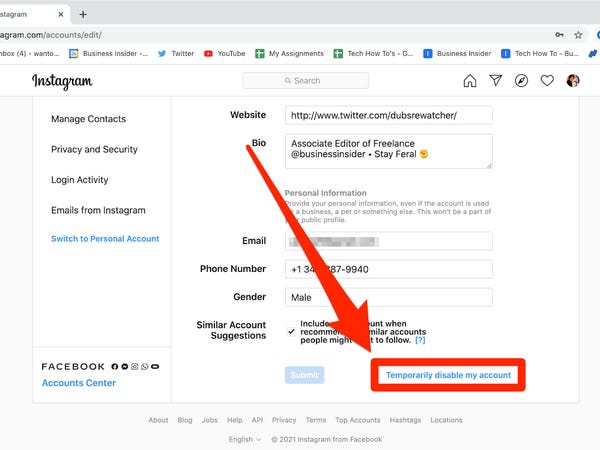
See the article :
How to Deactivate Your Instagram Account
How to Deactivate Your Instagram Account If you are thinking of taking…

DownloadGram

You may be wondering how to download Instagram images. The process is not difficult and you can do it from your computer with the help of some apps that let you download photos directly from Instagram. First, you must open the Instagram application or website and copy the image URL. Read also : How to Untag Yourself on Instagram. Then, paste the link in a browser like Chrome or Firefox and press “Paste.” Once the image is uploaded, you will need to wait a few seconds before you can see it on your computer.

You may have to screenshot the image from your computer to download it from Instagram, but this is not the only way to download the photo. Some smartphone users also use DownloadGram’s Instagram Photo Downloader, which doesn’t require downloading any software and works on both desktops and mobile devices. However, you may encounter difficulties in saving the image using this method, which is why the application is available on both Android and Windows devices. Listed below are some ways to download Instagram images.

See the article :
How to Disconnect Instagram From Facebook
How to Disconnect Instagram From Facebook If you’ve accidentally connected two or…

Inflact

To download an image or video from Instagram, you first need to visit the Inflact website. There are several tabs for different types of content. You will see the post’s link and a download option. This may interest you : Where is Link in Bio on Instagram?. Select the desired type of image or video and click the download button. The download process will begin, and your Instagram post will be downloaded as a JPEG file. If you’d like to save multiple images or videos, you can do so.

To use Inflact, you first need to copy the link to your Instagram account. After that, you can paste the link in the Inflact download window. Then, choose the video quality that you want and hit the download button. It is completely free to use, but you may pay a small fee if you want more features. It is possible to save videos and images from an infinite number of Instagram profiles using Inflact. And because it’s free, you can download any number of videos without having to sign in or pay.

Read also :
How to Change Your Instagram Username
How to Change Your Instagram Username If you are wondering how to…

Collections feature

If you have ever been wondering how to save an image from Instagram, you’ve come to the right place. The Instagram Collections feature lets users create private collections of their favorite photos. The saved posts can be accessed only by the users who are members of the collections. The new feature was just launched this week and will soon be available to all users. Here’s how to use it. You should first open the collection you’d like to save an image from and then tap the menu button. From there, tap the images or videos you want to save to your collection. When you’re done, hit the Done button.

You’ll notice a bookmark at the bottom right-hand corner of the post. Tap the bookmark, then choose Save to Collection. You can also create a new Collection to keep your saved photos in. It’s important to note that saving an image from Instagram Collections will not notify other users, so it’s important to keep them organized and separate. You can also use the Collections feature to save photos you have previously tagged in your own posts.

Taking a screenshot

There are a number of different reasons why taking a screenshot is important. These reasons can range from collecting personal information to outing or blackmailing an LGBTQ user. In any case, you should always use the screenshot function to protect yourself against such occurrences. Especially on social networking sites, where users share private information, taking a screenshot is a useful security measure. For example, you may see a story that’s inappropriate for close friends, but want to send it to them. In such a scenario, a screenshot can help you preserve that content.

Another great reason to take a screenshot is because Instagram will alert the story’s owner if a post has been screenshotted. However, when you’re screenshotting a post in a public profile, you’ll not receive this notification. However, if you’re taking a screenshot of a message, you’ll get a notification that the user you’re taking a screenshot of saw your screenshot.


Related Posts:

  • How to Download an Image From Instagram
  • How to Download Pictures From Instagram
  • How Do I Download Pictures From Instagram to My Computer?
  • How Can I Save a Picture From Instagram on My Computer?
  • How Do I Download an Instagram Icon?
  • How to Save Images From Instagram Using 4K Stgram
Was this article helpful?
YesNo

You might also like

Troubleshooting Instagram Posting Issues

Troubleshooting Instagram Posting Issues

How to Post Multiple Photos on Instagram Without Cropping – The Ultimate Guide

How to Post Multiple Photos on Instagram Without Cropping – The Ultimate Guide

How Do I View My Instagram Likes on My PC?

How Do I View My Instagram Likes on My PC?

How to Pause Reels in Instagram

How to Pause Reels in Instagram

How to Make Instagram Bio Center

How to Get Verified on YouTube: How to Speed Up the Process

How to Get Verified on YouTube: How to Speed Up the Process

Categories

  • Facebook
  • General
  • Instagram
  • LinkedIn
  • Marketing
  • Pinterest
  • Social Media
  • TikTok
  • Twitter
  • YouTube


Making Your Brands Popular.

(347) 875-0972

[email protected]

© 2024 Zeru.
All Rights Reserved.

DMCA.com Protection Status

Instagram Services

  • Buy Instagram Followers
  • Buy Instagram Likes
  • Buy Instagram Views
  • Buy Instagram Comments

YouTube Services

  • Buy YouTube Views
  • Buy YouTube Subscribers
  • Buy YouTube Likes
  • Buy YouTube Comments

TikTok Services

  • Buy TikTok Followers
  • Buy TikTok Likes
  • Buy TikTok Views

Facebook Services

  • Buy Facebook Page Likes
  • Buy Facebook Followers
  • Buy Facebook Post Likes
  • Buy Facebook Views

Twitter Services

  • Buy Twitter Followers
  • Buy Twitter Likes
  • Buy Twitter Retweets

Quick Links

  • FAQ
  • Blog
  • Contact
  • About
  • Terms and Conditions
  • Privacy Policy
No Result
View All Result
  • Buy Followers
    • Instagram Services
      • Buy Instagram Followers
      • Buy Instagram Likes
      • Buy Instagram Views
      • Buy Instagram Comments
    • YouTube Services
      • Buy YouTube Views
      • Buy YouTube Subscribers
      • Buy YouTube Likes
      • Buy YouTube Comments
    • TikTok Services
      • Buy TikTok Followers
      • Buy TikTok Likes
      • Buy TikTok Views
    • Facebook Services
      • Buy Facebook Page Likes
      • Buy Facebook Followers
      • Buy Facebook Post Likes
      • Buy Facebook Views
    • Twitter Services
      • Buy Twitter Followers
      • Buy Twitter Likes
      • Buy Twitter Retweets
  • Blog
  • Categories
    • Instagram
    • YouTube
    • TikTok
    • Facebook
    • Twitter
  • Contact

© 2023 Zeru. All Rights Reserved.

Welcome Back!

Login to your account below

Forgotten Password?

Create New Account!

Fill the forms bellow to register

All fields are required. Log In

Retrieve your password

Please enter your username or email address to reset your password.

Log In





