






• Buy Followers
    • Instagram Services
      • Buy Instagram Followers
      • Buy Instagram Likes
      • Buy Instagram Views
      • Buy Instagram Comments
    • YouTube Services
      • Buy YouTube Views
      • Buy YouTube Subscribers
      • Buy YouTube Likes
      • Buy YouTube Comments
    • TikTok Services
      • Buy TikTok Followers
      • Buy TikTok Likes
      • Buy TikTok Views
    • Facebook Services
      • Buy Facebook Page Likes
      • Buy Facebook Followers
      • Buy Facebook Post Likes
      • Buy Facebook Views
    • Twitter Services
      • Buy Twitter Followers
      • Buy Twitter Likes
      • Buy Twitter Retweets
  • Blog
  • Categories
    • Instagram
    • YouTube
    • TikTok
    • Facebook
    • Twitter
  • Contact
No Result
View All Result
Zeru
  • Buy Followers
    • Instagram Services
      • Buy Instagram Followers
      • Buy Instagram Likes
      • Buy Instagram Views
      • Buy Instagram Comments
    • YouTube Services
      • Buy YouTube Views
      • Buy YouTube Subscribers
      • Buy YouTube Likes
      • Buy YouTube Comments
    • TikTok Services
      • Buy TikTok Followers
      • Buy TikTok Likes
      • Buy TikTok Views
    • Facebook Services
      • Buy Facebook Page Likes
      • Buy Facebook Followers
      • Buy Facebook Post Likes
      • Buy Facebook Views
    • Twitter Services
      • Buy Twitter Followers
      • Buy Twitter Likes
      • Buy Twitter Retweets
  • Blog
  • Categories
    • Instagram
    • YouTube
    • TikTok
    • Facebook
    • Twitter
  • Contact
No Result
View All Result
Zeru
No Result
View All Result

Popular Services

Buy YouTube Views
Buy TikTok Followers
Buy Twitter Followers
Buy Facebook Followers
Buy Instagram Likes
Buy TikTok Likes
Buy Instagram Views
Buy TikTok Views
Buy Instagram Comments
Buy YouTube Likes
Buy Twitter Likes
Buy YouTube Comments
Buy Facebook Views
Buy Facebook Page Likes
Buy Twitter Retweets
Buy Facebook Post Likes
Buy YouTube Subscribers
Buy Instagram Followers

How to Add Hashtags to YouTube Videos

Lizzie Yates by Lizzie Yates
in YouTube
3 min read
67
How to Add Hashtags to YouTube Videos
14
SHARES
1.4k
VIEWS
Share on FacebookShare on Twitter

Contents

  • How to Add Hashtags to YouTube Videos
  • YouTube community guidelines
  • Places to put hashtags in a video
  • Ways to find trending hashtags on YouTube
  • Ways to create your own branded hashtags

How to Add Hashtags to YouTube Videos

how to add hashtags to youtube video

To understand how to add hashtags to YouTube videos, you should understand the guidelines of the community. If you’re a beginner, there are some guidelines to follow before you start using hashtags. First of all, you need to check out your top competitors’ YouTube videos. They probably have tons of videos with lots of views and engagement. In order to find out which hashtags they’re using, you should visit their channel and go to their “Videos” section. Next, choose the “Most Popular” option and find out which hashtags are trending in their videos.

YouTube community guidelines

When it comes to adding hashtags to your videos, there are several rules you need to follow to keep your video safe. First, you must not include vulgar language or offensive material in your hashtags. If your hashtags contain these words, YouTube may consider banning your video or even removing it. This may interest you : Why is YouTube Not Working on My Smart TV?. Second, you must avoid repeating sentences in your description. Third, you must not add too many hashtags. Videos that violate these guidelines could be deleted or penalized.

In order to be approved by YouTube, you must follow its community guidelines for adding hashtags to videos. For instance, you should limit hashtags to 15 per video, and any more than that may be removed. Also, keep in mind that you should not use hashtags that are deceptive or promote hate speech. Additionally, YouTube does not allow videos with sexual content or hashtags that contain explicit language or profanity.

On the same subject :
How to Save Money on YouTube TV
How to Save Money on YouTube TV If you’re looking for ways…

Places to put hashtags in a video

There are many ways to incorporate hashtags into your YouTube videos. You can use them to increase your video’s search engine ranking or improve the way it appears in YouTube’s search results. You can also create your own hashtags for your brand, so users can click on those and go directly to your video content. This may interest you : How Do I Disable Restricted Mode on YouTube?. Listed below are some of the best places to put hashtags in your YouTube videos. Just be sure to avoid using them too prominently.

One way to make your videos more visible is to use hashtags in the title and description. These will appear above the video title. YouTube allows you to add up to 15 hashtags, so be careful not to overdo it. Keep in mind that if you use too many hashtags, YouTube will ignore the video. This is why it’s best to stick to two to five hashtags per video.

On the same subject :
How to Make YouTube Intro Videos Look Professional and Engaging
How to Make YouTube Intro Videos Look Professional and Engaging Before starting…

Ways to find trending hashtags on YouTube

It’s not easy to find the right hashtags for your videos. Fortunately, YouTube has a trending feed where you can see which videos are popular across genres. Here are some ways to find trending hashtags for your videos. Read also : How Does YouTube Count Views?. This can help you increase your reach and boost your viewers’ satisfaction. The first step is to figure out the keyword you want to target. It’s best to start with a topic that is popular in your niche.

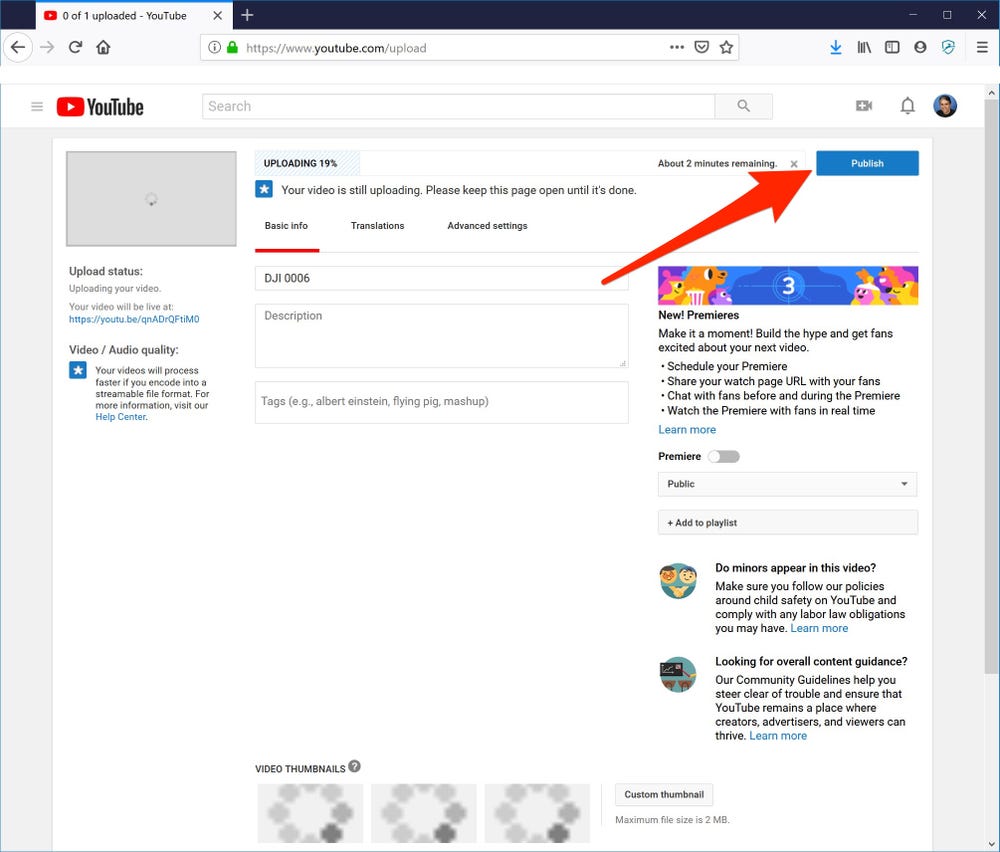
Another way to find trending topics is to use YouTube’s search feature. YouTube is the second largest search engine, so it’s likely to have some trending topics. Searching for these topics on YouTube will give you dozens of suggestions based on popularity. You’ll have a good idea of which keywords will resonate with your target audience. You can also use a YouTube-focused tool like TubeBuddy or vidIQ.
See the article :
How to Post a Video on YouTube
How to Post a Video on YouTube If you are wondering how…

Ways to create your own branded hashtags

Using custom hashtags on YouTube can give you a great edge over the competition. Not only can you generate buzz about your brand, but you can also increase your social media presence and sales. Here are some tips to help you create your own branded hashtags for your videos. Use actionable words in your hashtags to capture more viewers and increase your sales. Use short words, such as “#justdoit,” to draw more attention to your brand.

One of the most important rules to follow when creating your own branded hashtags for YouTube videos is to use them correctly. YouTube does not like to see more than 15 hashtags on a single video. That means that you should use as few as three or four hashtags per video. Make sure to include your brand name in the hashtag, as YouTube ignores hashtags that have too many characters.


Related Posts:

  • How to Add Hashtag to YouTube Video
  • How to Add Hashtags to Your YouTube Videos
  • How to Get Lots of Followers on Instagram - Engage With Your…
  • How to Add Hashtags to YouTube Videos
  • Do Hashtags Work on YouTube?
  • What Hashtags Get Most Likes on TikTok? 3 Ways to Discover…
Was this article helpful?
YesNo

You might also like

Troubleshooting Instagram Posting Issues

Troubleshooting Instagram Posting Issues

How to Post Multiple Photos on Instagram Without Cropping – The Ultimate Guide

How to Post Multiple Photos on Instagram Without Cropping – The Ultimate Guide

How Do I View My Instagram Likes on My PC?

How Do I View My Instagram Likes on My PC?

How to Pause Reels in Instagram

How to Pause Reels in Instagram

How to Make Instagram Bio Center

How to Get Verified on YouTube: How to Speed Up the Process

How to Get Verified on YouTube: How to Speed Up the Process

Categories

  • Facebook
  • General
  • Instagram
  • LinkedIn
  • Marketing
  • Pinterest
  • Social Media
  • TikTok
  • Twitter
  • YouTube


Making Your Brands Popular.

(347) 875-0972

[email protected]

© 2024 Zeru.
All Rights Reserved.

DMCA.com Protection Status

Instagram Services

  • Buy Instagram Followers
  • Buy Instagram Likes
  • Buy Instagram Views
  • Buy Instagram Comments

YouTube Services

  • Buy YouTube Views
  • Buy YouTube Subscribers
  • Buy YouTube Likes
  • Buy YouTube Comments

TikTok Services

  • Buy TikTok Followers
  • Buy TikTok Likes
  • Buy TikTok Views

Facebook Services

  • Buy Facebook Page Likes
  • Buy Facebook Followers
  • Buy Facebook Post Likes
  • Buy Facebook Views

Twitter Services

  • Buy Twitter Followers
  • Buy Twitter Likes
  • Buy Twitter Retweets

Quick Links

  • FAQ
  • Blog
  • Contact
  • About
  • Terms and Conditions
  • Privacy Policy
No Result
View All Result
  • Buy Followers
    • Instagram Services
      • Buy Instagram Followers
      • Buy Instagram Likes
      • Buy Instagram Views
      • Buy Instagram Comments
    • YouTube Services
      • Buy YouTube Views
      • Buy YouTube Subscribers
      • Buy YouTube Likes
      • Buy YouTube Comments
    • TikTok Services
      • Buy TikTok Followers
      • Buy TikTok Likes
      • Buy TikTok Views
    • Facebook Services
      • Buy Facebook Page Likes
      • Buy Facebook Followers
      • Buy Facebook Post Likes
      • Buy Facebook Views
    • Twitter Services
      • Buy Twitter Followers
      • Buy Twitter Likes
      • Buy Twitter Retweets
  • Blog
  • Categories
    • Instagram
    • YouTube
    • TikTok
    • Facebook
    • Twitter
  • Contact

© 2023 Zeru. All Rights Reserved.

Welcome Back!

Login to your account below

Forgotten Password?

Create New Account!

Fill the forms bellow to register

All fields are required. Log In

Retrieve your password

Please enter your username or email address to reset your password.

Log In





