






• Buy Followers
    • Instagram Services
      • Buy Instagram Followers
      • Buy Instagram Likes
      • Buy Instagram Views
      • Buy Instagram Comments
    • YouTube Services
      • Buy YouTube Views
      • Buy YouTube Subscribers
      • Buy YouTube Likes
      • Buy YouTube Comments
    • TikTok Services
      • Buy TikTok Followers
      • Buy TikTok Likes
      • Buy TikTok Views
    • Facebook Services
      • Buy Facebook Page Likes
      • Buy Facebook Followers
      • Buy Facebook Post Likes
      • Buy Facebook Views
    • Twitter Services
      • Buy Twitter Followers
      • Buy Twitter Likes
      • Buy Twitter Retweets
  • Blog
  • Categories
    • Instagram
    • YouTube
    • TikTok
    • Facebook
    • Twitter
  • Contact
No Result
View All Result
Zeru
  • Buy Followers
    • Instagram Services
      • Buy Instagram Followers
      • Buy Instagram Likes
      • Buy Instagram Views
      • Buy Instagram Comments
    • YouTube Services
      • Buy YouTube Views
      • Buy YouTube Subscribers
      • Buy YouTube Likes
      • Buy YouTube Comments
    • TikTok Services
      • Buy TikTok Followers
      • Buy TikTok Likes
      • Buy TikTok Views
    • Facebook Services
      • Buy Facebook Page Likes
      • Buy Facebook Followers
      • Buy Facebook Post Likes
      • Buy Facebook Views
    • Twitter Services
      • Buy Twitter Followers
      • Buy Twitter Likes
      • Buy Twitter Retweets
  • Blog
  • Categories
    • Instagram
    • YouTube
    • TikTok
    • Facebook
    • Twitter
  • Contact
No Result
View All Result
Zeru
No Result
View All Result

Popular Services

Buy YouTube Views
Buy TikTok Followers
Buy Twitter Followers
Buy Facebook Followers
Buy Instagram Likes
Buy TikTok Likes
Buy Instagram Views
Buy TikTok Views
Buy Instagram Comments
Buy YouTube Likes
Buy Twitter Likes
Buy YouTube Comments
Buy Facebook Views
Buy Facebook Page Likes
Buy Twitter Retweets
Buy Facebook Post Likes
Buy YouTube Subscribers
Buy Instagram Followers

How to Delete Facebook Chat Messages

Lizzie Yates by Lizzie Yates
in Facebook
3 min read
65
How to Delete Facebook Chat Messages
14
SHARES
1.4k
VIEWS
Share on FacebookShare on Twitter

Contents

  • How to Delete Facebook Chat Messages
  • Unsend a message on Facebook
  • Delete a conversation on Facebook
  • Delete a group chat on Facebook

How to Delete Facebook Chat Messages

how to delete facebook chat

There are several ways to remove the content in Facebook conversations. You may be interested in knowing how to unsend a message on Facebook, delete a group chat or delete a conversation. You can read more about these options below. In this article, you will learn how to delete Facebook chat messages. Once you know how to delete Facebook chat messages, you will no longer have to worry about accidentally deleting someone’s messages or conversations.

Unsend a message on Facebook

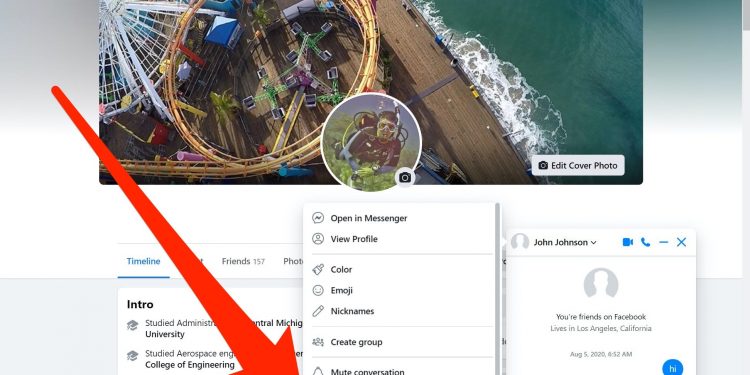
To unsend a message on Facebook chat, you need to access the messages section on the website. Locate the message you want to delete. Then tap the three dots to the left of the message. Read also : How to Download a Facebook Video. Next, choose to remove the message from all recipients or select to unread it. Once done, the message will no longer appear in the recipient’s inbox. There are several options for unsending a message on Facebook chat.

You may accidentally delete a message and have to face questions about what the real message said. In such a case, you can always use a white lie to cover your mistake and avoid offending others. The white lie works for any thread in Messenger, but is most effective in group chats. But remember that it is best to use white lies when you need to keep your message secret. If you need to protect your privacy, use the white lie.

To unsend a message on Facebook chat, you need to open the conversation. Go to the messages tab and tap the “Delete Conversation” option. On the right side of the screen, tap on “Edit Conversation” and select the option “Unsend Message”.

Read also :
How Can I Recover My Facebook Password Without Email and Security Question?
How Can I Recover My Facebook Password Without Email and Security Question?…

Delete a conversation on Facebook

How do you delete a conversation on Facebook? If you’re not comfortable sharing your personal information on social networking sites, you can delete a conversation by selecting the “Archive” button. Once you’ve selected this option, the conversation will be deleted on both sides of the chat. Read also : How to Send a Private Message on Facebook to Someone Who Isn’t Your Friend. However, you won’t notify your friend about the action. Once you’ve deleted a conversation, it’s not possible to recover it.

If the message is private, you can unsend it from the recipient’s Facebook account. Deleted messages will stay on the recipient’s account for up to 10 minutes after the message is sent. There are other methods to clear a conversation from both the sender’s and receiver’s inboxes, though. In any case, it’s best to delete your conversation on Facebook before sharing sensitive information.

To delete a single message, press and hold the message you want to delete. Then, select the “Remove” icon on the right or left of the message. You’ll have to confirm your action to remove the message. You can also delete a whole conversation if you’d like. This option only affects the copy of the conversation you’ve saved. So, the process to delete a conversation on Facebook is simple, but the results are not the same for each user.
See the article :
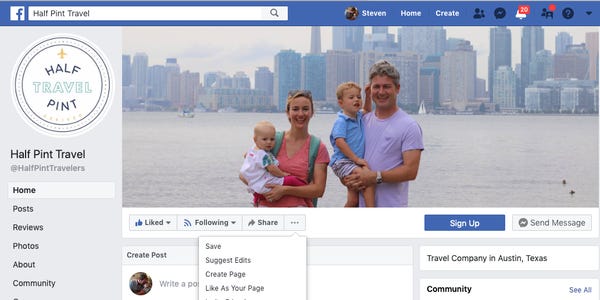
How to Invite Friends to Like a Page on Facebook
How to Invite Friends to Like a Page on Facebook You can…

Delete a group chat on Facebook

If you’re looking for ways to delete a group chat on Facebook, you’ve come to the right place. Here are several ways to delete a group chat on Facebook. To delete a group chat, you must have admin status or at least be the owner of the group. Read also : How to Lock Your Profile on Facebook. After you’ve achieved this, you can select the option to delete the entire group. Otherwise, the messages will be transferred to spam.

First, you need to log in to your Facebook account. Click on the Groups tab. It is located next to the Message, Active, and Calls tabs. Click on it and then choose “Edit Group.” You will see a list of group members. To remove a member, tap on his or her name. Then, select “Remove from Group.”

If you don’t want to delete the conversation, you can simply click on “Leave Conversation” and close the chat. You’ll then be redirected to the group’s page. If you’re the creator of the group, you can also delete a co-member. The other way to delete a group chat is to unfollow the person or group, and then follow the steps above.

This may interest you :
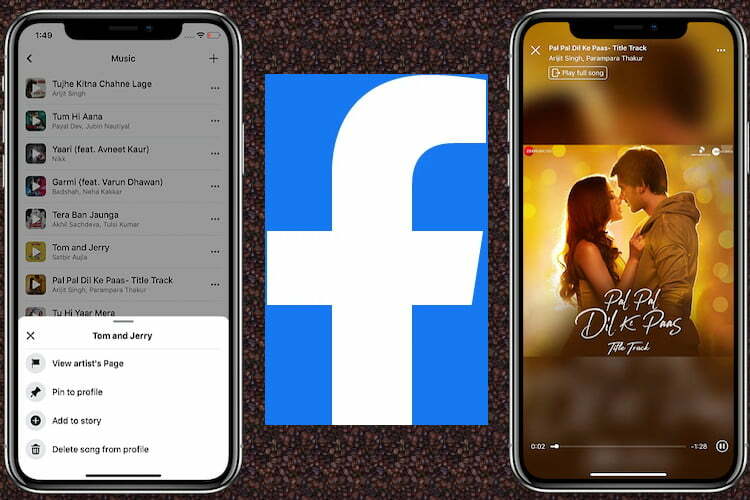
How to Add Music to Facebook Profile
How to Add Music to Facebook Profile You may wonder how to…

Related Posts:

  • How to Delete Chat on Instagram
  • How to Delete Facebook Messages
  • How to Delete a Facebook Messenger Message Before It's Read
  • How to Delete Chat in Instagram
  • How to Delete Facebook Messenger
  • How to Delete Messages on Instagram From Both Sides
Was this article helpful?
YesNo

You might also like

Troubleshooting Instagram Posting Issues

Troubleshooting Instagram Posting Issues

How to Post Multiple Photos on Instagram Without Cropping – The Ultimate Guide

How to Post Multiple Photos on Instagram Without Cropping – The Ultimate Guide

How Do I View My Instagram Likes on My PC?

How Do I View My Instagram Likes on My PC?

How to Pause Reels in Instagram

How to Pause Reels in Instagram

How to Make Instagram Bio Center

How to Get Verified on YouTube: How to Speed Up the Process

How to Get Verified on YouTube: How to Speed Up the Process

Categories

  • Facebook
  • General
  • Instagram
  • LinkedIn
  • Marketing
  • Pinterest
  • Social Media
  • TikTok
  • Twitter
  • YouTube


Making Your Brands Popular.

(347) 875-0972

[email protected]

© 2024 Zeru.
All Rights Reserved.

DMCA.com Protection Status

Instagram Services

  • Buy Instagram Followers
  • Buy Instagram Likes
  • Buy Instagram Views
  • Buy Instagram Comments

YouTube Services

  • Buy YouTube Views
  • Buy YouTube Subscribers
  • Buy YouTube Likes
  • Buy YouTube Comments

TikTok Services

  • Buy TikTok Followers
  • Buy TikTok Likes
  • Buy TikTok Views

Facebook Services

  • Buy Facebook Page Likes
  • Buy Facebook Followers
  • Buy Facebook Post Likes
  • Buy Facebook Views

Twitter Services

  • Buy Twitter Followers
  • Buy Twitter Likes
  • Buy Twitter Retweets

Quick Links

  • FAQ
  • Blog
  • Contact
  • About
  • Terms and Conditions
  • Privacy Policy
No Result
View All Result
  • Buy Followers
    • Instagram Services
      • Buy Instagram Followers
      • Buy Instagram Likes
      • Buy Instagram Views
      • Buy Instagram Comments
    • YouTube Services
      • Buy YouTube Views
      • Buy YouTube Subscribers
      • Buy YouTube Likes
      • Buy YouTube Comments
    • TikTok Services
      • Buy TikTok Followers
      • Buy TikTok Likes
      • Buy TikTok Views
    • Facebook Services
      • Buy Facebook Page Likes
      • Buy Facebook Followers
      • Buy Facebook Post Likes
      • Buy Facebook Views
    • Twitter Services
      • Buy Twitter Followers
      • Buy Twitter Likes
      • Buy Twitter Retweets
  • Blog
  • Categories
    • Instagram
    • YouTube
    • TikTok
    • Facebook
    • Twitter
  • Contact

© 2023 Zeru. All Rights Reserved.

Welcome Back!

Login to your account below

Forgotten Password?

Create New Account!

Fill the forms bellow to register

All fields are required. Log In

Retrieve your password

Please enter your username or email address to reset your password.

Log In






