






• Buy Followers
    • Instagram Services
      • Buy Instagram Followers
      • Buy Instagram Likes
      • Buy Instagram Views
      • Buy Instagram Comments
    • YouTube Services
      • Buy YouTube Views
      • Buy YouTube Subscribers
      • Buy YouTube Likes
      • Buy YouTube Comments
    • TikTok Services
      • Buy TikTok Followers
      • Buy TikTok Likes
      • Buy TikTok Views
    • Facebook Services
      • Buy Facebook Page Likes
      • Buy Facebook Followers
      • Buy Facebook Post Likes
      • Buy Facebook Views
    • Twitter Services
      • Buy Twitter Followers
      • Buy Twitter Likes
      • Buy Twitter Retweets
  • Blog
  • Categories
    • Instagram
    • YouTube
    • TikTok
    • Facebook
    • Twitter
  • Contact
No Result
View All Result
Zeru
  • Buy Followers
    • Instagram Services
      • Buy Instagram Followers
      • Buy Instagram Likes
      • Buy Instagram Views
      • Buy Instagram Comments
    • YouTube Services
      • Buy YouTube Views
      • Buy YouTube Subscribers
      • Buy YouTube Likes
      • Buy YouTube Comments
    • TikTok Services
      • Buy TikTok Followers
      • Buy TikTok Likes
      • Buy TikTok Views
    • Facebook Services
      • Buy Facebook Page Likes
      • Buy Facebook Followers
      • Buy Facebook Post Likes
      • Buy Facebook Views
    • Twitter Services
      • Buy Twitter Followers
      • Buy Twitter Likes
      • Buy Twitter Retweets
  • Blog
  • Categories
    • Instagram
    • YouTube
    • TikTok
    • Facebook
    • Twitter
  • Contact
No Result
View All Result
Zeru
No Result
View All Result

Popular Services

Buy YouTube Views
Buy TikTok Followers
Buy Twitter Followers
Buy Facebook Followers
Buy Instagram Likes
Buy TikTok Likes
Buy Instagram Views
Buy TikTok Views
Buy Instagram Comments
Buy YouTube Likes
Buy Twitter Likes
Buy YouTube Comments
Buy Facebook Views
Buy Facebook Page Likes
Buy Twitter Retweets
Buy Facebook Post Likes
Buy YouTube Subscribers
Buy Instagram Followers

How to Refine Your Search With Filters and Exclusion Operators

Lizzie Yates by Lizzie Yates
in Twitter
3 min read
69
How to Refine Your Search With Filters and Exclusion Operators
14
SHARES
1.4k
VIEWS
Share on FacebookShare on Twitter

Contents

  • How to Refine Your Search With Filters and Exclusion Operators
  • Exclusion and filter operators help you refine your search
  • Location filters help you find tweets from a specific location
  • Filtering by engagement helps you find tweets from a specific account

How to Refine Your Search With Filters and Exclusion Operators

How do you use Twitter Advanced Search

Using Twitter Advanced Search is a powerful way to refine your search. You can customize your search to narrow down the results to specific keywords, people, or topics. You can even save as many as 25 searches per account and use them in the future to see how they affect your marketing strategy. Depending on your needs, this can help you find more relevant tweets about your business. This article will teach you how to refine your search with filters and exclusion operators.

Exclusion and filter operators help you refine your search

Tweets are not the only thing you can search for on Twitter. You can use filters and exclusions to narrow down your search to those Tweets that are relevant to a particular date. For example, you can search for a tweet that mentions the word “love” before or after a date. On the same subject : How to Share a Twitter Profile With Others. You can even search for tweets that contain links. Twitter’s advanced search features let you further refine your search using various filters and exclusions.

To limit the scope of your search, you can use the exclusion and filter operators. These search operators help you eliminate irrelevant tweets by excluding specific words or phrases. The minus character can be used to restrict your search to tweets that contain certain words. Other operators can be used to exclude tweets with a certain company or brand. When using the filter operators, remember to include the word or phrase you want to exclude.

The filter operator allows you to exclude certain tweets from your search by adding the “-” symbol before the word or phrase you want to search for. This filter operator will exclude tweets from competitors or tweets mentioning LinkedIn. In the same way, you can also use hashtags to refine your search. In Twitter, these hashtags are a great way to limit your search. Once you narrow your search by using these tools, you’ll see a more targeted set of results.

This may interest you :
When Did Elon Musk Buy Twitter?
When Did Elon Musk Buy Twitter? So, when did Elon Musk buy…

Location filters help you find tweets from a specific location

You can use location filters on Twitter advanced search to access tweets from a particular geographic area. For example, if you are working on a marketing campaign in New York, you can use location filters to find tweets by people in that city. On the same subject : How to Change Twitter Settings. By using location filters, you can measure how well your marketing campaigns are performing. To use location filters, you must have a Twitter account or an application with this function.

The Location filters on Twitter advanced search make it easier to find tweets from a particular location. You can search for a location by its name or geocode, which you can find on Google Maps. You can also search by distance – Twitter uses 15 miles by default. You can change this number by adding additional miles. You can also narrow your search by the language or hashtag that you’re looking for.

The search box will display related tweets that mention the location. There’s also a “related topics” box that lets you find tweets related to the location you’ve chosen. You can also use a specific date range to narrow your search. If you’re trying to determine where a tweet originated, using the date range will help you find it. The date range that you choose is up to you, but you should make sure you’re looking for tweets from a specific location.
See the article :
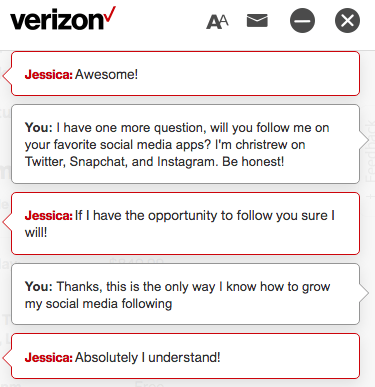
How to Ask Someone to Follow You on Twitter
How to Ask Someone to Follow You on Twitter There are a…

Filtering by engagement helps you find tweets from a specific account

With Twitter’s advanced search, you can filter the results based on minimum likes, retweets, and replies, making it easy to find relevant tweets from a specific account. Filtering by engagement can be very helpful if you’re trying to determine how well-known a particular account is or how many people like their tweets. On the same subject : How to Watch a Live Stream on Twitter. Filtering by engagement will also help you narrow down your search by excluding old tweets.

If you’re looking to find tweets from a specific account, you can also filter by engagement. This filter will only show you tweets that were sent to that account, or mentions the account in question. This way, you can quickly find tweets that relate to your brand or topic. This will help you identify influential people and identify posts from them that might be worth following.

To make your search easier, try entering keywords in the toolbar search field. You can also enter hashtags in the “these hashtags” section. Another way to filter your search is by using the language box. Twitter supports 34 different languages, so you don’t have to memorize search operators. Using the advanced search on the desktop page will save you time and make your search more effective.


See the article :
How to Convert a Video to MP4 For Twitter
How to Convert a Video to MP4 For Twitter Trying to convert…

Related Posts:

  • How Do I Do an Advanced Search on Twitter?
  • How Do I Use Twitter Search?
  • Can You Use Twitter Advanced Search on Mobile?
  • Advanced Search on Twitter - How to Find Tweets That Mention…
  • How to Do an Advanced Search on Twitter
  • How to Search Twitter by Location
Was this article helpful?
YesNo

You might also like

Troubleshooting Instagram Posting Issues

Troubleshooting Instagram Posting Issues

How to Post Multiple Photos on Instagram Without Cropping – The Ultimate Guide

How to Post Multiple Photos on Instagram Without Cropping – The Ultimate Guide

How Do I View My Instagram Likes on My PC?

How Do I View My Instagram Likes on My PC?

How to Pause Reels in Instagram

How to Pause Reels in Instagram

How to Make Instagram Bio Center

How to Get Verified on YouTube: How to Speed Up the Process

How to Get Verified on YouTube: How to Speed Up the Process

Categories

  • Facebook
  • General
  • Instagram
  • LinkedIn
  • Marketing
  • Pinterest
  • Social Media
  • TikTok
  • Twitter
  • YouTube


Making Your Brands Popular.

(347) 875-0972

[email protected]

© 2024 Zeru.
All Rights Reserved.

DMCA.com Protection Status

Instagram Services

  • Buy Instagram Followers
  • Buy Instagram Likes
  • Buy Instagram Views
  • Buy Instagram Comments

YouTube Services

  • Buy YouTube Views
  • Buy YouTube Subscribers
  • Buy YouTube Likes
  • Buy YouTube Comments

TikTok Services

  • Buy TikTok Followers
  • Buy TikTok Likes
  • Buy TikTok Views

Facebook Services

  • Buy Facebook Page Likes
  • Buy Facebook Followers
  • Buy Facebook Post Likes
  • Buy Facebook Views

Twitter Services

  • Buy Twitter Followers
  • Buy Twitter Likes
  • Buy Twitter Retweets

Quick Links

  • FAQ
  • Blog
  • Contact
  • About
  • Terms and Conditions
  • Privacy Policy
No Result
View All Result
  • Buy Followers
    • Instagram Services
      • Buy Instagram Followers
      • Buy Instagram Likes
      • Buy Instagram Views
      • Buy Instagram Comments
    • YouTube Services
      • Buy YouTube Views
      • Buy YouTube Subscribers
      • Buy YouTube Likes
      • Buy YouTube Comments
    • TikTok Services
      • Buy TikTok Followers
      • Buy TikTok Likes
      • Buy TikTok Views
    • Facebook Services
      • Buy Facebook Page Likes
      • Buy Facebook Followers
      • Buy Facebook Post Likes
      • Buy Facebook Views
    • Twitter Services
      • Buy Twitter Followers
      • Buy Twitter Likes
      • Buy Twitter Retweets
  • Blog
  • Categories
    • Instagram
    • YouTube
    • TikTok
    • Facebook
    • Twitter
  • Contact

© 2023 Zeru. All Rights Reserved.

Welcome Back!

Login to your account below

Forgotten Password?

Create New Account!

Fill the forms bellow to register

All fields are required. Log In

Retrieve your password

Please enter your username or email address to reset your password.

Log In






