






• Buy Followers
    • Instagram Services
      • Buy Instagram Followers
      • Buy Instagram Likes
      • Buy Instagram Views
      • Buy Instagram Comments
    • YouTube Services
      • Buy YouTube Views
      • Buy YouTube Subscribers
      • Buy YouTube Likes
      • Buy YouTube Comments
    • TikTok Services
      • Buy TikTok Followers
      • Buy TikTok Likes
      • Buy TikTok Views
    • Facebook Services
      • Buy Facebook Page Likes
      • Buy Facebook Followers
      • Buy Facebook Post Likes
      • Buy Facebook Views
    • Twitter Services
      • Buy Twitter Followers
      • Buy Twitter Likes
      • Buy Twitter Retweets
  • Blog
  • Categories
    • Instagram
    • YouTube
    • TikTok
    • Facebook
    • Twitter
  • Contact
No Result
View All Result
Zeru
  • Buy Followers
    • Instagram Services
      • Buy Instagram Followers
      • Buy Instagram Likes
      • Buy Instagram Views
      • Buy Instagram Comments
    • YouTube Services
      • Buy YouTube Views
      • Buy YouTube Subscribers
      • Buy YouTube Likes
      • Buy YouTube Comments
    • TikTok Services
      • Buy TikTok Followers
      • Buy TikTok Likes
      • Buy TikTok Views
    • Facebook Services
      • Buy Facebook Page Likes
      • Buy Facebook Followers
      • Buy Facebook Post Likes
      • Buy Facebook Views
    • Twitter Services
      • Buy Twitter Followers
      • Buy Twitter Likes
      • Buy Twitter Retweets
  • Blog
  • Categories
    • Instagram
    • YouTube
    • TikTok
    • Facebook
    • Twitter
  • Contact
No Result
View All Result
Zeru
No Result
View All Result

Popular Services

Buy YouTube Views
Buy TikTok Followers
Buy Twitter Followers
Buy Facebook Followers
Buy Instagram Likes
Buy TikTok Likes
Buy Instagram Views
Buy TikTok Views
Buy Instagram Comments
Buy YouTube Likes
Buy Twitter Likes
Buy YouTube Comments
Buy Facebook Views
Buy Facebook Page Likes
Buy Twitter Retweets
Buy Facebook Post Likes
Buy YouTube Subscribers
Buy Instagram Followers

How to Share a YouTube Video on Facebook

Lizzie Yates by Lizzie Yates
in YouTube
3 min read
69
How to Share a YouTube Video on Facebook
14
SHARES
1.4k
VIEWS
Share on FacebookShare on Twitter

Contents

  • How to Share a YouTube Video on Facebook
  • Vib
  • Setting up a specific time on YouTube
  • Uploading videos from other platforms to Facebook

How to Share a YouTube Video on Facebook

how to share youtube video on facebook

If you want to share a YouTube video on Facebook, here’s how. First, open your account on Facebook. Once you have done so, click on the “Share” tab on the top-right corner of your page. Then, choose “Videos” from the drop-down menu. Select “Share” and you’ll see a link that will take you to the video. Click “Share” and then “Share” again. You’ll have to change the start and end times to match your Facebook page, but once you’ve done that, your video is ready to share on your account.

Vib

If you’re interested in sharing YouTube videos on Facebook, you’ve probably wondered how you can go about doing that. Facebook allows users to post videos directly to their timeline, groups page, or stories. With Vib, all you have to do is click on the “Add a link” button on the video and select Facebook as your destination. From there, you can select which types of content you’d like to share.

One of the best parts of Facebook is that it allows you to share content from other social networks. You can share videos from YouTube on Facebook from both your computer and mobile device. To maximize your exposure on Facebook, there are a few tricks to try. See the article : How to Get a Discount on YouTube Premium. You can add a CTA or embed your Facebook video in a blog. However, the biggest benefit is that you’ll be able to share your content with a larger audience than ever before.

Once you’ve uploaded your videos to Facebook, you can edit and add text to them. You can add your name, credit information, and a short description if you’d like. You can also add a caption or other content. If you’re a member of a Facebook group, this will also make it easier for others to find your videos. When uploading a video to Facebook, you can share it with your Facebook group or page.

Read also :
Can You Watch Supercross Live on YouTube?
Can You Watch Supercross Live on YouTube? There are several ways to…

Setting up a specific time on YouTube

To set up a specific time on YouTube to share your video on Facebook, simply copy the URL from your shared video or from your YouTube app. You’ll then need to pause the video where you want the timestamp to appear, then enter it at the desired time. To see also : How to Delete a YouTube Playlist. Once you’ve done this, you’ll be able to share your video from the default Share Sheet on your Facebook page.

The easiest way to set up a specific time on YouTube to share your video on Facebook is to embed it. You can do this by right-clicking the video and selecting “Embed.” Once you have your timestamped URL, you’ll be able to share it on Facebook and other social networks. Once you’ve posted your video on Facebook, you can share the link with your friends on Facebook.

To share your video on Facebook, you’ll need to make it as short as possible. The length of your video can vary, so it’s important to make sure you set a time to share it. By doing this, you’ll be saving yourself and your audience time! Simply copy the URL and paste it wherever you’d like it to appear. Once people click on the link, the video will begin playing at the time you’ve set for it.
See the article :
How to Add a YouTube Video to Your Instagram Story
How to Add a YouTube Video to Your Instagram Story You’ve heard…

Uploading videos from other platforms to Facebook

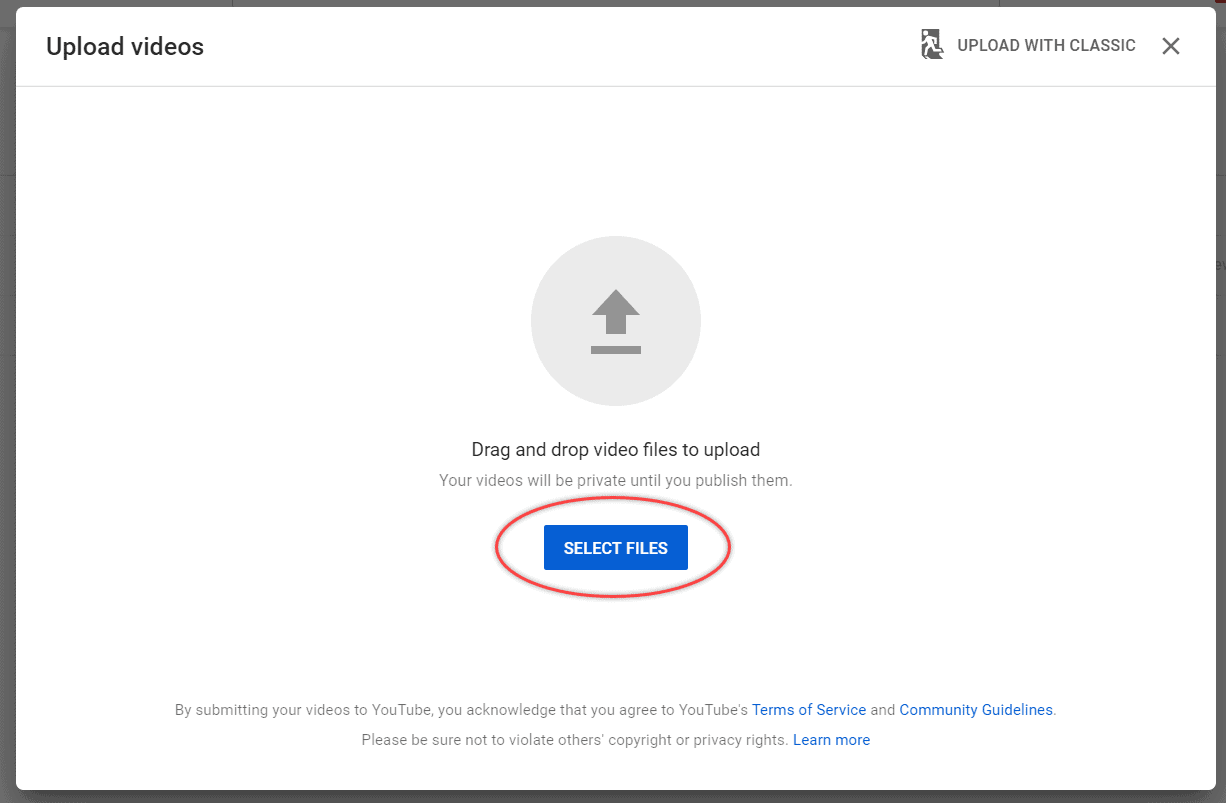
There are several ways to upload videos to Facebook, including using third-party apps. While the main method is to upload videos from your computer or other platform, you can also use the Facebook Uploader to share videos from other sources. If you are uploading a video from YouTube, make sure to add attribution at the end of the video. See the article : Is YouTube Music For Free?. Facebook is very picky about which content you use, so videos with licensed music are not allowed. You can also upload videos from Vimeo or YouTube.

To upload a video to Facebook, you must first upload it to the platform that will allow you to embed it. This method is called “native” and will let you embed videos posted by other users. Unlike YouTube, Facebook allows you to upload and embed videos directly from your own page. Using this method will ensure that your videos will appear as well as possible on the platform. Adding a thumbnail to a video on Facebook is similar to adding a photo on YouTube. But a Facebook video does not allow you to customize the thumbnail.

You can upload videos from other platforms directly to Facebook in HD. To do this, go to the Facebook app on your smartphone and click on “Share.” On your Timeline, you can view the video you just uploaded. If you are uploading HD videos, you need to select ‘Optimised’. The quality of the video depends on the network conditions. If you have a fast Internet connection, you can upload videos in the highest resolution.


On the same subject :
How Much Money is a Thousand Views on YouTube Worth?
How Much Money is a Thousand Views on YouTube Worth? There is…

Related Posts:

  • How to Share Facebook Video on WhatsApp
  • How to Share a Facebook Page
  • How to Share Video From Facebook to Whatsapp Without a Link
  • How to Copy a Facebook Page Link
  • How to Copy Link in Instagram
  • How Do I Copy My Facebook Group Link?
Was this article helpful?
YesNo

You might also like

Troubleshooting Instagram Posting Issues

Troubleshooting Instagram Posting Issues

How to Post Multiple Photos on Instagram Without Cropping – The Ultimate Guide

How to Post Multiple Photos on Instagram Without Cropping – The Ultimate Guide

How Do I View My Instagram Likes on My PC?

How Do I View My Instagram Likes on My PC?

How to Pause Reels in Instagram

How to Pause Reels in Instagram

How to Make Instagram Bio Center

How to Get Verified on YouTube: How to Speed Up the Process

How to Get Verified on YouTube: How to Speed Up the Process

Categories

  • Facebook
  • General
  • Instagram
  • LinkedIn
  • Marketing
  • Pinterest
  • Social Media
  • TikTok
  • Twitter
  • YouTube


Making Your Brands Popular.

(347) 875-0972

[email protected]

© 2024 Zeru.
All Rights Reserved.

DMCA.com Protection Status

Instagram Services

  • Buy Instagram Followers
  • Buy Instagram Likes
  • Buy Instagram Views
  • Buy Instagram Comments

YouTube Services

  • Buy YouTube Views
  • Buy YouTube Subscribers
  • Buy YouTube Likes
  • Buy YouTube Comments

TikTok Services

  • Buy TikTok Followers
  • Buy TikTok Likes
  • Buy TikTok Views

Facebook Services

  • Buy Facebook Page Likes
  • Buy Facebook Followers
  • Buy Facebook Post Likes
  • Buy Facebook Views

Twitter Services

  • Buy Twitter Followers
  • Buy Twitter Likes
  • Buy Twitter Retweets

Quick Links

  • FAQ
  • Blog
  • Contact
  • About
  • Terms and Conditions
  • Privacy Policy
No Result
View All Result
  • Buy Followers
    • Instagram Services
      • Buy Instagram Followers
      • Buy Instagram Likes
      • Buy Instagram Views
      • Buy Instagram Comments
    • YouTube Services
      • Buy YouTube Views
      • Buy YouTube Subscribers
      • Buy YouTube Likes
      • Buy YouTube Comments
    • TikTok Services
      • Buy TikTok Followers
      • Buy TikTok Likes
      • Buy TikTok Views
    • Facebook Services
      • Buy Facebook Page Likes
      • Buy Facebook Followers
      • Buy Facebook Post Likes
      • Buy Facebook Views
    • Twitter Services
      • Buy Twitter Followers
      • Buy Twitter Likes
      • Buy Twitter Retweets
  • Blog
  • Categories
    • Instagram
    • YouTube
    • TikTok
    • Facebook
    • Twitter
  • Contact

© 2023 Zeru. All Rights Reserved.

Welcome Back!

Login to your account below

Forgotten Password?

Create New Account!

Fill the forms bellow to register

All fields are required. Log In

Retrieve your password

Please enter your username or email address to reset your password.

Log In






