






• Buy Followers
    • Instagram Services
      • Buy Instagram Followers
      • Buy Instagram Likes
      • Buy Instagram Views
      • Buy Instagram Comments
    • YouTube Services
      • Buy YouTube Views
      • Buy YouTube Subscribers
      • Buy YouTube Likes
      • Buy YouTube Comments
    • TikTok Services
      • Buy TikTok Followers
      • Buy TikTok Likes
      • Buy TikTok Views
    • Facebook Services
      • Buy Facebook Page Likes
      • Buy Facebook Followers
      • Buy Facebook Post Likes
      • Buy Facebook Views
    • Twitter Services
      • Buy Twitter Followers
      • Buy Twitter Likes
      • Buy Twitter Retweets
  • Blog
  • Categories
    • Instagram
    • YouTube
    • TikTok
    • Facebook
    • Twitter
  • Contact
No Result
View All Result
Zeru
  • Buy Followers
    • Instagram Services
      • Buy Instagram Followers
      • Buy Instagram Likes
      • Buy Instagram Views
      • Buy Instagram Comments
    • YouTube Services
      • Buy YouTube Views
      • Buy YouTube Subscribers
      • Buy YouTube Likes
      • Buy YouTube Comments
    • TikTok Services
      • Buy TikTok Followers
      • Buy TikTok Likes
      • Buy TikTok Views
    • Facebook Services
      • Buy Facebook Page Likes
      • Buy Facebook Followers
      • Buy Facebook Post Likes
      • Buy Facebook Views
    • Twitter Services
      • Buy Twitter Followers
      • Buy Twitter Likes
      • Buy Twitter Retweets
  • Blog
  • Categories
    • Instagram
    • YouTube
    • TikTok
    • Facebook
    • Twitter
  • Contact
No Result
View All Result
Zeru
No Result
View All Result

Popular Services

Buy YouTube Views
Buy TikTok Followers
Buy Twitter Followers
Buy Facebook Followers
Buy Instagram Likes
Buy TikTok Likes
Buy Instagram Views
Buy TikTok Views
Buy Instagram Comments
Buy YouTube Likes
Buy Twitter Likes
Buy YouTube Comments
Buy Facebook Views
Buy Facebook Page Likes
Buy Twitter Retweets
Buy Facebook Post Likes
Buy YouTube Subscribers
Buy Instagram Followers

How to Post a Link on Your Instagram Story

Lizzie Yates by Lizzie Yates
in Instagram
3 min read
71
How to Post a Link on Your Instagram Story
14
SHARES
1.4k
VIEWS
Share on FacebookShare on Twitter

Contents

  • How to Post a Link on Your Instagram Story
  • Limitations of adding a link to your instagram story
  • Customizing the link sticker
  • Creating a graphic to link to a landing page

How to Post a Link on Your Instagram Story

how to post a link on instagram story

To post a link on your Instagram story, follow these steps. You can add your website link inside an Instagram sticker, and users can click on it to visit your website or a landing page. But, there are limitations to adding links to your stories. In this article, we’ll discuss the limitations of adding links to stories, as well as how to customize your link sticker and create a graphic to link to a landing page.

Limitations of adding a link to your instagram story

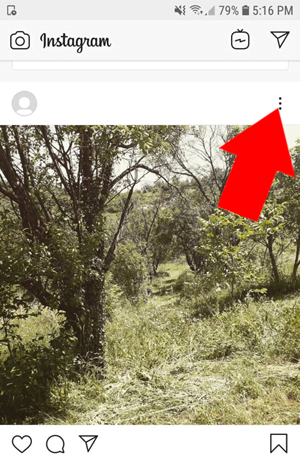
Adding a link to your Instagram story is possible without verifying your account or having more than 10K followers. But there are some limitations as well. The first is that you can only add one link per story. On the same subject : How to Earn Money on Instagram Using IGTV Ads. In addition, you cannot add a link to your caption or in the comments. Instead, you must add it in your bio. You can also add a link in the bio and add a photo to your story.

Instagram is encouraging users to use their mobile app. That means they want their users to be able to view their stories on the go. Adding a link in a story is another great way to get more traffic and sales. However, the only downside is that it’s not always easy to get noticed. The link is not displayed immediately and may require a graphic or graphics to catch the viewer’s attention.

One of the biggest limits of adding a link to your Instagram story is that you can only use a swipe-up link. This will open when a follower swipes up from the story, allowing you to track link metrics. However, you can still use the link to promote a product or service. If you have a product, you can add a link to your Instagram story by following these tips:
On the same subject :
How to Download Photos From Instagram
How to Download Photos From Instagram You may be wondering how to…

Customizing the link sticker

One of the biggest changes that Instagram is introducing this year is the ability to customize the link sticker on Instagram stories. Previously, only verified accounts with at least 10,000 followers could use the swipe-up link function. To see also : How to Get More Instagram Followers. Now, users of all levels can customize the link stickers to put their links wherever they want on the Story. Instagram has not made this functionality available for all accounts, though, so it will take some time before it is rolled out to everyone.

Before we discuss how to customize the link sticker on Instagram stories, let’s look at the different styles that the feature can provide. First, you can customize the link text and colour. Then, you can add a call-to-action (CTA), a description of the link, or both. If you want to track how many times your link is clicked, you can use Google Analytics to track the results.

After creating your story, you can share it with a link. The recipient will be directed to your story after tapping on the link sticker. It’s that simple! And the best part is that the link text can be customized! If you’re not sure how to customize the link text on Instagram story, don’t worry! Instagram is working on this. But until then, feel free to experiment! If you’re not comfortable with the default setting, check out the premium feature that allows you to customize the link text.
This may interest you :
How to Unblock Instagram Accounts
How to Unblock Instagram Accounts In case you have encountered this problem…

Creating a graphic to link to a landing page

If you have an online course, you probably have a landing page. This is the page you send your visitors to after they’ve viewed your Instagram story. Landing pages are transactional pages that are designed to reel in visitors and get them to sign up or make a purchase. See the article : How to Change Username on Instagram. If you want your Instagram story to convert into sales, you need to make it as attractive as possible to draw visitors’ attention. Fortunately, there are plenty of ways to link to your landing page, including using graphics and videos on your Instagram story.

If you have a blog, you can use a custom graphic to promote your content. Be sure to follow the Instagram story dimensions – you don’t want your graphics to look out of place! Be sure to use relevant imagery and brand colors in your graphics. Using a pull quote is a great idea, as well! You can use this graphic to promote a blog post or a virtual event.


This may interest you :
Increase Your Exposure on Instagram With Trending and Popular Hashtags
Increase Your Exposure on Instagram With Trending and Popular Hashtags If you…

Related Posts:

  • How to Post a Link on Your Instagram Story
  • How to Post a Link on Your Instagram Story
  • How to Add a Link to an Instagram Story
  • How to Put a Link in Instagram Story
  • How to Add Link to Instagram Story
  • How to Put Link in Instagram Story
Was this article helpful?
YesNo

You might also like

Troubleshooting Instagram Posting Issues

Troubleshooting Instagram Posting Issues

How to Post Multiple Photos on Instagram Without Cropping – The Ultimate Guide

How to Post Multiple Photos on Instagram Without Cropping – The Ultimate Guide

How Do I View My Instagram Likes on My PC?

How Do I View My Instagram Likes on My PC?

How to Pause Reels in Instagram

How to Pause Reels in Instagram

How to Make Instagram Bio Center

How to Get Verified on YouTube: How to Speed Up the Process

How to Get Verified on YouTube: How to Speed Up the Process

Categories

  • Facebook
  • General
  • Instagram
  • LinkedIn
  • Marketing
  • Pinterest
  • Social Media
  • TikTok
  • Twitter
  • YouTube


Making Your Brands Popular.

(347) 875-0972

[email protected]

© 2024 Zeru.
All Rights Reserved.

DMCA.com Protection Status

Instagram Services

  • Buy Instagram Followers
  • Buy Instagram Likes
  • Buy Instagram Views
  • Buy Instagram Comments

YouTube Services

  • Buy YouTube Views
  • Buy YouTube Subscribers
  • Buy YouTube Likes
  • Buy YouTube Comments

TikTok Services

  • Buy TikTok Followers
  • Buy TikTok Likes
  • Buy TikTok Views

Facebook Services

  • Buy Facebook Page Likes
  • Buy Facebook Followers
  • Buy Facebook Post Likes
  • Buy Facebook Views

Twitter Services

  • Buy Twitter Followers
  • Buy Twitter Likes
  • Buy Twitter Retweets

Quick Links

  • FAQ
  • Blog
  • Contact
  • About
  • Terms and Conditions
  • Privacy Policy
No Result
View All Result
  • Buy Followers
    • Instagram Services
      • Buy Instagram Followers
      • Buy Instagram Likes
      • Buy Instagram Views
      • Buy Instagram Comments
    • YouTube Services
      • Buy YouTube Views
      • Buy YouTube Subscribers
      • Buy YouTube Likes
      • Buy YouTube Comments
    • TikTok Services
      • Buy TikTok Followers
      • Buy TikTok Likes
      • Buy TikTok Views
    • Facebook Services
      • Buy Facebook Page Likes
      • Buy Facebook Followers
      • Buy Facebook Post Likes
      • Buy Facebook Views
    • Twitter Services
      • Buy Twitter Followers
      • Buy Twitter Likes
      • Buy Twitter Retweets
  • Blog
  • Categories
    • Instagram
    • YouTube
    • TikTok
    • Facebook
    • Twitter
  • Contact

© 2023 Zeru. All Rights Reserved.

Welcome Back!

Login to your account below

Forgotten Password?

Create New Account!

Fill the forms bellow to register

All fields are required. Log In

Retrieve your password

Please enter your username or email address to reset your password.

Log In






