






• Buy Followers
    • Instagram Services
      • Buy Instagram Followers
      • Buy Instagram Likes
      • Buy Instagram Views
      • Buy Instagram Comments
    • YouTube Services
      • Buy YouTube Views
      • Buy YouTube Subscribers
      • Buy YouTube Likes
      • Buy YouTube Comments
    • TikTok Services
      • Buy TikTok Followers
      • Buy TikTok Likes
      • Buy TikTok Views
    • Facebook Services
      • Buy Facebook Page Likes
      • Buy Facebook Followers
      • Buy Facebook Post Likes
      • Buy Facebook Views
    • Twitter Services
      • Buy Twitter Followers
      • Buy Twitter Likes
      • Buy Twitter Retweets
  • Blog
  • Categories
    • Instagram
    • YouTube
    • TikTok
    • Facebook
    • Twitter
  • Contact
No Result
View All Result
Zeru
  • Buy Followers
    • Instagram Services
      • Buy Instagram Followers
      • Buy Instagram Likes
      • Buy Instagram Views
      • Buy Instagram Comments
    • YouTube Services
      • Buy YouTube Views
      • Buy YouTube Subscribers
      • Buy YouTube Likes
      • Buy YouTube Comments
    • TikTok Services
      • Buy TikTok Followers
      • Buy TikTok Likes
      • Buy TikTok Views
    • Facebook Services
      • Buy Facebook Page Likes
      • Buy Facebook Followers
      • Buy Facebook Post Likes
      • Buy Facebook Views
    • Twitter Services
      • Buy Twitter Followers
      • Buy Twitter Likes
      • Buy Twitter Retweets
  • Blog
  • Categories
    • Instagram
    • YouTube
    • TikTok
    • Facebook
    • Twitter
  • Contact
No Result
View All Result
Zeru
No Result
View All Result

Popular Services

Buy YouTube Views
Buy TikTok Followers
Buy Twitter Followers
Buy Facebook Followers
Buy Instagram Likes
Buy TikTok Likes
Buy Instagram Views
Buy TikTok Views
Buy Instagram Comments
Buy YouTube Likes
Buy Twitter Likes
Buy YouTube Comments
Buy Facebook Views
Buy Facebook Page Likes
Buy Twitter Retweets
Buy Facebook Post Likes
Buy YouTube Subscribers
Buy Instagram Followers

How to Make Pictures Fit on Instagram Without Cropping

Lizzie Yates by Lizzie Yates
in Instagram
2 min read
68
How to Make Pictures Fit on Instagram Without Cropping
14
SHARES
1.4k
VIEWS
Share on FacebookShare on Twitter

Contents

  • How to Make Pictures Fit on Instagram Without Cropping
  • UnClip by 3nions
  • Canva template
  • Instagram’s new aspect ratios
  • Instagram’s default cropping system

How to Make Pictures Fit on Instagram Without Cropping

how to make pictures fit on instagram without cropping

If you want to post images on Instagram, but do not want to crop them, there are ways to make your photos fit. These methods include third-party apps, editing software, and UnClip by 3nions. These applications help you crop your photos without reducing their quality. Instagram’s default cropping system is another common issue. You can find out how to fix it with these tips and tricks.

UnClip by 3nions

If you’re looking to make your pictures fit on Instagram, there are several apps that can help you do just that. With an app like UnClip, you can crop, rotate, and add a blur effect to your photos. Plus, you can use basic editing tools to fine-tune your final preview. On the same subject : How Do I Deactivate My Instagram Account?. This app also offers 100+ stickers to help you express yourself. If you’re looking for a free alternative, you can try Square InPic.

Another popular no-crop app is InstaSquare, which has a simple and soothing interface. It’s easy to use and can be customized to different situations. The latest no-crop app is UnClip by 3nions, which is just 7.8MB in size. It has a straightforward UI and allows you to crop pictures without losing the original size.

To see also :
How to See Your Password on Instagram
How to See Your Password on Instagram If you have forgotten your…

Canva template

The Canva platform has templates for just about any image size. You can choose the size of your image by clicking on it and dragging it to resize. The Canva website also has an extensive library of stock images, both free and paid. See the article : How to Post a Picture on Instagram. Once you’ve chosen the right picture size, you can add hashtags and customize your post. The Canva tool makes it easy to create a perfect image for your Instagram account.

If you’re looking to make your pictures fit on instagram without cropping, you can use Canva’s free photo template. The Canva software also allows you to crop images, so you can post beautiful pictures with a minimal amount of work. It’s the perfect solution for anyone who’s unsure of how to crop their images. After you download the template, you can easily modify it using Canva’s drag-and-drop design tools.

See the article :
How to Get a Discount Code For Instagram
How to Get a Discount Code For Instagram In order to promote…

Instagram’s new aspect ratios

If you’re having trouble fitting your photos on Instagram’s new aspect ratios, you’re not alone. The square aspect ratio isn’t always the best fit for your visual stories, and sometimes cropping people out of them is the only way to make the visual story look its best. On the same subject : How Can You See Who Views Your Instagram Story?. Luckily, there are workarounds, including padding your canvas and using 3rd party apps that add borders. Thankfully, Instagram has relaxed its strict square obsession and now allows you to upload portrait and landscape photos without cropping them.

In order to upload an image on Instagram, it needs to be 1080 pixels by 1920 pixels or higher. The aspect ratio is important because the website compresses the photo to fit the new dimensions. If the photo is larger than the new dimensions, Instagram will crop it to fit the new dimensions. For this reason, it’s recommended that you upload your pictures from a desktop computer, since it will preserve photo quality and resolution better.

See the article :
How to Open an Instagram Account
How to Open an Instagram Account If you’re wondering how to open…

Instagram’s default cropping system

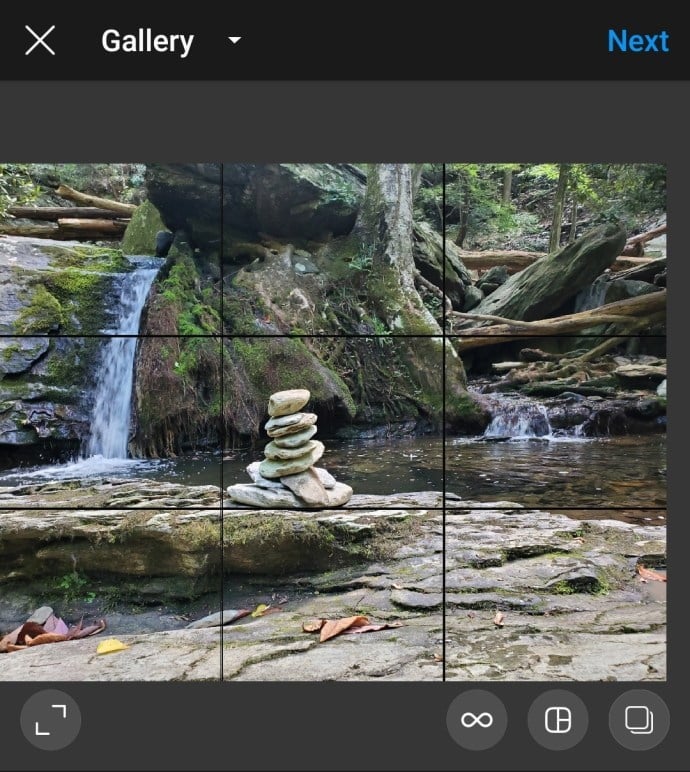
When you upload pictures to Instagram, you’re prompted to crop them. However, there are ways to post full-size pictures without cropping. The first step is to open the image in Microsoft Paint, the built-in photo editing program on Windows. From here, you can adjust the image size using percentages or pixels. You can even add a background to your image to make it fit on Instagram.

If you want to post a picture that looks great on Instagram, first ensure that your image has a 1:1 aspect ratio and a resolution of at least 1080×1350 pixels. Otherwise, it will be automatically cropped. Secondly, you can use your photo editing software to create a collage. This way, you can upload several photos in one post, preserving the proportions. This option will also save space.


Related Posts:

  • How to Post Multiple Pictures on Instagram Without Cropping
  • How to Get the Whole Picture to Fit in Instagram
  • How to Post 4x5 on Instagram
  • How Do I Stop Instagram From Cropping My Photos and Videos?
  • How Can I Make My Whole Picture Fit on Instagram?
  • How to Get the Whole Picture on Instagram
Was this article helpful?
YesNo

You might also like

Troubleshooting Instagram Posting Issues

Troubleshooting Instagram Posting Issues

How to Post Multiple Photos on Instagram Without Cropping – The Ultimate Guide

How to Post Multiple Photos on Instagram Without Cropping – The Ultimate Guide

How Do I View My Instagram Likes on My PC?

How Do I View My Instagram Likes on My PC?

How to Pause Reels in Instagram

How to Pause Reels in Instagram

How to Make Instagram Bio Center

How to Get Verified on YouTube: How to Speed Up the Process

How to Get Verified on YouTube: How to Speed Up the Process

Categories

  • Facebook
  • General
  • Instagram
  • LinkedIn
  • Marketing
  • Pinterest
  • Social Media
  • TikTok
  • Twitter
  • YouTube


Making Your Brands Popular.

(347) 875-0972

[email protected]

© 2024 Zeru.
All Rights Reserved.

DMCA.com Protection Status

Instagram Services

  • Buy Instagram Followers
  • Buy Instagram Likes
  • Buy Instagram Views
  • Buy Instagram Comments

YouTube Services

  • Buy YouTube Views
  • Buy YouTube Subscribers
  • Buy YouTube Likes
  • Buy YouTube Comments

TikTok Services

  • Buy TikTok Followers
  • Buy TikTok Likes
  • Buy TikTok Views

Facebook Services

  • Buy Facebook Page Likes
  • Buy Facebook Followers
  • Buy Facebook Post Likes
  • Buy Facebook Views

Twitter Services

  • Buy Twitter Followers
  • Buy Twitter Likes
  • Buy Twitter Retweets

Quick Links

  • FAQ
  • Blog
  • Contact
  • About
  • Terms and Conditions
  • Privacy Policy
No Result
View All Result
  • Buy Followers
    • Instagram Services
      • Buy Instagram Followers
      • Buy Instagram Likes
      • Buy Instagram Views
      • Buy Instagram Comments
    • YouTube Services
      • Buy YouTube Views
      • Buy YouTube Subscribers
      • Buy YouTube Likes
      • Buy YouTube Comments
    • TikTok Services
      • Buy TikTok Followers
      • Buy TikTok Likes
      • Buy TikTok Views
    • Facebook Services
      • Buy Facebook Page Likes
      • Buy Facebook Followers
      • Buy Facebook Post Likes
      • Buy Facebook Views
    • Twitter Services
      • Buy Twitter Followers
      • Buy Twitter Likes
      • Buy Twitter Retweets
  • Blog
  • Categories
    • Instagram
    • YouTube
    • TikTok
    • Facebook
    • Twitter
  • Contact

© 2023 Zeru. All Rights Reserved.

Welcome Back!

Login to your account below

Forgotten Password?

Create New Account!

Fill the forms bellow to register

All fields are required. Log In

Retrieve your password

Please enter your username or email address to reset your password.

Log In





