






• Buy Followers
    • Instagram Services
      • Buy Instagram Followers
      • Buy Instagram Likes
      • Buy Instagram Views
      • Buy Instagram Comments
    • YouTube Services
      • Buy YouTube Views
      • Buy YouTube Subscribers
      • Buy YouTube Likes
      • Buy YouTube Comments
    • TikTok Services
      • Buy TikTok Followers
      • Buy TikTok Likes
      • Buy TikTok Views
    • Facebook Services
      • Buy Facebook Page Likes
      • Buy Facebook Followers
      • Buy Facebook Post Likes
      • Buy Facebook Views
    • Twitter Services
      • Buy Twitter Followers
      • Buy Twitter Likes
      • Buy Twitter Retweets
  • Blog
  • Categories
    • Instagram
    • YouTube
    • TikTok
    • Facebook
    • Twitter
  • Contact
No Result
View All Result
Zeru
  • Buy Followers
    • Instagram Services
      • Buy Instagram Followers
      • Buy Instagram Likes
      • Buy Instagram Views
      • Buy Instagram Comments
    • YouTube Services
      • Buy YouTube Views
      • Buy YouTube Subscribers
      • Buy YouTube Likes
      • Buy YouTube Comments
    • TikTok Services
      • Buy TikTok Followers
      • Buy TikTok Likes
      • Buy TikTok Views
    • Facebook Services
      • Buy Facebook Page Likes
      • Buy Facebook Followers
      • Buy Facebook Post Likes
      • Buy Facebook Views
    • Twitter Services
      • Buy Twitter Followers
      • Buy Twitter Likes
      • Buy Twitter Retweets
  • Blog
  • Categories
    • Instagram
    • YouTube
    • TikTok
    • Facebook
    • Twitter
  • Contact
No Result
View All Result
Zeru
No Result
View All Result

Popular Services

Buy YouTube Views
Buy TikTok Followers
Buy Twitter Followers
Buy Facebook Followers
Buy Instagram Likes
Buy TikTok Likes
Buy Instagram Views
Buy TikTok Views
Buy Instagram Comments
Buy YouTube Likes
Buy Twitter Likes
Buy YouTube Comments
Buy Facebook Views
Buy Facebook Page Likes
Buy Twitter Retweets
Buy Facebook Post Likes
Buy YouTube Subscribers
Buy Instagram Followers

How to Download Videos From Facebook on Android

Lizzie Yates by Lizzie Yates
in Facebook
3 min read
64
How to Download Videos From Facebook on Android
13
SHARES
1.3k
VIEWS
Share on FacebookShare on Twitter

Contents

  • How to Download Videos From Facebook on Android
  • MyVideoDownloader
  • BitDownloader
  • FileMaster
  • Video Downloader for Facebook
  • Trick Facebook into thinking you’re viewing the site on a mobile device

How to Download Videos From Facebook on Android

how to download videos from facebook on android

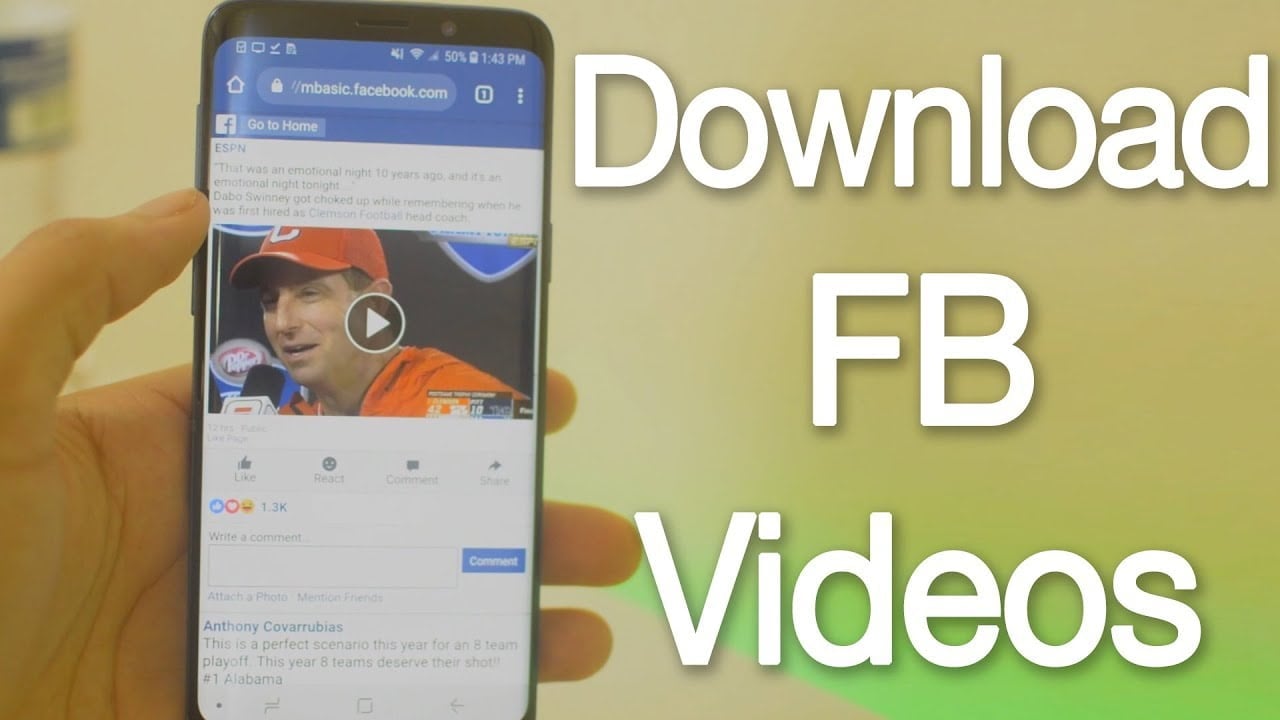
If you want to download videos from Facebook on your Android device, you’ve come to the right place. You can use a free app called FastVid. It’s specially designed for Facebook users. The app is available for download from the Google Play Store. There are two ways to download videos from Facebook: copy the video’s URL and paste it into the URL tab of FastVid. Next, tap the Download button.

MyVideoDownloader

MyVideoDownloader is a free app that lets you download videos from Facebook to your Android phone. By default, videos are saved to your phone’s internal memory, but you can change the path where you want the videos to be stored. This may interest you : How Do I Get Facebook Back on My Phone?. This way, you can watch them on the go without having to be connected to the internet. The Facebook app will allow you to download videos to your phone in a variety of formats.

To use MyVideoDownloader, sign into your Facebook account and then navigate through the timeline of friends and other users. The app will open the video’s feed and display it in a mobile web view. You can then choose to download it or share it to your phone’s gallery. The download process will start in the background and a progress bar will appear at the bottom of the screen to let you know how much is left to download.

See the article :
Do Hashtags Work on Facebook 2022?
Do Hashtags Work on Facebook 2022? Hashtags are a powerful marketing strategy…

BitDownloader

The BitDownloader video downloader is free to use and supports almost all browsers and devices. The best part about this app is that you don’t have to sign up or register. After you download it, you can back up all your social media, as well as save the downloaded videos offline. On the same subject : How to See Who Views Your Facebook Profile. Downloading videos from Facebook is now as easy as 1-2-3! Here’s how. Start by copying the video URL and paste it into the white search box. Select “Download” and wait for the process to finish.

The first step in downloading the video is to paste the URL of the video you wish to download into the search box on BitDownloader. Once you’ve pasted the link, hit the “Download” key and press Enter. A list of available downloads will appear. Click the one you want to download. Once the download finishes, you’ll be able to watch it on your Android device.
See the article :
How to Contact Facebook About a Problem
How to Contact Facebook About a Problem Facebook allows you to send…

FileMaster

If you are looking to download videos from Facebook on your Android phone, then you are in the right place. You can follow the same steps as you would in downloading videos from Twitter. First, open Facebook and sign in. Then, you can find a video you want to download, and copy its link. Alternatively, you can use a third-party website to download a video from Facebook. FB Down is an example of such a website. If you have a Facebook app, you can install an app that adds a downloading option to the main app.

Once you have downloaded the video you want, you can start playing it in your phone’s memory. FileMaster works with most popular video-sharing platforms, including Facebook. See the article : What Is Marketplace on Facebook?. If you do not have a file-sharing program installed on your phone, you can download videos from Facebook on your phone using a third-party application. This is particularly convenient if you are a busy person and you don’t want to be stuck in front of your computer all day.
See the article :
How Can I See My Facebook Password?
How Can I See My Facebook Password? Do you wonder how to…

Video Downloader for Facebook

The Video Downloader for Facebook on Android makes it easy to download videos from the social network. Simply copy and paste the reel’s URL into the Facebook video downloader. Once done, it will save the content directly to your mobile device. Once you have the downloader installed on your device, all you need to do is enjoy your Facebook videos anywhere, anytime. Whether you want to watch them on your desktop or mobile, the Video Downloader for Facebook on Android app can help you.

You can use the Video Downloader for Facebook on your Android mobile phone to download videos from Facebook in both High Definition and Normal quality. If you want to extract audio from the videos, getFVid is an excellent web application to download them. To use the web app, simply access your Facebook account and sign in with it. Once signed in, you can choose the resolution and quality of the video you wish to download. Once the download is complete, you can select the format and quality of the video.

Trick Facebook into thinking you’re viewing the site on a mobile device

First, you need to log into your mobile browser or application. After logging in, change the URL in your browser to see the desktop version. To do this, remove the “m” portion of the website’s URL. You should also be sure to turn on desktop in your browser’s settings. This trick will resize the mobile site, but it will not force you to reload the page.

While there are many apps available to access Facebook, you should avoid installing them. These apps log all of the things you do on your device, including Wi-Fi networks and applications you use. This means that if someone else steals your password, they can access your account. So, using a VPN to log in to Facebook is the best way to prevent this from happening. It will also stop Facebook from tracking your location, allowing you to use the site securely.


Related Posts:

  • How to Download Facebook Videos on iPhone
  • How Do I Download a Video From Facebook to My Gallery?
  • How to Download a Facebook Video
  • How to Download Facebook Videos on Android
  • How to Save Videos From Facebook Without Downloading Them
  • How to Download Facebook on Your Android Device
Was this article helpful?
YesNo

You might also like

Troubleshooting Instagram Posting Issues

Troubleshooting Instagram Posting Issues

How to Post Multiple Photos on Instagram Without Cropping – The Ultimate Guide

How to Post Multiple Photos on Instagram Without Cropping – The Ultimate Guide

How Do I View My Instagram Likes on My PC?

How Do I View My Instagram Likes on My PC?

How to Pause Reels in Instagram

How to Pause Reels in Instagram

How to Make Instagram Bio Center

How to Get Verified on YouTube: How to Speed Up the Process

How to Get Verified on YouTube: How to Speed Up the Process

Categories

  • Facebook
  • General
  • Instagram
  • LinkedIn
  • Marketing
  • Pinterest
  • Social Media
  • TikTok
  • Twitter
  • YouTube


Making Your Brands Popular.

(347) 875-0972

[email protected]

© 2024 Zeru.
All Rights Reserved.

DMCA.com Protection Status

Instagram Services

  • Buy Instagram Followers
  • Buy Instagram Likes
  • Buy Instagram Views
  • Buy Instagram Comments

YouTube Services

  • Buy YouTube Views
  • Buy YouTube Subscribers
  • Buy YouTube Likes
  • Buy YouTube Comments

TikTok Services

  • Buy TikTok Followers
  • Buy TikTok Likes
  • Buy TikTok Views

Facebook Services

  • Buy Facebook Page Likes
  • Buy Facebook Followers
  • Buy Facebook Post Likes
  • Buy Facebook Views

Twitter Services

  • Buy Twitter Followers
  • Buy Twitter Likes
  • Buy Twitter Retweets

Quick Links

  • FAQ
  • Blog
  • Contact
  • About
  • Terms and Conditions
  • Privacy Policy
No Result
View All Result
  • Buy Followers
    • Instagram Services
      • Buy Instagram Followers
      • Buy Instagram Likes
      • Buy Instagram Views
      • Buy Instagram Comments
    • YouTube Services
      • Buy YouTube Views
      • Buy YouTube Subscribers
      • Buy YouTube Likes
      • Buy YouTube Comments
    • TikTok Services
      • Buy TikTok Followers
      • Buy TikTok Likes
      • Buy TikTok Views
    • Facebook Services
      • Buy Facebook Page Likes
      • Buy Facebook Followers
      • Buy Facebook Post Likes
      • Buy Facebook Views
    • Twitter Services
      • Buy Twitter Followers
      • Buy Twitter Likes
      • Buy Twitter Retweets
  • Blog
  • Categories
    • Instagram
    • YouTube
    • TikTok
    • Facebook
    • Twitter
  • Contact

© 2023 Zeru. All Rights Reserved.

Welcome Back!

Login to your account below

Forgotten Password?

Create New Account!

Fill the forms bellow to register

All fields are required. Log In

Retrieve your password

Please enter your username or email address to reset your password.

Log In





