






• Buy Followers
    • Instagram Services
      • Buy Instagram Followers
      • Buy Instagram Likes
      • Buy Instagram Views
      • Buy Instagram Comments
    • YouTube Services
      • Buy YouTube Views
      • Buy YouTube Subscribers
      • Buy YouTube Likes
      • Buy YouTube Comments
    • TikTok Services
      • Buy TikTok Followers
      • Buy TikTok Likes
      • Buy TikTok Views
    • Facebook Services
      • Buy Facebook Page Likes
      • Buy Facebook Followers
      • Buy Facebook Post Likes
      • Buy Facebook Views
    • Twitter Services
      • Buy Twitter Followers
      • Buy Twitter Likes
      • Buy Twitter Retweets
  • Blog
  • Categories
    • Instagram
    • YouTube
    • TikTok
    • Facebook
    • Twitter
  • Contact
No Result
View All Result
Zeru
  • Buy Followers
    • Instagram Services
      • Buy Instagram Followers
      • Buy Instagram Likes
      • Buy Instagram Views
      • Buy Instagram Comments
    • YouTube Services
      • Buy YouTube Views
      • Buy YouTube Subscribers
      • Buy YouTube Likes
      • Buy YouTube Comments
    • TikTok Services
      • Buy TikTok Followers
      • Buy TikTok Likes
      • Buy TikTok Views
    • Facebook Services
      • Buy Facebook Page Likes
      • Buy Facebook Followers
      • Buy Facebook Post Likes
      • Buy Facebook Views
    • Twitter Services
      • Buy Twitter Followers
      • Buy Twitter Likes
      • Buy Twitter Retweets
  • Blog
  • Categories
    • Instagram
    • YouTube
    • TikTok
    • Facebook
    • Twitter
  • Contact
No Result
View All Result
Zeru
No Result
View All Result

Popular Services

Buy YouTube Views
Buy TikTok Followers
Buy Twitter Followers
Buy Facebook Followers
Buy Instagram Likes
Buy TikTok Likes
Buy Instagram Views
Buy TikTok Views
Buy Instagram Comments
Buy YouTube Likes
Buy Twitter Likes
Buy YouTube Comments
Buy Facebook Views
Buy Facebook Page Likes
Buy Twitter Retweets
Buy Facebook Post Likes
Buy YouTube Subscribers
Buy Instagram Followers

How to Download Reels From Instagram to Your Gallery

Lizzie Yates by Lizzie Yates
in Instagram
3 min read
66
How to Download Reels From Instagram to Your Gallery
13
SHARES
1.3k
VIEWS
Share on FacebookShare on Twitter

Contents

  • How to Download Reels From Instagram to Your Gallery
  • Save reels with music
  • Save reels with screen recording
  • Save reels with audio
  • Save reels with third-party app

How to Download Reels From Instagram to Your Gallery

how to download reels from instagram to gallery

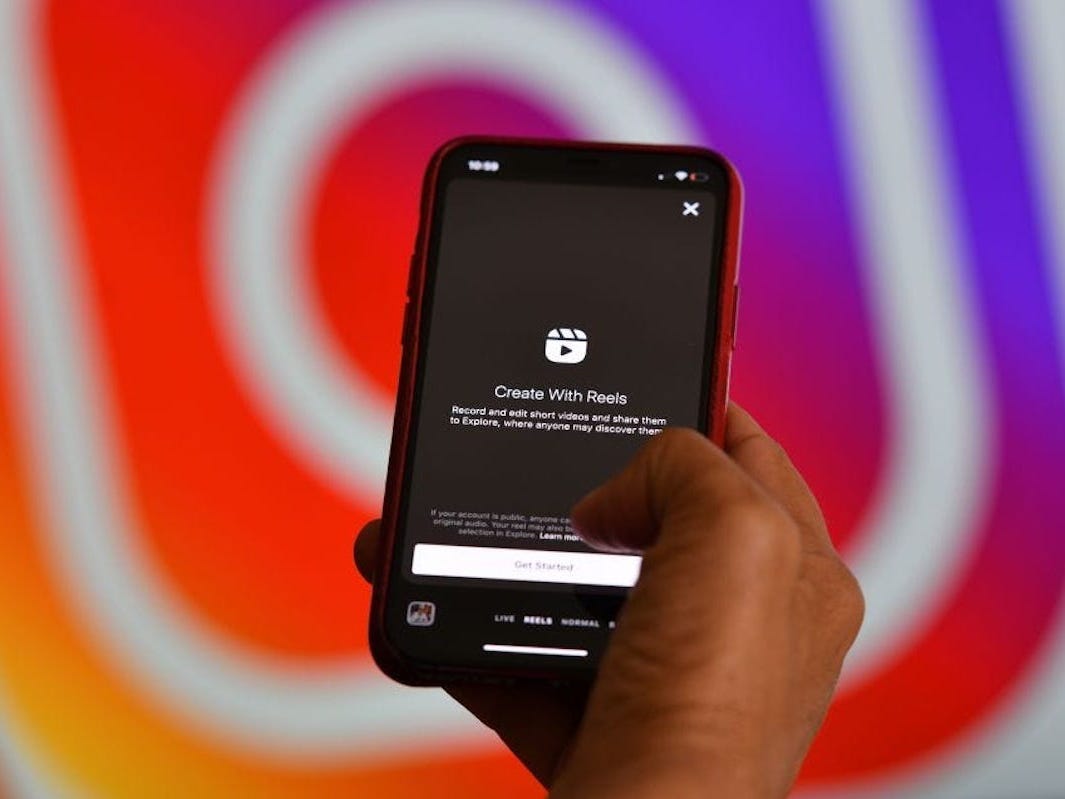
If you’re wondering how to download reels from Instagram to your gallery, then you’ve come to the right place. Here, we’ll explain how to download Reels with music, screen recordings, and audio, as well as remove them from your Stories. There are some things you should keep in mind when doing this. If you’re on a limited budget, we recommend downloading reels using a third-party app.

Save reels with music

If you’re using Instagram, you might have wondered how to save reels with music from Instagram to your gallery. Well, you can actually do it with just a couple of simple steps. Firstly, you need to use an application called InSaver. See the article : How to Scrape Instagram Data With Jarvee and Smartproxy. This app saves reels in a video format, so you can watch them offline if you want to. It also allows you to save a reel with audio, so you can watch it later.

To do this, tap the Reels menu and select the option “Save.” This will allow you to save your reel without publishing it. Then, you can edit the reels with music and add soundtracks later. By following these steps, you can save reels from Instagram to gallery without publishing them. This will allow you to watch the reels later and add soundtrack if necessary. This is an important feature that makes Reels videos more enjoyable to watch.

To see also :
How to Get Money From Instagram
How to Get Money From Instagram Are you wondering how to get…

Save reels with screen recording

If you’re looking for ways to save reels from Instagram, the answer is quite simple. To download reels from Instagram, first install the Instagram app on your phone. Next, use the Reels app to search for your account. After selecting your account, tap on the three dots in the bottom right corner of the screen. This may interest you : How Can I Download Instagram Stories?. After that, copy the link of the reel you want to download. Once you have the link, you can then paste it into the search field of Reels. Then, wait for the process to complete.

Once you’ve accessed the Reels you want to save, swipe to access Control Center. You’ll be given a reverse countdown of 3 seconds. In iOS, you’ll want to close Control Center to make sure the reel is visible. Make sure to turn on the audio when you record the reel, or the video won’t save. If you’re recording an Instagram Reel, you can then save the video to your phone’s gallery.
On the same subject :
What Is a Good Engagement Rate on Instagram?
What Is a Good Engagement Rate on Instagram? If you’re looking for…

Save reels with audio

If you’re looking for an easy way to save reels with audio from Instagram, you’ve come to the right place. This guide will show you how to download your reels, add audio, and edit them before you post them. On the same subject : Why Can’t I Repost Stories on Instagram?. Once you have the files, you can easily export them to any program that supports WAV audio files. In addition, you can save reels with audio as a separate file and then edit them afterwards.

You can also save reels with audio from Instagram to your phone’s gallery. To do this, go to your camera roll on your iOS device and open the Reels tab. The audio will begin playing, and you can trim it or delete it after you’re finished. You can also share the reel as a separate video. When sharing a reel on Instagram, you can also add captions, hashtags, and more.

To see also :
How to Update Messaging on Instagram
How to Update Messaging on Instagram The first step in the process…

Save reels with third-party app

You can save reels from Instagram to your phone’s gallery using a third-party app. These apps can be free or paid, and will vary in price depending on the type of app. Some apps will feature in-app purchases and advertisements, while others may require a monthly subscription. One free app that allows you to save reels from Instagram to your gallery is InstantSave. To get started, log into your Instagram account. From there, copy the reel’s URL and paste it into the app’s search bar.

Another method for saving Instagram Reels is to use the Screen Recorder function in the Control Centre. This feature is available on iOS and Android devices. If you want to save reel videos to your gallery, you need to copy the video URL from the website. After copying the URL, install the Insaver app on your device. Then, open the app, tap “Save Reels”, and then “Insaver” will automatically copy the URL and save it to your gallery.


Related Posts:

  • How to Download Instagram Reels in Gallery
  • How to Save Instagram Reels in Gallery With Music
  • How to Download Reels From Instagram Without Watermarks
  • How to Download Instagram Reels Without Audio
  • How to Save Instagram Reels With Music
  • How to Save Instagram Story With Music in Gallery
Was this article helpful?
YesNo

You might also like

Troubleshooting Instagram Posting Issues

Troubleshooting Instagram Posting Issues

How to Post Multiple Photos on Instagram Without Cropping – The Ultimate Guide

How to Post Multiple Photos on Instagram Without Cropping – The Ultimate Guide

How Do I View My Instagram Likes on My PC?

How Do I View My Instagram Likes on My PC?

How to Pause Reels in Instagram

How to Pause Reels in Instagram

How to Make Instagram Bio Center

How to Get Verified on YouTube: How to Speed Up the Process

How to Get Verified on YouTube: How to Speed Up the Process

Categories

  • Facebook
  • General
  • Instagram
  • LinkedIn
  • Marketing
  • Pinterest
  • Social Media
  • TikTok
  • Twitter
  • YouTube


Making Your Brands Popular.

(347) 875-0972

[email protected]

© 2024 Zeru.
All Rights Reserved.

DMCA.com Protection Status

Instagram Services

  • Buy Instagram Followers
  • Buy Instagram Likes
  • Buy Instagram Views
  • Buy Instagram Comments

YouTube Services

  • Buy YouTube Views
  • Buy YouTube Subscribers
  • Buy YouTube Likes
  • Buy YouTube Comments

TikTok Services

  • Buy TikTok Followers
  • Buy TikTok Likes
  • Buy TikTok Views

Facebook Services

  • Buy Facebook Page Likes
  • Buy Facebook Followers
  • Buy Facebook Post Likes
  • Buy Facebook Views

Twitter Services

  • Buy Twitter Followers
  • Buy Twitter Likes
  • Buy Twitter Retweets

Quick Links

  • FAQ
  • Blog
  • Contact
  • About
  • Terms and Conditions
  • Privacy Policy
No Result
View All Result
  • Buy Followers
    • Instagram Services
      • Buy Instagram Followers
      • Buy Instagram Likes
      • Buy Instagram Views
      • Buy Instagram Comments
    • YouTube Services
      • Buy YouTube Views
      • Buy YouTube Subscribers
      • Buy YouTube Likes
      • Buy YouTube Comments
    • TikTok Services
      • Buy TikTok Followers
      • Buy TikTok Likes
      • Buy TikTok Views
    • Facebook Services
      • Buy Facebook Page Likes
      • Buy Facebook Followers
      • Buy Facebook Post Likes
      • Buy Facebook Views
    • Twitter Services
      • Buy Twitter Followers
      • Buy Twitter Likes
      • Buy Twitter Retweets
  • Blog
  • Categories
    • Instagram
    • YouTube
    • TikTok
    • Facebook
    • Twitter
  • Contact

© 2023 Zeru. All Rights Reserved.

Welcome Back!

Login to your account below

Forgotten Password?

Create New Account!

Fill the forms bellow to register

All fields are required. Log In

Retrieve your password

Please enter your username or email address to reset your password.

Log In





