






• Buy Followers
    • Instagram Services
      • Buy Instagram Followers
      • Buy Instagram Likes
      • Buy Instagram Views
      • Buy Instagram Comments
    • YouTube Services
      • Buy YouTube Views
      • Buy YouTube Subscribers
      • Buy YouTube Likes
      • Buy YouTube Comments
    • TikTok Services
      • Buy TikTok Followers
      • Buy TikTok Likes
      • Buy TikTok Views
    • Facebook Services
      • Buy Facebook Page Likes
      • Buy Facebook Followers
      • Buy Facebook Post Likes
      • Buy Facebook Views
    • Twitter Services
      • Buy Twitter Followers
      • Buy Twitter Likes
      • Buy Twitter Retweets
  • Blog
  • Categories
    • Instagram
    • YouTube
    • TikTok
    • Facebook
    • Twitter
  • Contact
No Result
View All Result
Zeru
  • Buy Followers
    • Instagram Services
      • Buy Instagram Followers
      • Buy Instagram Likes
      • Buy Instagram Views
      • Buy Instagram Comments
    • YouTube Services
      • Buy YouTube Views
      • Buy YouTube Subscribers
      • Buy YouTube Likes
      • Buy YouTube Comments
    • TikTok Services
      • Buy TikTok Followers
      • Buy TikTok Likes
      • Buy TikTok Views
    • Facebook Services
      • Buy Facebook Page Likes
      • Buy Facebook Followers
      • Buy Facebook Post Likes
      • Buy Facebook Views
    • Twitter Services
      • Buy Twitter Followers
      • Buy Twitter Likes
      • Buy Twitter Retweets
  • Blog
  • Categories
    • Instagram
    • YouTube
    • TikTok
    • Facebook
    • Twitter
  • Contact
No Result
View All Result
Zeru
No Result
View All Result

Popular Services

Buy YouTube Views
Buy TikTok Followers
Buy Twitter Followers
Buy Facebook Followers
Buy Instagram Likes
Buy TikTok Likes
Buy Instagram Views
Buy TikTok Views
Buy Instagram Comments
Buy YouTube Likes
Buy Twitter Likes
Buy YouTube Comments
Buy Facebook Views
Buy Facebook Page Likes
Buy Twitter Retweets
Buy Facebook Post Likes
Buy YouTube Subscribers
Buy Instagram Followers

How to Deactivate Instagram on Your iPhone

Lizzie Yates by Lizzie Yates
in Instagram
3 min read
65
How to Deactivate Instagram on Your iPhone
14
SHARES
1.4k
VIEWS
Share on FacebookShare on Twitter

Contents

  • How to Deactivate Instagram on Your iPhone
  • Delete instagram account
  • Disable instagram account
  • Download data from instagram account

How to Deactivate Instagram on Your iPhone

how to deactivate instagram on iphone

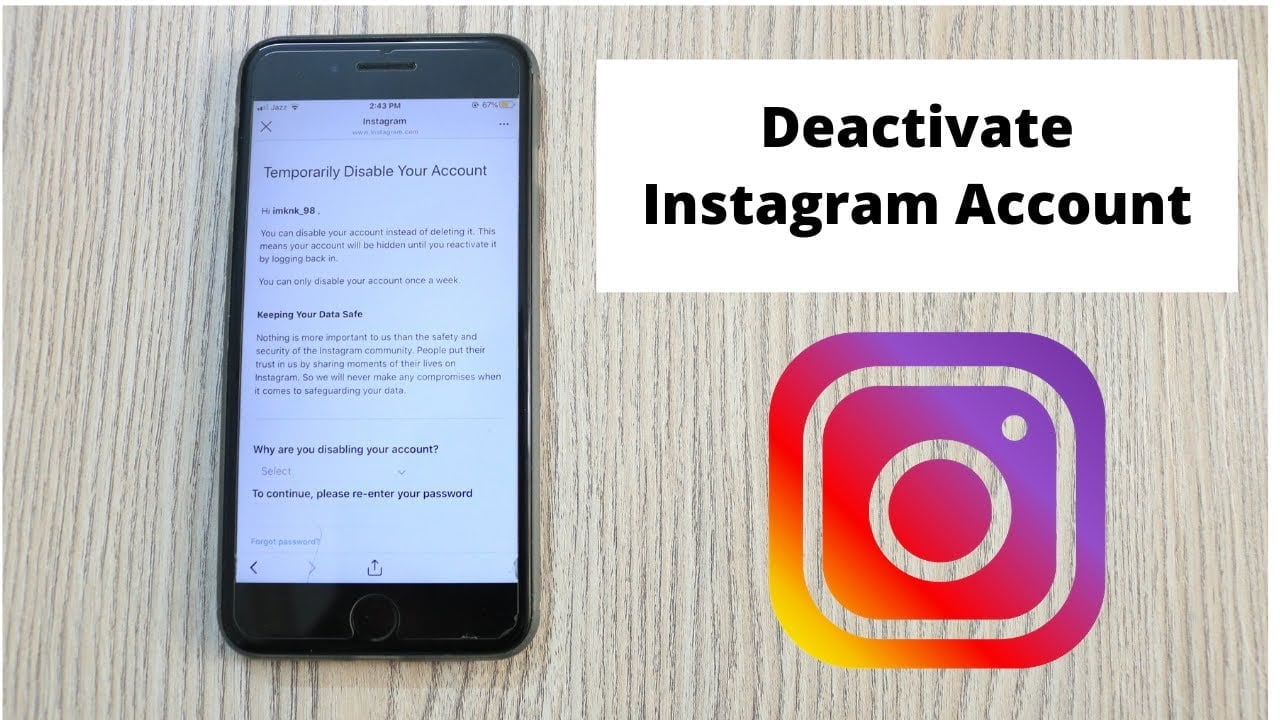
If you’d like to temporarily deactivate Instagram on your iPhone, there are several steps you can take to do so. First, you’ll need to open a web browser, such as Safari. After that, navigate to the main Instagram page and log in by filling out the access form. If you want to keep using Instagram, you can also choose to download your account data. Alternatively, you can delete your account.

Delete instagram account

If you have an iPhone and want to delete your Instagram account, you should follow the steps below: You’ll need a web browser to do this. Go to the Delete Your Account page on Instagram. Log in with your username and password, and choose why you want to delete your account. This may interest you : How to Download Pictures From Instagram. If you forgot your password, you can also click ‘Forgot it?’ to retrieve it. After this, you’ll have to follow the instructions to confirm your account deletion.

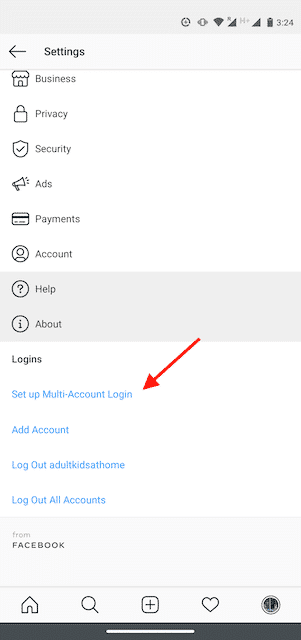
First, make sure you haven’t accidentally deleted your account on your iPhone. Once you’ve deleted the account, you can’t restore it. You have to log back in to make sure the account you deleted isn’t still visible to others. Then, you can tap on the hamburger menu or profile icon on the top right corner to log out. You’ll have to do this a second time if you’d like to return to your old account.

Before, you had to use a web browser to delete your account. But with the recent addition of an option to delete your account right within the Instagram app, you can remove your account without deleting any of the data stored on Instagram servers. Deactivating your account through the app, however, does not remove the data from Instagram’s servers. It still retains all of your photos and videos. The last thing you want is to lose all your precious photos and videos.

Read also :
How Do I Make My Instagram Stories Attractive?
How Do I Make My Instagram Stories Attractive? Creating interesting Instagram stories…

Disable instagram account

Disabling an Instagram account on your iPhone can be a good way to keep it private. Disabling your account temporarily won’t delete your content, but you can reactivate it anytime you wish to regain control over your account. On the same subject : How to Delete a Comment on Instagram. The only downside is that you might lose followers if you disable your account. So how can you disable your Instagram account on your iPhone? Read on to find out how.

The first step to deactivate your Instagram account is to sign into your account on a desktop computer. Log in with your username and password, and then choose Temporarily Disable Account in the bottom right. After selecting this option, you’ll need to re-enter your password and confirm your decision. After that, you’re good to go. But don’t forget your password! Otherwise, it’s easy to forget!

To permanently delete your Instagram account, you must access the web site. You can either do it from your PC or from your mobile. First, choose the reason for deleting your Instagram account. Select Temporary or Permanent. In the latter case, you’ll be asked to enter your username and password again. If you forgot your password, don’t worry, Instagram offers password recovery. This process is similar to deleting an account on a PC.
On the same subject :
How to Save Instagram Video Collections
How to Save Instagram Video Collections If you like a video, but…

Download data from instagram account

It was inevitable that Instagram would eventually implement a way to download data from its account. GDPR, or the General Data Protection Regulation, goes into effect May 25. This move by Instagram is a welcome one, as it gives users more control over their data. See the article : How to Increase Followers on Instagram – 3 Surefire Tips to Get Your Account Noticed. This new tool lets users download all their archived content from Instagram, including their profile information, photos, videos, comments, and archived Stories. To download your data, follow these steps.

First, sign into your Instagram account. Once you sign in, you’ll be directed to the “Get A Copy of Your Information” page. On the next page, you’ll see the email address associated with your account. You’ll need to enter that email address and password. Then, you’ll receive an email with a link to download the data. After you’ve completed this, simply open the email and save it to your computer.

You can download all of your Instagram data by following these steps. First, open a web browser and log in to your account. Click the profile icon on the left side. Click on the gear icon on the right side of your profile, then click “Settings.” Now, choose the Privacy and Security tab and click “Request Download.” Select a format for your data, and save the file. It should take a few minutes.


To see also :
How Can I Post on Instagram From My Computer?
How Can I Post on Instagram From My Computer? So you want…

Related Posts:

  • How to Deactivate Instagram on iPhone
  • How to Deactivate an Instagram Account on iPhone
  • How to Delete Your Instagram Account Temporarily
  • How to Deactivate Instagram on iPhone
  • How to Deactivate Instagram Account in Mobile
  • How to Deactivate Your Instagram Account Temporarily in…
Was this article helpful?
YesNo

You might also like

Troubleshooting Instagram Posting Issues

Troubleshooting Instagram Posting Issues

How to Post Multiple Photos on Instagram Without Cropping – The Ultimate Guide

How to Post Multiple Photos on Instagram Without Cropping – The Ultimate Guide

How Do I View My Instagram Likes on My PC?

How Do I View My Instagram Likes on My PC?

How to Pause Reels in Instagram

How to Pause Reels in Instagram

How to Make Instagram Bio Center

How to Get Verified on YouTube: How to Speed Up the Process

How to Get Verified on YouTube: How to Speed Up the Process

Categories

  • Facebook
  • General
  • Instagram
  • LinkedIn
  • Marketing
  • Pinterest
  • Social Media
  • TikTok
  • Twitter
  • YouTube


Making Your Brands Popular.

(347) 875-0972

[email protected]

© 2024 Zeru.
All Rights Reserved.

DMCA.com Protection Status

Instagram Services

  • Buy Instagram Followers
  • Buy Instagram Likes
  • Buy Instagram Views
  • Buy Instagram Comments

YouTube Services

  • Buy YouTube Views
  • Buy YouTube Subscribers
  • Buy YouTube Likes
  • Buy YouTube Comments

TikTok Services

  • Buy TikTok Followers
  • Buy TikTok Likes
  • Buy TikTok Views

Facebook Services

  • Buy Facebook Page Likes
  • Buy Facebook Followers
  • Buy Facebook Post Likes
  • Buy Facebook Views

Twitter Services

  • Buy Twitter Followers
  • Buy Twitter Likes
  • Buy Twitter Retweets

Quick Links

  • FAQ
  • Blog
  • Contact
  • About
  • Terms and Conditions
  • Privacy Policy
No Result
View All Result
  • Buy Followers
    • Instagram Services
      • Buy Instagram Followers
      • Buy Instagram Likes
      • Buy Instagram Views
      • Buy Instagram Comments
    • YouTube Services
      • Buy YouTube Views
      • Buy YouTube Subscribers
      • Buy YouTube Likes
      • Buy YouTube Comments
    • TikTok Services
      • Buy TikTok Followers
      • Buy TikTok Likes
      • Buy TikTok Views
    • Facebook Services
      • Buy Facebook Page Likes
      • Buy Facebook Followers
      • Buy Facebook Post Likes
      • Buy Facebook Views
    • Twitter Services
      • Buy Twitter Followers
      • Buy Twitter Likes
      • Buy Twitter Retweets
  • Blog
  • Categories
    • Instagram
    • YouTube
    • TikTok
    • Facebook
    • Twitter
  • Contact

© 2023 Zeru. All Rights Reserved.

Welcome Back!

Login to your account below

Forgotten Password?

Create New Account!

Fill the forms bellow to register

All fields are required. Log In

Retrieve your password

Please enter your username or email address to reset your password.

Log In






