






• Buy Followers
    • Instagram Services
      • Buy Instagram Followers
      • Buy Instagram Likes
      • Buy Instagram Views
      • Buy Instagram Comments
    • YouTube Services
      • Buy YouTube Views
      • Buy YouTube Subscribers
      • Buy YouTube Likes
      • Buy YouTube Comments
    • TikTok Services
      • Buy TikTok Followers
      • Buy TikTok Likes
      • Buy TikTok Views
    • Facebook Services
      • Buy Facebook Page Likes
      • Buy Facebook Followers
      • Buy Facebook Post Likes
      • Buy Facebook Views
    • Twitter Services
      • Buy Twitter Followers
      • Buy Twitter Likes
      • Buy Twitter Retweets
  • Blog
  • Categories
    • Instagram
    • YouTube
    • TikTok
    • Facebook
    • Twitter
  • Contact
No Result
View All Result
Zeru
  • Buy Followers
    • Instagram Services
      • Buy Instagram Followers
      • Buy Instagram Likes
      • Buy Instagram Views
      • Buy Instagram Comments
    • YouTube Services
      • Buy YouTube Views
      • Buy YouTube Subscribers
      • Buy YouTube Likes
      • Buy YouTube Comments
    • TikTok Services
      • Buy TikTok Followers
      • Buy TikTok Likes
      • Buy TikTok Views
    • Facebook Services
      • Buy Facebook Page Likes
      • Buy Facebook Followers
      • Buy Facebook Post Likes
      • Buy Facebook Views
    • Twitter Services
      • Buy Twitter Followers
      • Buy Twitter Likes
      • Buy Twitter Retweets
  • Blog
  • Categories
    • Instagram
    • YouTube
    • TikTok
    • Facebook
    • Twitter
  • Contact
No Result
View All Result
Zeru
No Result
View All Result

Popular Services

Buy YouTube Views
Buy TikTok Followers
Buy Twitter Followers
Buy Facebook Followers
Buy Instagram Likes
Buy TikTok Likes
Buy Instagram Views
Buy TikTok Views
Buy Instagram Comments
Buy YouTube Likes
Buy Twitter Likes
Buy YouTube Comments
Buy Facebook Views
Buy Facebook Page Likes
Buy Twitter Retweets
Buy Facebook Post Likes
Buy YouTube Subscribers
Buy Instagram Followers

How to Setup a Twitter Account for Business

Lizzie Yates by Lizzie Yates
in Twitter
3 min read
72
How to Setup a Twitter Account for Business
15
SHARES
1.5k
VIEWS
Share on FacebookShare on Twitter

Contents

  • How to Setup a Twitter Account for Business
  • Create an individual profile
  • Add a website
  • Add a profile picture
  • Add a description
  • Add a cover photo
  • Add a username
  • Add a hashtag
  • Retweet

How to Setup a Twitter Account for Business

how to setup twitter account for business

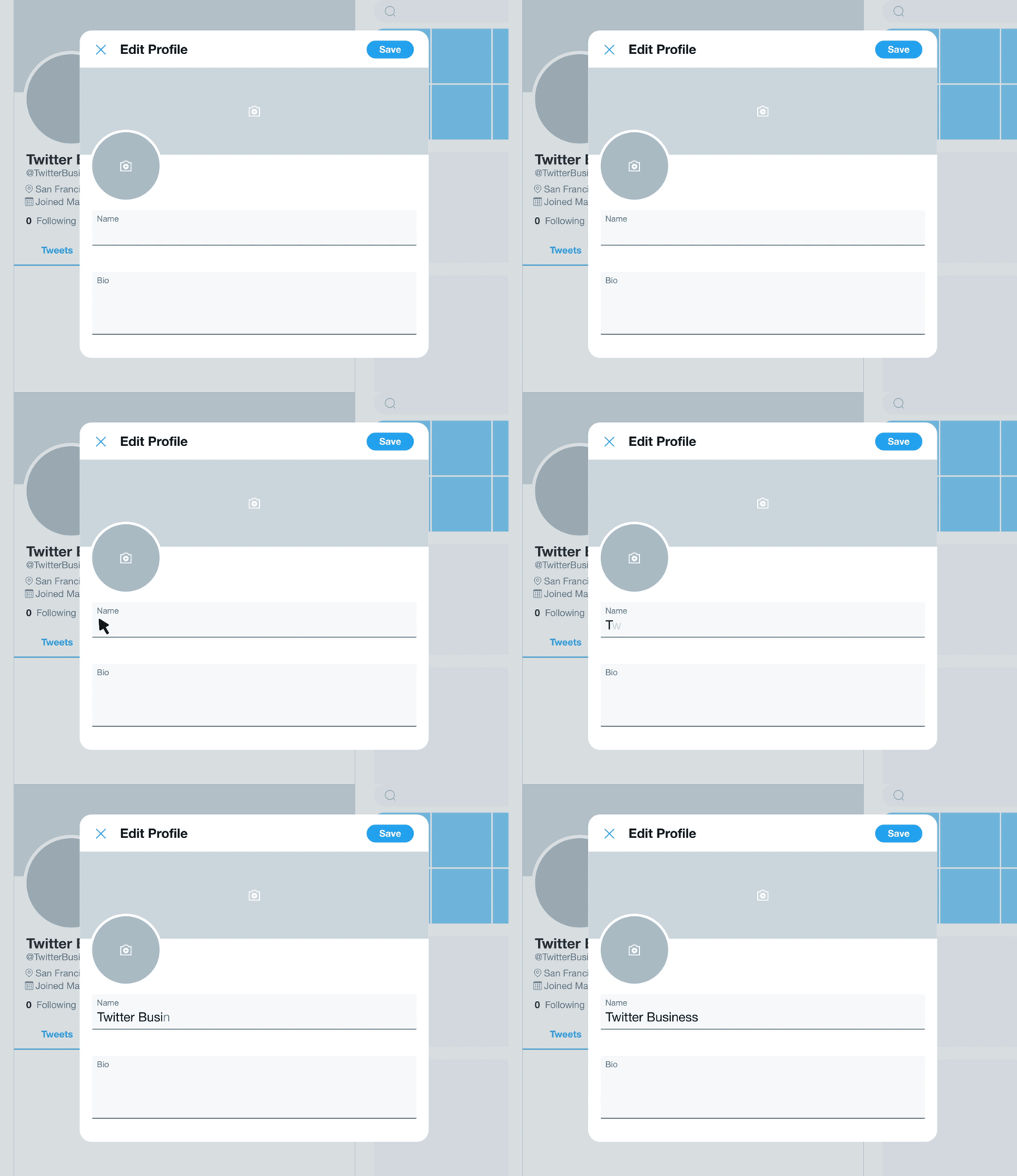
If you want to create a Twitter account for your business, there are a few things that you need to do first. First, you should create an individual profile. Then, you should add your website and profile picture. Once you’ve added all of these details, click the blue “Save” button at the top right corner of the page. This will take you to your new business Twitter home page. Lastly, you should enter a description of your business.

Create an individual profile

To use Twitter effectively for business, you need to create an individual profile. This profile can include your logo and business-related content. You can use it to connect with your target audience and share the latest content. To see also : Elon Musk’s Withdrawal From the Twitter Takeover Deal. If you want to create an individual profile for your business, follow a few other businesses that have a similar goal. However, if you don’t have a personal account yet, create one.

To see also :
Where Can I Buy Twitter Stock?
Where Can I Buy Twitter Stock? To buy Twitter stock, you will…

Add a website

Once you’ve created a Twitter account, the next step is to add a website. This will allow you to customize the advertisements you’ll be shown. Select your website’s URL, then type a short description of your business. On the same subject : What Size Should Twitter Images Be?. Be sure to include your website address, as well. Once you’ve created the account, you’ll want to add a profile picture and description for your business. Make sure to keep these under 160 characters, because this can help your followers find your account.

This may interest you :
How Do I Change My Twitter Name in 2022?
How Do I Change My Twitter Name in 2022? If you’re wondering:…

Add a profile picture

When setting up a Twitter account for business, you should add a profile picture to represent your brand or business. Profile pictures are easier to remember than usernames and people tend to remember images that are similar across different social networks. The recommended size for a profile photo is approximately 1500×500 pixels. On the same subject : How to See Who Blocked You on Twitter. You can also add a header picture that highlights your work, products, and events. A profile picture is also highly recommended, as it will catch the attention of potential followers and make them more likely to follow you.

This may interest you :
What Is Twitter Crop?
What Is Twitter Crop? Whether you’re a social media newbie or a…

Add a description

The first step in creating a Twitter account for your business is to sign up. To create a Twitter account, you must provide your email address and phone number. Then, choose a password that is at least six characters long. The password should be recorded somewhere safe. You should also add a profile picture and a brief description of your business. Be sure to keep the description under 160 characters.

Add a cover photo

When setting up a Twitter account for business, you’ll want to add a cover picture that displays your business’ brand. People love to see beautifully branded accounts. The best way to make your header photo effective is to make it both unique and unobtrusive. You can create a custom cover image for your account for free at Canva. You can add text to the image to inform your followers about upcoming giveaways, contests, discounts, and more.

Add a username

The first thing to remember when setting up a Twitter account for your business is to choose a username that reflects your business. If your business is based in a specific area, such as the US, you can add the location to the username. If you’re in a different city, you can use a synonym instead. For example, if your company is located in New York, you can use @NY for your Twitter handle.

Add a hashtag

One of the easiest ways to get your message out there is by adding a hashtag when setting up a Twitter account for your business. You can use this to celebrate global or national holidays. You can also use hashtags to promote less-known holidays, such as National Emoji Day or National Pancake Day. Regardless of the topic, making sure your tweets are relevant to the day’s event will help you stand out and get more engagement.

Retweet

When setting up a Twitter account for your business, one of the first settings you should adjust is the Retweet activity. This activity can be scheduled or not, and you can add a comment or media to it. You can also select a Start and End date for Retweets. Typically, these start and end dates are based on your local time, but if you prefer another time zone, you can set a custom date range. In addition, you can assign a point value to your Retweet activity so that others can see your content. The Retweet activity will appear on your profile page, and you can choose a favorite hashtag to use with it.


Related Posts:

  • How to Create a Twitter Account for Your Business
  • How Do I Log Into My Facebook Business Page Without a…
  • How to Create a Twitter Business Account
  • How Do I Create a Facebook Business Page Without My Personal…
  • How to Create a Business Twitter Account
  • How to Create a Page on Twitter
Was this article helpful?
YesNo

You might also like

Troubleshooting Instagram Posting Issues

Troubleshooting Instagram Posting Issues

How to Post Multiple Photos on Instagram Without Cropping – The Ultimate Guide

How to Post Multiple Photos on Instagram Without Cropping – The Ultimate Guide

How Do I View My Instagram Likes on My PC?

How Do I View My Instagram Likes on My PC?

How to Pause Reels in Instagram

How to Pause Reels in Instagram

How to Make Instagram Bio Center

How to Get Verified on YouTube: How to Speed Up the Process

How to Get Verified on YouTube: How to Speed Up the Process

Categories

  • Facebook
  • General
  • Instagram
  • LinkedIn
  • Marketing
  • Pinterest
  • Social Media
  • TikTok
  • Twitter
  • YouTube


Making Your Brands Popular.

(347) 875-0972

[email protected]

© 2024 Zeru.
All Rights Reserved.

DMCA.com Protection Status

Instagram Services

  • Buy Instagram Followers
  • Buy Instagram Likes
  • Buy Instagram Views
  • Buy Instagram Comments

YouTube Services

  • Buy YouTube Views
  • Buy YouTube Subscribers
  • Buy YouTube Likes
  • Buy YouTube Comments

TikTok Services

  • Buy TikTok Followers
  • Buy TikTok Likes
  • Buy TikTok Views

Facebook Services

  • Buy Facebook Page Likes
  • Buy Facebook Followers
  • Buy Facebook Post Likes
  • Buy Facebook Views

Twitter Services

  • Buy Twitter Followers
  • Buy Twitter Likes
  • Buy Twitter Retweets

Quick Links

  • FAQ
  • Blog
  • Contact
  • About
  • Terms and Conditions
  • Privacy Policy
No Result
View All Result
  • Buy Followers
    • Instagram Services
      • Buy Instagram Followers
      • Buy Instagram Likes
      • Buy Instagram Views
      • Buy Instagram Comments
    • YouTube Services
      • Buy YouTube Views
      • Buy YouTube Subscribers
      • Buy YouTube Likes
      • Buy YouTube Comments
    • TikTok Services
      • Buy TikTok Followers
      • Buy TikTok Likes
      • Buy TikTok Views
    • Facebook Services
      • Buy Facebook Page Likes
      • Buy Facebook Followers
      • Buy Facebook Post Likes
      • Buy Facebook Views
    • Twitter Services
      • Buy Twitter Followers
      • Buy Twitter Likes
      • Buy Twitter Retweets
  • Blog
  • Categories
    • Instagram
    • YouTube
    • TikTok
    • Facebook
    • Twitter
  • Contact

© 2023 Zeru. All Rights Reserved.

Welcome Back!

Login to your account below

Forgotten Password?

Create New Account!

Fill the forms bellow to register

All fields are required. Log In

Retrieve your password

Please enter your username or email address to reset your password.

Log In





