






• Buy Followers
    • Instagram Services
      • Buy Instagram Followers
      • Buy Instagram Likes
      • Buy Instagram Views
      • Buy Instagram Comments
    • YouTube Services
      • Buy YouTube Views
      • Buy YouTube Subscribers
      • Buy YouTube Likes
      • Buy YouTube Comments
    • TikTok Services
      • Buy TikTok Followers
      • Buy TikTok Likes
      • Buy TikTok Views
    • Facebook Services
      • Buy Facebook Page Likes
      • Buy Facebook Followers
      • Buy Facebook Post Likes
      • Buy Facebook Views
    • Twitter Services
      • Buy Twitter Followers
      • Buy Twitter Likes
      • Buy Twitter Retweets
  • Blog
  • Categories
    • Instagram
    • YouTube
    • TikTok
    • Facebook
    • Twitter
  • Contact
No Result
View All Result
Zeru
  • Buy Followers
    • Instagram Services
      • Buy Instagram Followers
      • Buy Instagram Likes
      • Buy Instagram Views
      • Buy Instagram Comments
    • YouTube Services
      • Buy YouTube Views
      • Buy YouTube Subscribers
      • Buy YouTube Likes
      • Buy YouTube Comments
    • TikTok Services
      • Buy TikTok Followers
      • Buy TikTok Likes
      • Buy TikTok Views
    • Facebook Services
      • Buy Facebook Page Likes
      • Buy Facebook Followers
      • Buy Facebook Post Likes
      • Buy Facebook Views
    • Twitter Services
      • Buy Twitter Followers
      • Buy Twitter Likes
      • Buy Twitter Retweets
  • Blog
  • Categories
    • Instagram
    • YouTube
    • TikTok
    • Facebook
    • Twitter
  • Contact
No Result
View All Result
Zeru
No Result
View All Result

Popular Services

Buy YouTube Views
Buy TikTok Followers
Buy Twitter Followers
Buy Facebook Followers
Buy Instagram Likes
Buy TikTok Likes
Buy Instagram Views
Buy TikTok Views
Buy Instagram Comments
Buy YouTube Likes
Buy Twitter Likes
Buy YouTube Comments
Buy Facebook Views
Buy Facebook Page Likes
Buy Twitter Retweets
Buy Facebook Post Likes
Buy YouTube Subscribers
Buy Instagram Followers

How to Link Instagram and Facebook

Lizzie Yates by Lizzie Yates
in Instagram
3 min read
64
How to Link Instagram and Facebook
14
SHARES
1.4k
VIEWS
Share on FacebookShare on Twitter

Contents

  • How to Link Instagram and Facebook
  • Benefits of linking Instagram to Facebook
  • Syncing information between the two social networks
  • Syncing older photos from Instagram to Facebook

How to Link Instagram and Facebook

how to link instagram and facebook

You may have wondered how to link Instagram and Facebook. In this article, you will learn how to connect the two social networks, sync information, and find out how to share your older Instagram photos to Facebook. Follow these steps to link your social networks and start sharing! Once you’ve signed up for both, you’ll be ready to share your posts! Just follow these simple steps and enjoy sharing your latest pictures with your friends.

Benefits of linking Instagram to Facebook

Linking your Instagram account to Facebook can have a number of benefits. One of them is the ability to cross-post to both platforms, which can increase exposure and make it easier to stay in touch with friends. Another benefit is that when you link your Instagram account with your Facebook account, the upload will be saved to a special album on Facebook. This makes it much easier to find and edit your content. Lastly, you can easily manage who sees your posts on both platforms.

One of the most compelling benefits of linking your Instagram account with your Facebook page is the ability to manage your DMs from both platforms. After all, it’s important to stay relevant. By integrating your accounts, you’ll have the ability to respond to user questions and comments, plan giveaways, and use relevant hashtags to maximize your reach. To see also : How to Watch Instagram Stories Anonymously. But don’t stop there. Here are a few other benefits of linking Instagram to Facebook:

When linked to Facebook, your Instagram posts will automatically appear on your Facebook page, meaning you don’t have to share them twice. Additionally, you can create a custom ad for Facebook on your Instagram page, ensuring that you’re maximizing your exposure. This is a great option for those who want to promote a brand or a service. And it makes it easier to manage DMs from both platforms.

On the same subject :
How Many Reports Does it Take to Ban an Instagram Account?
How Many Reports Does it Take to Ban an Instagram Account? So…

Syncing information between the two social networks

You can integrate Instagram and Facebook into your marketing strategy. If you’re selling products through Instagram, you should have a Squarespace store. To see also : How to Save an Instagram Video. By syncing these two platforms, you can display your product images, details, and a link to the product’s page on Squarespace. The syncing process takes about an hour, and once you’ve finished, you can publish your product details to Instagram and Facebook.

The Instagram contacts syncing feature is rolling out to Facebook Messenger. Users will find it in the “People” tab in the Messenger application. You’ll see your Instagram contact information added to Messenger as if it were an existing contact. Sadly, you can’t undo the process, but it does make it easier to keep up with new contacts. If you want to stay connected with your Instagram contacts, you can click the Instagram icon in Messenger’s “People” tab.

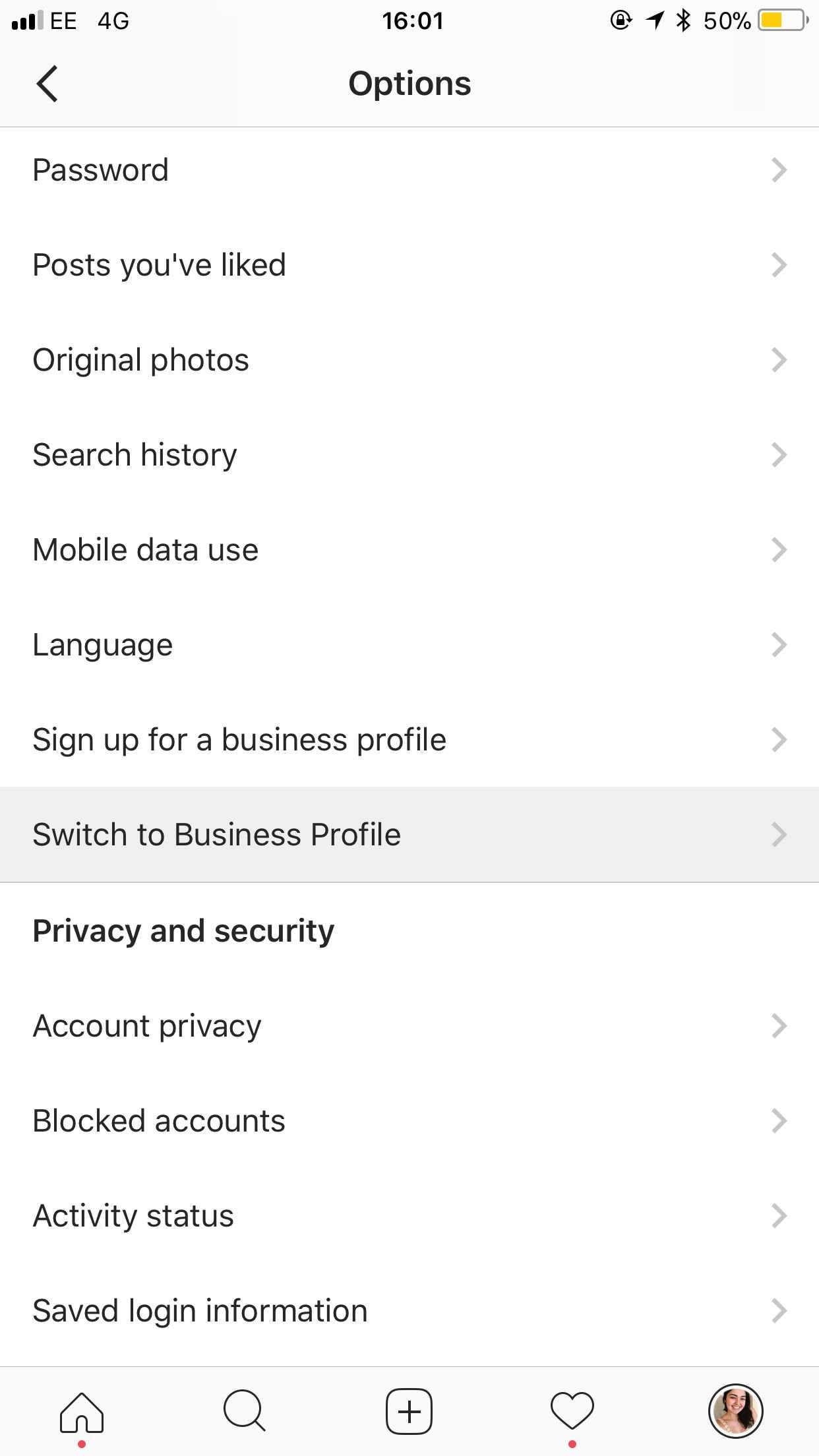
Syncing information between instagram and Facebook is easy and seamless. You’ll need to download the Instagram app for iPhone or Android and log in to your Facebook account. From there, you’ll need to select Account Center, where you’ll find settings to sync your information between the two social networks. Once you’re logged in, you’ll need to tap Continue. Then select Facebook as your account.

On the same subject :
How to Increase Your Instagram Followers Using UGC and Later
How to Increase Your Instagram Followers Using UGC and Later If you’re…

Syncing older photos from Instagram to Facebook

There are a few ways you can do this. One way is to download the app and set up Facebook Photo Sync. This app automatically uploads your last 20 photos to Facebook and then syncs every other photo. Read also : How to Add Multiple Pictures to Your Instagram Story. Photos you sync with Facebook won’t be visible to other users, but they can be shared on your timeline or in a message. If you’re concerned about using data, you can set Facebook to sync your photos only when you’re connected to Wi-Fi.

Syncing older photos from Instagram to Facebook is also possible. You’ll have to link your Instagram account to Facebook. You’ll notice an icon change from blue to gray. After you have linked your account, select ‘Share’ and choose a message to share. You can also choose to automatically share your posts from Instagram with other social media accounts. If you want to share your photos with your friends on a daily basis, you can turn off this feature.

Read also :
How to View Profile Picture on Instagram
How to View Profile Picture on Instagram If you want to see…

Related Posts:

  • How to Link Instagram to Facebook
  • How to Connect Instagram to Facebook
  • How to Link Facebook Page With Instagram
  • How to Unlink Your Instagram Account From Facebook
  • How to Link Facebook and Instagram
  • How to Link Instagram to Facebook
Was this article helpful?
YesNo

You might also like

Troubleshooting Instagram Posting Issues

Troubleshooting Instagram Posting Issues

How to Post Multiple Photos on Instagram Without Cropping – The Ultimate Guide

How to Post Multiple Photos on Instagram Without Cropping – The Ultimate Guide

How Do I View My Instagram Likes on My PC?

How Do I View My Instagram Likes on My PC?

How to Pause Reels in Instagram

How to Pause Reels in Instagram

How to Make Instagram Bio Center

How to Get Verified on YouTube: How to Speed Up the Process

How to Get Verified on YouTube: How to Speed Up the Process

Categories

  • Facebook
  • General
  • Instagram
  • LinkedIn
  • Marketing
  • Pinterest
  • Social Media
  • TikTok
  • Twitter
  • YouTube


Making Your Brands Popular.

(347) 875-0972

[email protected]

© 2024 Zeru.
All Rights Reserved.

DMCA.com Protection Status

Instagram Services

  • Buy Instagram Followers
  • Buy Instagram Likes
  • Buy Instagram Views
  • Buy Instagram Comments

YouTube Services

  • Buy YouTube Views
  • Buy YouTube Subscribers
  • Buy YouTube Likes
  • Buy YouTube Comments

TikTok Services

  • Buy TikTok Followers
  • Buy TikTok Likes
  • Buy TikTok Views

Facebook Services

  • Buy Facebook Page Likes
  • Buy Facebook Followers
  • Buy Facebook Post Likes
  • Buy Facebook Views

Twitter Services

  • Buy Twitter Followers
  • Buy Twitter Likes
  • Buy Twitter Retweets

Quick Links

  • FAQ
  • Blog
  • Contact
  • About
  • Terms and Conditions
  • Privacy Policy
No Result
View All Result
  • Buy Followers
    • Instagram Services
      • Buy Instagram Followers
      • Buy Instagram Likes
      • Buy Instagram Views
      • Buy Instagram Comments
    • YouTube Services
      • Buy YouTube Views
      • Buy YouTube Subscribers
      • Buy YouTube Likes
      • Buy YouTube Comments
    • TikTok Services
      • Buy TikTok Followers
      • Buy TikTok Likes
      • Buy TikTok Views
    • Facebook Services
      • Buy Facebook Page Likes
      • Buy Facebook Followers
      • Buy Facebook Post Likes
      • Buy Facebook Views
    • Twitter Services
      • Buy Twitter Followers
      • Buy Twitter Likes
      • Buy Twitter Retweets
  • Blog
  • Categories
    • Instagram
    • YouTube
    • TikTok
    • Facebook
    • Twitter
  • Contact

© 2023 Zeru. All Rights Reserved.

Welcome Back!

Login to your account below

Forgotten Password?

Create New Account!

Fill the forms bellow to register

All fields are required. Log In

Retrieve your password

Please enter your username or email address to reset your password.

Log In






