






• Buy Followers
    • Instagram Services
      • Buy Instagram Followers
      • Buy Instagram Likes
      • Buy Instagram Views
      • Buy Instagram Comments
    • YouTube Services
      • Buy YouTube Views
      • Buy YouTube Subscribers
      • Buy YouTube Likes
      • Buy YouTube Comments
    • TikTok Services
      • Buy TikTok Followers
      • Buy TikTok Likes
      • Buy TikTok Views
    • Facebook Services
      • Buy Facebook Page Likes
      • Buy Facebook Followers
      • Buy Facebook Post Likes
      • Buy Facebook Views
    • Twitter Services
      • Buy Twitter Followers
      • Buy Twitter Likes
      • Buy Twitter Retweets
  • Blog
  • Categories
    • Instagram
    • YouTube
    • TikTok
    • Facebook
    • Twitter
  • Contact
No Result
View All Result
Zeru
  • Buy Followers
    • Instagram Services
      • Buy Instagram Followers
      • Buy Instagram Likes
      • Buy Instagram Views
      • Buy Instagram Comments
    • YouTube Services
      • Buy YouTube Views
      • Buy YouTube Subscribers
      • Buy YouTube Likes
      • Buy YouTube Comments
    • TikTok Services
      • Buy TikTok Followers
      • Buy TikTok Likes
      • Buy TikTok Views
    • Facebook Services
      • Buy Facebook Page Likes
      • Buy Facebook Followers
      • Buy Facebook Post Likes
      • Buy Facebook Views
    • Twitter Services
      • Buy Twitter Followers
      • Buy Twitter Likes
      • Buy Twitter Retweets
  • Blog
  • Categories
    • Instagram
    • YouTube
    • TikTok
    • Facebook
    • Twitter
  • Contact
No Result
View All Result
Zeru
No Result
View All Result

Popular Services

Buy YouTube Views
Buy TikTok Followers
Buy Twitter Followers
Buy Facebook Followers
Buy Instagram Likes
Buy TikTok Likes
Buy Instagram Views
Buy TikTok Views
Buy Instagram Comments
Buy YouTube Likes
Buy Twitter Likes
Buy YouTube Comments
Buy Facebook Views
Buy Facebook Page Likes
Buy Twitter Retweets
Buy Facebook Post Likes
Buy YouTube Subscribers
Buy Instagram Followers

How to Download YouTube Thumbnails

Lizzie Yates by Lizzie Yates
in YouTube
3 min read
69
How to Download YouTube Thumbnails
15
SHARES
1.5k
VIEWS
Share on FacebookShare on Twitter

Contents

  • How to Download YouTube Thumbnails
  • Create a custom YouTube thumbnail
  • Upload a custom YouTube thumbnail
  • Edit a custom YouTube thumbnail

How to Download YouTube Thumbnails

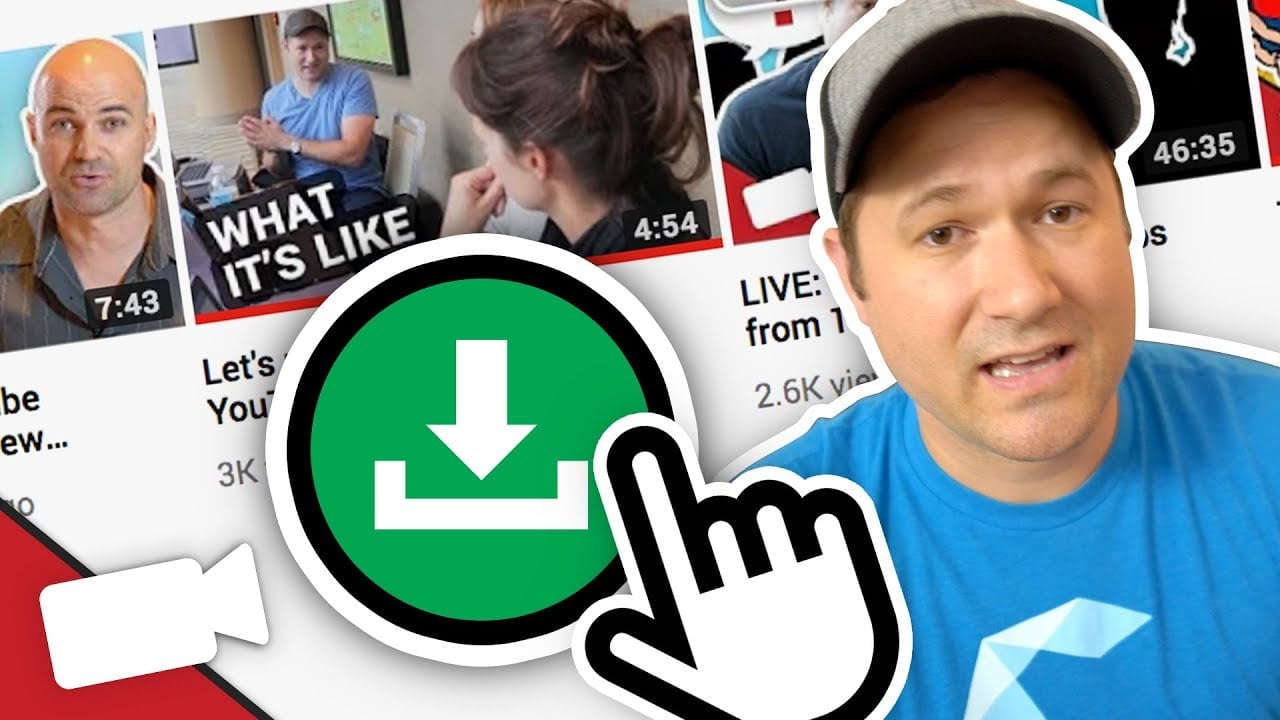
how to download youtube thumbnail

You can learn how to download YouTube thumbnails for research, broadcast, and commercial use. You can even download the entire video to create your own video thumbnail! Follow along with the simple steps below to get started. Once you’ve downloaded the video, you’ll need to upload it to YouTube. You can then use it however you want! And remember, there are no legal restrictions. There’s no reason why you shouldn’t be able to use the images you create.

Create a custom YouTube thumbnail

Having a good thumbnail can boost the views, likes, and comments of your videos. Just like first impressions in real life, a good thumbnail can get viewers hooked on your content. Read also : How to Edit Thumbnail on YouTube. However, an unattractive thumbnail can make viewers feel discouraged, leaving them without a reason to come back again. To ensure that you’re getting the most out of your YouTube videos, here are a few ways to make your thumbnails better.

Canva is an easy tool that allows you to enrich a snapshot and create a beautiful thumbnail design. It has a user-friendly interface, and lets you add your own font and graphic elements. With its library of millions of images and font combinations, Canva gives you tons of options to create your custom YouTube thumbnail. Once you’re done, you can choose a design and save it in your device or cloud. You can even edit and save it as a PNG to avoid any image degradation.

Keep in mind that YouTube thumbnails should be representative of your videos and channels, not just a static representation of them. Use this article for tips on how to create a custom YouTube thumbnail. Remember that over 70% of YouTube users use mobile devices. Be sure to design your thumbnail with these users in mind to maximize its impact. You can test your thumbnail design on your phone to see what size it looks like on a small screen.

On the same subject :
Is There a 100000000 YouTube Play Button?
Is There a 100000000 YouTube Play Button? The creator of MrBeast’s “100…

Upload a custom YouTube thumbnail

YouTube provides three automated thumbnails for your videos. However, you can create a custom one, or use an image you’ve taken yourself. While screenshots have their charm, they are not ideal for a custom thumbnail. Read also : How to Verify Your YouTube Account. If you’re unsure how to do this, check out these three tips to create the perfect YouTube thumbnail. Once you’ve created your custom thumbnail, you’ll be surprised at how easy it is.

Try an online design tool like Canva. You can use free and paid versions, but the latter has an image gallery that costs up to $1 per photo. You can easily use a free version to create a professional-looking YouTube thumbnail. Moreover, there are free design elements that can be easily customized. These tools are great for creating a clickable YouTube thumbnail. But be sure to use a high-quality one, as they may not be available in any other website.

Once you’ve created a YouTube thumbnail, you can edit it. You can either upload a screenshot of the video or use an image created in Photoshop to customize it. Either way, it’s easy to do. Once you’ve created a customized thumbnail, simply select it and click “Save.”

This may interest you :
3 Legal Ways to Download YouTube Songs
3 Legal Ways to Download YouTube Songs Whether you love to listen…

Edit a custom YouTube thumbnail

If you want to get noticed on YouTube, make sure you have a compelling YouTube thumbnail. The thumbnail is the first thing people see when they visit your video page. Unless you provide a working phone number, most thumbnails will simply be a snapshot of the video. See the article : Is There a YouTube TV App For PC?. But you can customize the look and feel of your thumbnail by using an image editor program such as Canva. This software will allow you to edit your thumbnails and add filters to them.

First, you should sign into your YouTube account. Then, you can log into the YouTube Studio application. In the content tab, go to your video. Then, scroll down to the “Thumbnail” section and click on “Upload thumbnail”. Your custom YouTube thumbnail should now be uploaded. Click “Save” and your changes will be saved. Once uploaded to your video, it will appear on the thumbnail section of your video.

Once you have uploaded your video, you can customize your YouTube thumbnail. YouTube currently displays three thumbnail images that show the video title, description, and video description. Creating a custom thumbnail for your videos will give you full control over how they look and represent your video. But you must remember to keep in mind that the resolution and size of your YouTube thumbnails should match the video’s dimensions. Make sure that your YouTube thumbnail is as attractive as possible.


To see also :
How to Get YouTube Subscribers Free
How to Get YouTube Subscribers Free You probably want to know how…

Related Posts:

  • How Big is a YouTube Thumbnail?
  • How to Change Thumbnail on YouTube
  • How to Add a Thumbnail in YouTube Videos
  • How to Make a YouTube Thumbnail
  • How to Download Videos From YouTube to Phone Gallery
  • How to Make YouTube Thumbnails
Was this article helpful?
YesNo

You might also like

Troubleshooting Instagram Posting Issues

Troubleshooting Instagram Posting Issues

How to Post Multiple Photos on Instagram Without Cropping – The Ultimate Guide

How to Post Multiple Photos on Instagram Without Cropping – The Ultimate Guide

How Do I View My Instagram Likes on My PC?

How Do I View My Instagram Likes on My PC?

How to Pause Reels in Instagram

How to Pause Reels in Instagram

How to Make Instagram Bio Center

How to Get Verified on YouTube: How to Speed Up the Process

How to Get Verified on YouTube: How to Speed Up the Process

Categories

  • Facebook
  • General
  • Instagram
  • LinkedIn
  • Marketing
  • Pinterest
  • Social Media
  • TikTok
  • Twitter
  • YouTube


Making Your Brands Popular.

(347) 875-0972

[email protected]

© 2024 Zeru.
All Rights Reserved.

DMCA.com Protection Status

Instagram Services

  • Buy Instagram Followers
  • Buy Instagram Likes
  • Buy Instagram Views
  • Buy Instagram Comments

YouTube Services

  • Buy YouTube Views
  • Buy YouTube Subscribers
  • Buy YouTube Likes
  • Buy YouTube Comments

TikTok Services

  • Buy TikTok Followers
  • Buy TikTok Likes
  • Buy TikTok Views

Facebook Services

  • Buy Facebook Page Likes
  • Buy Facebook Followers
  • Buy Facebook Post Likes
  • Buy Facebook Views

Twitter Services

  • Buy Twitter Followers
  • Buy Twitter Likes
  • Buy Twitter Retweets

Quick Links

  • FAQ
  • Blog
  • Contact
  • About
  • Terms and Conditions
  • Privacy Policy
No Result
View All Result
  • Buy Followers
    • Instagram Services
      • Buy Instagram Followers
      • Buy Instagram Likes
      • Buy Instagram Views
      • Buy Instagram Comments
    • YouTube Services
      • Buy YouTube Views
      • Buy YouTube Subscribers
      • Buy YouTube Likes
      • Buy YouTube Comments
    • TikTok Services
      • Buy TikTok Followers
      • Buy TikTok Likes
      • Buy TikTok Views
    • Facebook Services
      • Buy Facebook Page Likes
      • Buy Facebook Followers
      • Buy Facebook Post Likes
      • Buy Facebook Views
    • Twitter Services
      • Buy Twitter Followers
      • Buy Twitter Likes
      • Buy Twitter Retweets
  • Blog
  • Categories
    • Instagram
    • YouTube
    • TikTok
    • Facebook
    • Twitter
  • Contact

© 2023 Zeru. All Rights Reserved.

Welcome Back!

Login to your account below

Forgotten Password?

Create New Account!

Fill the forms bellow to register

All fields are required. Log In

Retrieve your password

Please enter your username or email address to reset your password.

Log In






