






• Buy Followers
    • Instagram Services
      • Buy Instagram Followers
      • Buy Instagram Likes
      • Buy Instagram Views
      • Buy Instagram Comments
    • YouTube Services
      • Buy YouTube Views
      • Buy YouTube Subscribers
      • Buy YouTube Likes
      • Buy YouTube Comments
    • TikTok Services
      • Buy TikTok Followers
      • Buy TikTok Likes
      • Buy TikTok Views
    • Facebook Services
      • Buy Facebook Page Likes
      • Buy Facebook Followers
      • Buy Facebook Post Likes
      • Buy Facebook Views
    • Twitter Services
      • Buy Twitter Followers
      • Buy Twitter Likes
      • Buy Twitter Retweets
  • Blog
  • Categories
    • Instagram
    • YouTube
    • TikTok
    • Facebook
    • Twitter
  • Contact
No Result
View All Result
Zeru
  • Buy Followers
    • Instagram Services
      • Buy Instagram Followers
      • Buy Instagram Likes
      • Buy Instagram Views
      • Buy Instagram Comments
    • YouTube Services
      • Buy YouTube Views
      • Buy YouTube Subscribers
      • Buy YouTube Likes
      • Buy YouTube Comments
    • TikTok Services
      • Buy TikTok Followers
      • Buy TikTok Likes
      • Buy TikTok Views
    • Facebook Services
      • Buy Facebook Page Likes
      • Buy Facebook Followers
      • Buy Facebook Post Likes
      • Buy Facebook Views
    • Twitter Services
      • Buy Twitter Followers
      • Buy Twitter Likes
      • Buy Twitter Retweets
  • Blog
  • Categories
    • Instagram
    • YouTube
    • TikTok
    • Facebook
    • Twitter
  • Contact
No Result
View All Result
Zeru
No Result
View All Result

Popular Services

Buy YouTube Views
Buy TikTok Followers
Buy Twitter Followers
Buy Facebook Followers
Buy Instagram Likes
Buy TikTok Likes
Buy Instagram Views
Buy TikTok Views
Buy Instagram Comments
Buy YouTube Likes
Buy Twitter Likes
Buy YouTube Comments
Buy Facebook Views
Buy Facebook Page Likes
Buy Twitter Retweets
Buy Facebook Post Likes
Buy YouTube Subscribers
Buy Instagram Followers

My Facebook Account Is Hacked, How Do I Recover?

Lizzie Yates by Lizzie Yates
in Facebook
3 min read
70
My Facebook Account Is Hacked, How Do I Recover?
14
SHARES
1.4k
VIEWS
Share on FacebookShare on Twitter

Contents

  • My Facebook Account Is Hacked, How Do I Recover?
  • Logging out of all your devices
  • Resetting your password
  • Checking if a hacker has changed your password
  • Verifying identity via ID

My Facebook Account Is Hacked, How Do I Recover?

If you are wondering “my Facebook account is hacked, how do I recover?” you’ve come to the right place. Despite your worst fears, there are still a few steps that you can take to recover your account. First, you can check your password by logging out of all your devices and changing your password, if applicable. Secondly, you can verify your identity with your ID or other form of ID verification.

Logging out of all your devices

To log out of all your devices, you must first sign out of your Facebook account. To do this, click on the downward-facing arrow located in the top right corner of your Facebook account. Read also : How Can I Quickly Delete Photos on Facebook?. Clicking on it will reveal all the devices that you’re currently logged into. You may need to log out of individual devices if you need to recover your Facebook account from a device that’s not listed on your list of devices.

Another way to recover your Facebook account is to log out of any device that’s connected to the internet. Try logging out of your account on all the devices that you’ve used to access the site. If you’ve deleted your Facebook account on your mobile device, you can still recover it by following the steps above. After you’ve logged out of all your devices, you should change your Facebook password in the privacy settings.

On the same subject :
How to Turn Off Comments on Facebook Post
How to Turn Off Comments on Facebook Post How to turn off…

Resetting your password

If you are having trouble logging in to Facebook, you may need to reset your password. The best way to do this is to log in with your regular computer and internet connection. Facebook may detect that you’re on a regular network and give you the option to reset your password without revealing any personal information. Read also : How to Add a Friend on Facebook. If that doesn’t work, you may want to contact Facebook customer service for assistance. They will be able to help you with any questions you might have.

Once you’ve completed the reset process, you can log into your account again. After you have done so, you should be sent a new password. You can enter the new password in the password field and then tap “Continue.” Remember that Facebook accounts remain active for life, so you don’t want to lose access to them! You can also change your password if you’ve forgotten it. To do so, follow the instructions below.

Read also :
One Simple Mistake That Caused Facebook to Go Down
One Simple Mistake That Caused Facebook to Go Down A six-hour outage…

Checking if a hacker has changed your password

If you notice suspicious activity on your Facebook account, the hacker might have changed your password. If you’ve changed your birthday or email address recently, this could indicate that your account has been compromised. It’s also possible that the hacker has added his or her own email address. On the same subject : How Many Users Does Facebook Have in Brazil?. To ensure that your account is safe, check to see if any emails have been sent to your old email address. Similarly, check to see if there are any new friend requests or sent messages. If you find any, remove them from your account.

You can check your log-in history to find out who has been logging into your Facebook account. If you see any suspicious sessions, log out of the social network immediately and change your password. If you still can’t log in, it is possible that the hacker has changed your password and has malicious intent. Also, make sure to check the profile and any private messages that you receive through Facebook to ensure that the hacker hasn’t changed anything.
On the same subject :
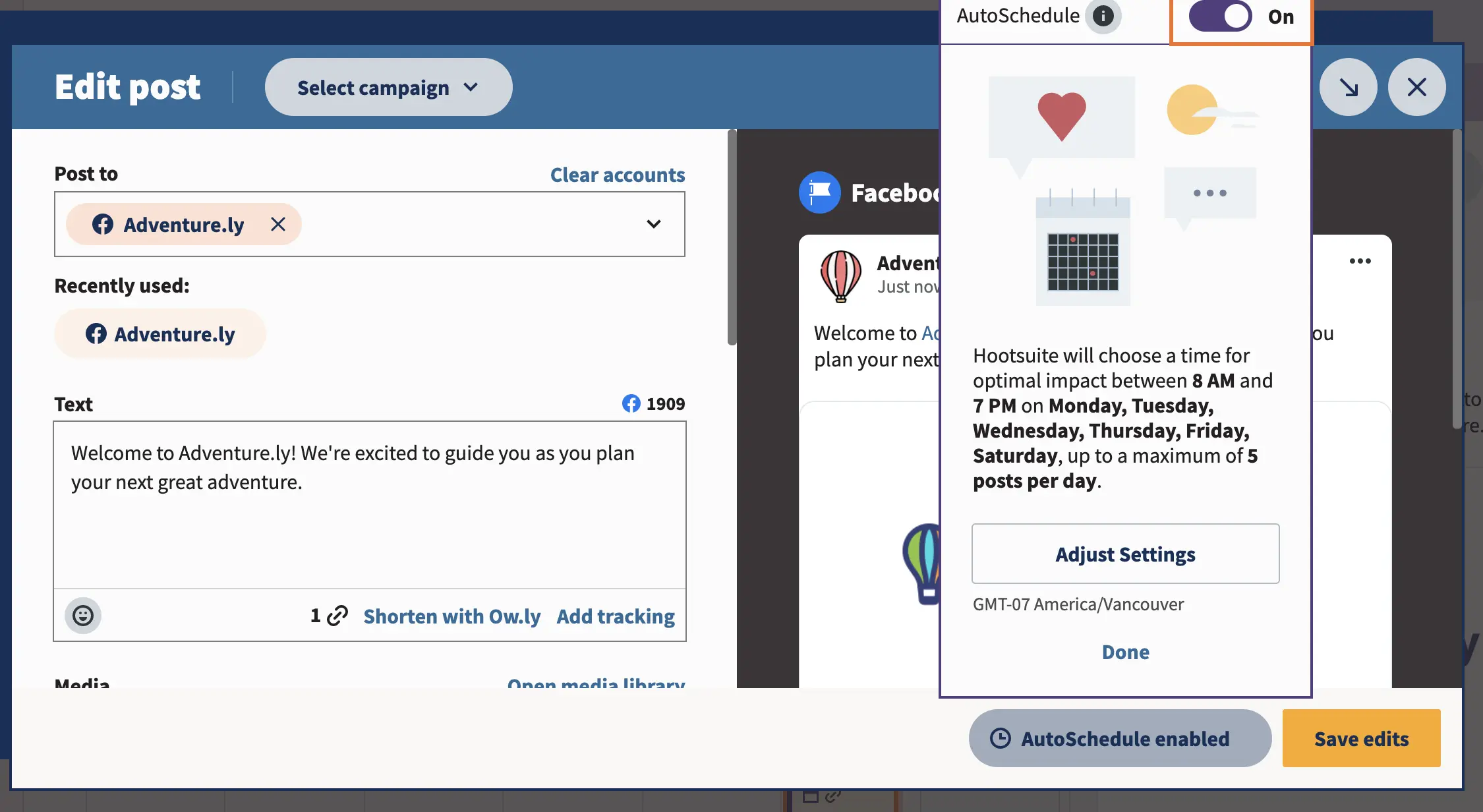
How to Schedule a Post on Facebook
How to Schedule a Post on Facebook If you want to create…

Verifying identity via ID

If you’ve lost your Facebook account, the first thing you’ll need to do is verify your identity via your ID. Facebook will ask you for your ID, email address, and phone number. Simply type in your email address and submit the form. Then, wait a few weeks for Facebook to contact you. Once you’ve received the information, you can use it to reset your password and regain access to your account.

If you’ve forgotten your password, you may also have lost your ID. Facebook will ask you to provide your ID to verify your identity if they suspect suspicious activity. Then, Facebook will automatically log you back in. This procedure will take approximately 45 days. In the meantime, you can try reapplying after a month. If you’re rejected, make sure to provide more information about yourself so that Facebook can approve your application. Sometimes, you might have accidentally submitted the wrong ID. Be sure that your surname matches the one on your government id.


Related Posts:

  • How Do I Recover My Facebook Account If It Has Been Hacked?
  • How to Recover Facebook Password Without a Confirmation…
  • How Do I Recover My Facebook Account After a Hack?
  • How to Recover Hacked Facebook Accounts Without Email
  • How Can I Recover My Facebook Account If I Don't Have An…
  • How to Recover Hacked Facebook Accounts Without Email 2022
Was this article helpful?
YesNo

You might also like

Troubleshooting Instagram Posting Issues

Troubleshooting Instagram Posting Issues

How to Post Multiple Photos on Instagram Without Cropping – The Ultimate Guide

How to Post Multiple Photos on Instagram Without Cropping – The Ultimate Guide

How Do I View My Instagram Likes on My PC?

How Do I View My Instagram Likes on My PC?

How to Pause Reels in Instagram

How to Pause Reels in Instagram

How to Make Instagram Bio Center

How to Get Verified on YouTube: How to Speed Up the Process

How to Get Verified on YouTube: How to Speed Up the Process

Categories

  • Facebook
  • General
  • Instagram
  • LinkedIn
  • Marketing
  • Pinterest
  • Social Media
  • TikTok
  • Twitter
  • YouTube


Making Your Brands Popular.

(347) 875-0972

[email protected]

© 2024 Zeru.
All Rights Reserved.

DMCA.com Protection Status

Instagram Services

  • Buy Instagram Followers
  • Buy Instagram Likes
  • Buy Instagram Views
  • Buy Instagram Comments

YouTube Services

  • Buy YouTube Views
  • Buy YouTube Subscribers
  • Buy YouTube Likes
  • Buy YouTube Comments

TikTok Services

  • Buy TikTok Followers
  • Buy TikTok Likes
  • Buy TikTok Views

Facebook Services

  • Buy Facebook Page Likes
  • Buy Facebook Followers
  • Buy Facebook Post Likes
  • Buy Facebook Views

Twitter Services

  • Buy Twitter Followers
  • Buy Twitter Likes
  • Buy Twitter Retweets

Quick Links

  • FAQ
  • Blog
  • Contact
  • About
  • Terms and Conditions
  • Privacy Policy
No Result
View All Result
  • Buy Followers
    • Instagram Services
      • Buy Instagram Followers
      • Buy Instagram Likes
      • Buy Instagram Views
      • Buy Instagram Comments
    • YouTube Services
      • Buy YouTube Views
      • Buy YouTube Subscribers
      • Buy YouTube Likes
      • Buy YouTube Comments
    • TikTok Services
      • Buy TikTok Followers
      • Buy TikTok Likes
      • Buy TikTok Views
    • Facebook Services
      • Buy Facebook Page Likes
      • Buy Facebook Followers
      • Buy Facebook Post Likes
      • Buy Facebook Views
    • Twitter Services
      • Buy Twitter Followers
      • Buy Twitter Likes
      • Buy Twitter Retweets
  • Blog
  • Categories
    • Instagram
    • YouTube
    • TikTok
    • Facebook
    • Twitter
  • Contact

© 2023 Zeru. All Rights Reserved.

Welcome Back!

Login to your account below

Forgotten Password?

Create New Account!

Fill the forms bellow to register

All fields are required. Log In

Retrieve your password

Please enter your username or email address to reset your password.

Log In





