






• Buy Followers
    • Instagram Services
      • Buy Instagram Followers
      • Buy Instagram Likes
      • Buy Instagram Views
      • Buy Instagram Comments
    • YouTube Services
      • Buy YouTube Views
      • Buy YouTube Subscribers
      • Buy YouTube Likes
      • Buy YouTube Comments
    • TikTok Services
      • Buy TikTok Followers
      • Buy TikTok Likes
      • Buy TikTok Views
    • Facebook Services
      • Buy Facebook Page Likes
      • Buy Facebook Followers
      • Buy Facebook Post Likes
      • Buy Facebook Views
    • Twitter Services
      • Buy Twitter Followers
      • Buy Twitter Likes
      • Buy Twitter Retweets
  • Blog
  • Categories
    • Instagram
    • YouTube
    • TikTok
    • Facebook
    • Twitter
  • Contact
No Result
View All Result
Zeru
  • Buy Followers
    • Instagram Services
      • Buy Instagram Followers
      • Buy Instagram Likes
      • Buy Instagram Views
      • Buy Instagram Comments
    • YouTube Services
      • Buy YouTube Views
      • Buy YouTube Subscribers
      • Buy YouTube Likes
      • Buy YouTube Comments
    • TikTok Services
      • Buy TikTok Followers
      • Buy TikTok Likes
      • Buy TikTok Views
    • Facebook Services
      • Buy Facebook Page Likes
      • Buy Facebook Followers
      • Buy Facebook Post Likes
      • Buy Facebook Views
    • Twitter Services
      • Buy Twitter Followers
      • Buy Twitter Likes
      • Buy Twitter Retweets
  • Blog
  • Categories
    • Instagram
    • YouTube
    • TikTok
    • Facebook
    • Twitter
  • Contact
No Result
View All Result
Zeru
No Result
View All Result

Popular Services

Buy YouTube Views
Buy TikTok Followers
Buy Twitter Followers
Buy Facebook Followers
Buy Instagram Likes
Buy TikTok Likes
Buy Instagram Views
Buy TikTok Views
Buy Instagram Comments
Buy YouTube Likes
Buy Twitter Likes
Buy YouTube Comments
Buy Facebook Views
Buy Facebook Page Likes
Buy Twitter Retweets
Buy Facebook Post Likes
Buy YouTube Subscribers
Buy Instagram Followers

How to Close a Facebook Account

Lizzie Yates by Lizzie Yates
in Facebook
3 min read
65
How to Close a Facebook Account
14
SHARES
1.4k
VIEWS
Share on FacebookShare on Twitter

Contents

  • How to Close a Facebook Account
  • Cancel Facebook account deletion
  • Download a copy of your data before deactivating a Facebook account
  • Taking a break before deactivating a Facebook account

How to Close a Facebook Account

how to close a facebook account

If you are looking for a way to close a Facebook account, you’ve come to the right place. You may have decided to remove your account for various reasons. Here are a few of them:

Cancel Facebook account deletion

If you are concerned about the deletion of your Facebook account, you can reactivate it within 30 days. In order to reactivate your account, log back into Facebook with your login details and everything in your account will be restored. You can cancel this process only if you do not wish to delete your Facebook account. Read also : How to Leave a Review on Facebook. Facebook has made this process easier for its users, so that you can cancel it at any time. The process of deactivating or cancelling your Facebook account may seem complicated, but it is simple once you know how.

To cancel your Facebook account deletion, simply log in and choose “deactivate my account.” When you do this, your data will be moved to Google Photos, Google Docs, Dropbox, or Koofr. Once the deletion period has expired, you will be marked for termination. As a result, you will no longer be able to access your Facebook profile or any of its data. However, if you want to retain your photos and other data, you may choose to deactivate your account and restore it later.

Before canceling your Facebook account deletion, remember that your posts, photos, videos, achievements, and other information will be removed from your profile. You’ll also need to remove your Messenger and Oculus purchases, and remove any apps that use Facebook Login. Despite this, you can still access the activity log and “Search History” button. In addition, you can clear all of your searches in bulk. Deleted data will be removed from your account after 90 days.

This may interest you :
How to Uninstall Facebook on Every Device
How to Uninstall Facebook on Every Device If you have a hard…

Download a copy of your data before deactivating a Facebook account

If you’ve ever wanted to download a copy of your data before deactivation, the process is simple. First, you must sign into your Facebook account. In the settings section of your account, click “Download a copy of your data. On the same subject : How to Deactivate Facebook Without Logging in.” You can then choose the format of the download and the quality of photos and videos. You can also specify the date range for the data download.

After you’ve completed your download, you can continue to use your Facebook account while the backup is being prepared. Please note that some data uploaded after you request the backup won’t be included. After the backup is ready, you will receive an email notification with a link to your download page. The download page shows when you made the request, the media quality, and the file format. The process may take a few days.

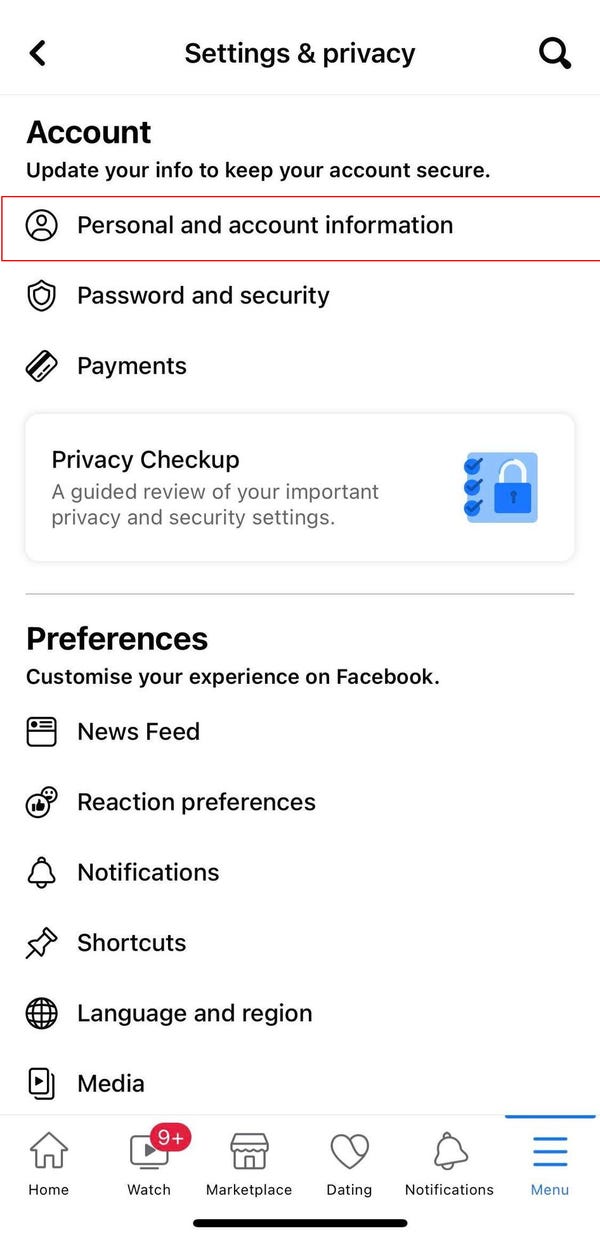
To download your data before deactivating your Facebook account, you’ll need to log in to your Facebook account. Select “Settings” from the left menu. Click “Your Facebook Information” and then “Download a copy of your data.” You’ll find different types of information in different folders. You can even download your data to your mobile device! You can even download your Facebook data to your Android or iOS phone.
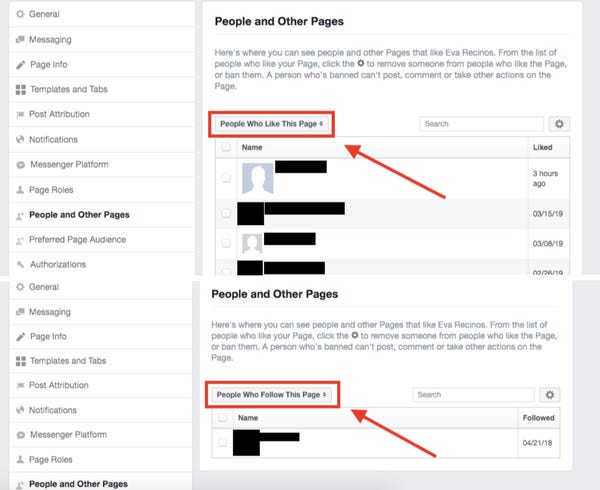
See the article :
How to See Who is Following You on Facebook
How to See Who is Following You on Facebook If you’re wondering…

Taking a break before deactivating a Facebook account

Considering taking a break before deactivating a social network account? You have a few reasons to do so. First, you may want to experiment with taking a break. Read also : Facebook’s Outage May Have Been Caused by a Bug in an Audit Tool. If you have spent a lot of time on Facebook, you may want to try deactivating your account. While deactivating your Facebook account is not as permanent as deleting it, you still retain access to your posts, photos, and friends.

Another benefit to deactivating your Facebook account is that you can always reactivate it after a break. Depending on how long you decide to take, Facebook may require you to enter your password and sign in again, so reactivating your account is not a difficult task. Once you’re back online, you can restore your account and start using it on other sites. Just log into Facebook with your old credentials, and you’re all set.

One reason people choose to take a break from Facebook is that it consumes too much time. It can even distract them from other activities. Furthermore, it’s possible that Facebook posts are tedious and burdensome. Moreover, you might start to feel lonely and disconnected after taking a break from it. Regardless of your reason for deactivating your Facebook account, you should know how to go about the process of deletion.

Read also :
How to Change Email on Facebook
How to Change Email on Facebook If you’ve been looking for a…

Related Posts:

  • How to Remove Your Facebook Account
  • How to Close Facebook Account - 3 Steps You Can Take to…
  • How to Cancel Facebook - Deactivate and Reactivate Your…
  • How Do I Close My Facebook Account?
  • How to Deactivate My Facebook Account
  • How to Deactivate Facebook Mobile
Was this article helpful?
YesNo

You might also like

Troubleshooting Instagram Posting Issues

Troubleshooting Instagram Posting Issues

How to Post Multiple Photos on Instagram Without Cropping – The Ultimate Guide

How to Post Multiple Photos on Instagram Without Cropping – The Ultimate Guide

How Do I View My Instagram Likes on My PC?

How Do I View My Instagram Likes on My PC?

How to Pause Reels in Instagram

How to Pause Reels in Instagram

How to Make Instagram Bio Center

How to Get Verified on YouTube: How to Speed Up the Process

How to Get Verified on YouTube: How to Speed Up the Process

Categories

  • Facebook
  • General
  • Instagram
  • LinkedIn
  • Marketing
  • Pinterest
  • Social Media
  • TikTok
  • Twitter
  • YouTube


Making Your Brands Popular.

(347) 875-0972

[email protected]

© 2024 Zeru.
All Rights Reserved.

DMCA.com Protection Status

Instagram Services

  • Buy Instagram Followers
  • Buy Instagram Likes
  • Buy Instagram Views
  • Buy Instagram Comments

YouTube Services

  • Buy YouTube Views
  • Buy YouTube Subscribers
  • Buy YouTube Likes
  • Buy YouTube Comments

TikTok Services

  • Buy TikTok Followers
  • Buy TikTok Likes
  • Buy TikTok Views

Facebook Services

  • Buy Facebook Page Likes
  • Buy Facebook Followers
  • Buy Facebook Post Likes
  • Buy Facebook Views

Twitter Services

  • Buy Twitter Followers
  • Buy Twitter Likes
  • Buy Twitter Retweets

Quick Links

  • FAQ
  • Blog
  • Contact
  • About
  • Terms and Conditions
  • Privacy Policy
No Result
View All Result
  • Buy Followers
    • Instagram Services
      • Buy Instagram Followers
      • Buy Instagram Likes
      • Buy Instagram Views
      • Buy Instagram Comments
    • YouTube Services
      • Buy YouTube Views
      • Buy YouTube Subscribers
      • Buy YouTube Likes
      • Buy YouTube Comments
    • TikTok Services
      • Buy TikTok Followers
      • Buy TikTok Likes
      • Buy TikTok Views
    • Facebook Services
      • Buy Facebook Page Likes
      • Buy Facebook Followers
      • Buy Facebook Post Likes
      • Buy Facebook Views
    • Twitter Services
      • Buy Twitter Followers
      • Buy Twitter Likes
      • Buy Twitter Retweets
  • Blog
  • Categories
    • Instagram
    • YouTube
    • TikTok
    • Facebook
    • Twitter
  • Contact

© 2023 Zeru. All Rights Reserved.

Welcome Back!

Login to your account below

Forgotten Password?

Create New Account!

Fill the forms bellow to register

All fields are required. Log In

Retrieve your password

Please enter your username or email address to reset your password.

Log In






